Table of Contents
If you’re building dynamic websites with Divi, Advanced Custom Fields (ACF), and Divi Machine, one of the most powerful features you can add is AJAX filtering. AJAX filters allow users to sort and filter content instantly—without refreshing the page—creating a smooth and modern browsing experience.
In this tutorial, you’ll learn exactly how to create AJAX filter options using ACF fields inside Divi Machine. Whether you’re building a directory, real estate listings, service listings, or a product catalog, this guide will help you create advanced filter systems with no custom coding required.
Step 1: Create the ACF Field “Position”
- Go to ACF → Field Groups
- Click Add New Field Group
- Add a field:
- Field Label: Position
- Field Name: position
- Field Type: Select / Text / Radio
- Select is recommended so you can pre-define job roles.
- Add all possible positions (if using Select field)
- Set the rule:
Show this field group if Post Type = Job Opening
- Publish the field group.
Step 2: Add Position Values to Each Job Opening
Now add content:
- Go to Job Openings → Add New
- Enter Job Title
- Fill the ACF field Position
- Add job description, responsibilities, requirements, etc.
- Publish
Repeat this for all job posts.
Step 3: Create a Job Openings Listing Layout in Divi Library
To build a clean and reusable job listing design, you first need to create a layout inside the Divi Library.
How to create the layout:
- Go to Divi → Divi Library → Add New
- Enter a layout name (Example: Job Opening Listing Layout)
- Choose Layout Type: Layout
- Click Submit
- Now edit the layout inside the Divi Builder
Step 4: Create the Job Opening Archive or Page
Now you will use Divi Machine to display all job openings on a front-end page.
Steps:
- Create or open the page you want to use for your job archive
- Enable Divi Builder
- Add the module:
DM – Archive Loop - Configure the archive loop:
- Select Post Type: Job Openings
- Select Layout: Choose the template you created in Divi Library
Step 5: Create the AJAX Filter Using the ACF Field
Divi Machine allows you to create filters for any ACF field.
Here we will create a filter for Position (ACF field).
Steps:
- Add the module:
DM – Filter Posts (Divi Machine Module)
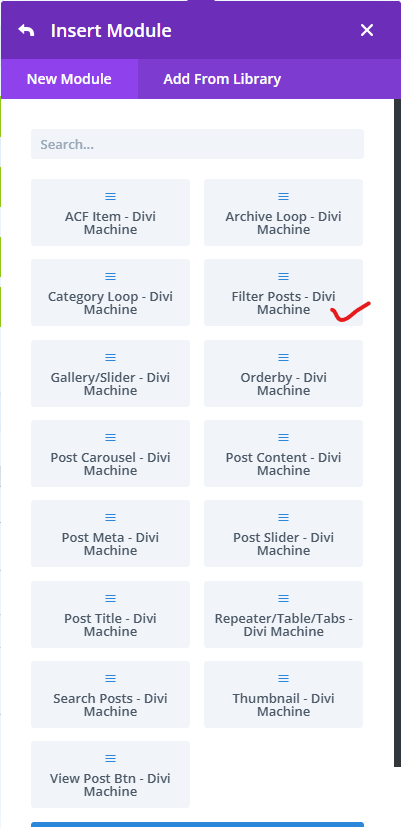
- Click Add New Filter Item
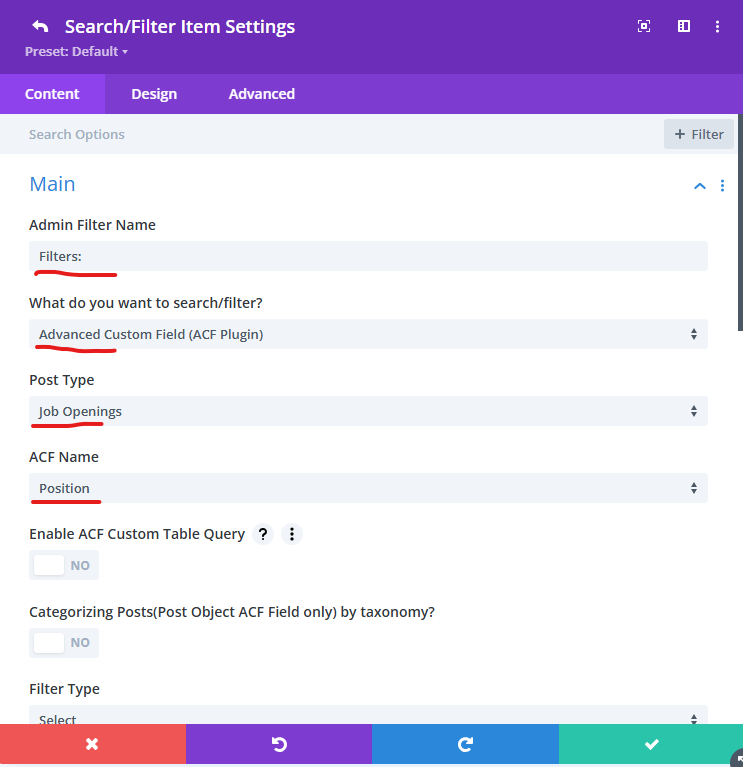
- In the Main settings, configure:
- Filter Name: Position
- What do you want to search/filter? → Select ACF Field
- Select Post Type: Job Openings
- Select ACF Name: position
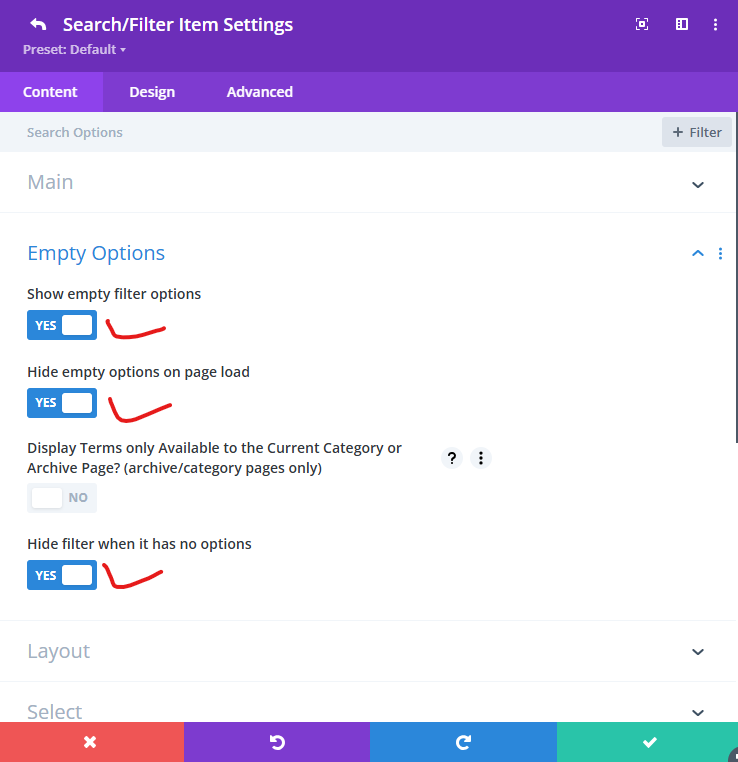
- In the Empty Options settings:
- Show empty filter option: YES
- Hide empty options on page load: YES
- Hide filter option when it has no options: YES
Step 6: Save and Test Your Filter
Now visit your Job Openings archive page:
- The layout you created in the Divi Library should display correctly
- The Divi Machine Archive Loop should load all job posts
- The filter for Position should update the job list instantly (AJAX)
- Pagination or Load More buttons should work smoothly
You now have a fully functional, dynamic Job Opening listing page with AJAX filtering using ACF fields.
If you’re working on a WordPress or Divi project that requires AJAX filters, ACF-based logic, or custom dynamic functionality, we can build a clean, scalable solution tailored to your exact requirements—without plugin overload.
You can Book a Free Project Consultation to discuss your use case, data structure, and the best development approach.