Table of Contents
When building Custom Post Type (CPT) single pages in Divi, tabs are a great way to organize content. But the real problem starts when ACF fields are empty — Divi still displays the tab, leaving blank content areas.
In this tutorial, you’ll learn how to:
- Create dynamic Divi tabs on CPT single pages
- Display ACF field data dynamically inside tabs
- Automatically hide tabs when ACF data is empty
Note: This tutorial uses a People Custom Post Type as a demo example only.
The same setup works for any CPT, such as:
- Team Members
- Products
- Properties
- Courses
- Portfolio
- Services
Requirements
- Divi Theme
- Advanced Custom Fields (ACF)
- Any Custom Post Type (People CPT is used only for demonstration)
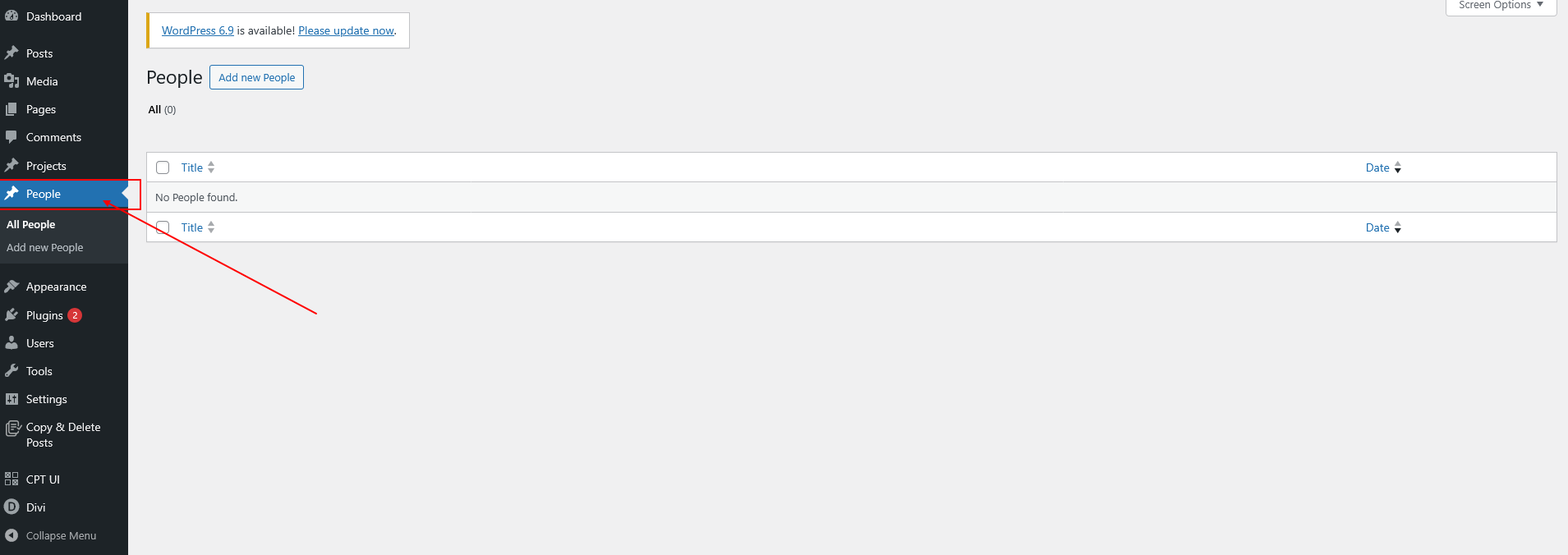
Step 1: Create Any CPT & Single Template (Demo: People)
For this demo, a People CPT is created.
You can replace this with any Custom Post Type you want.
Steps:
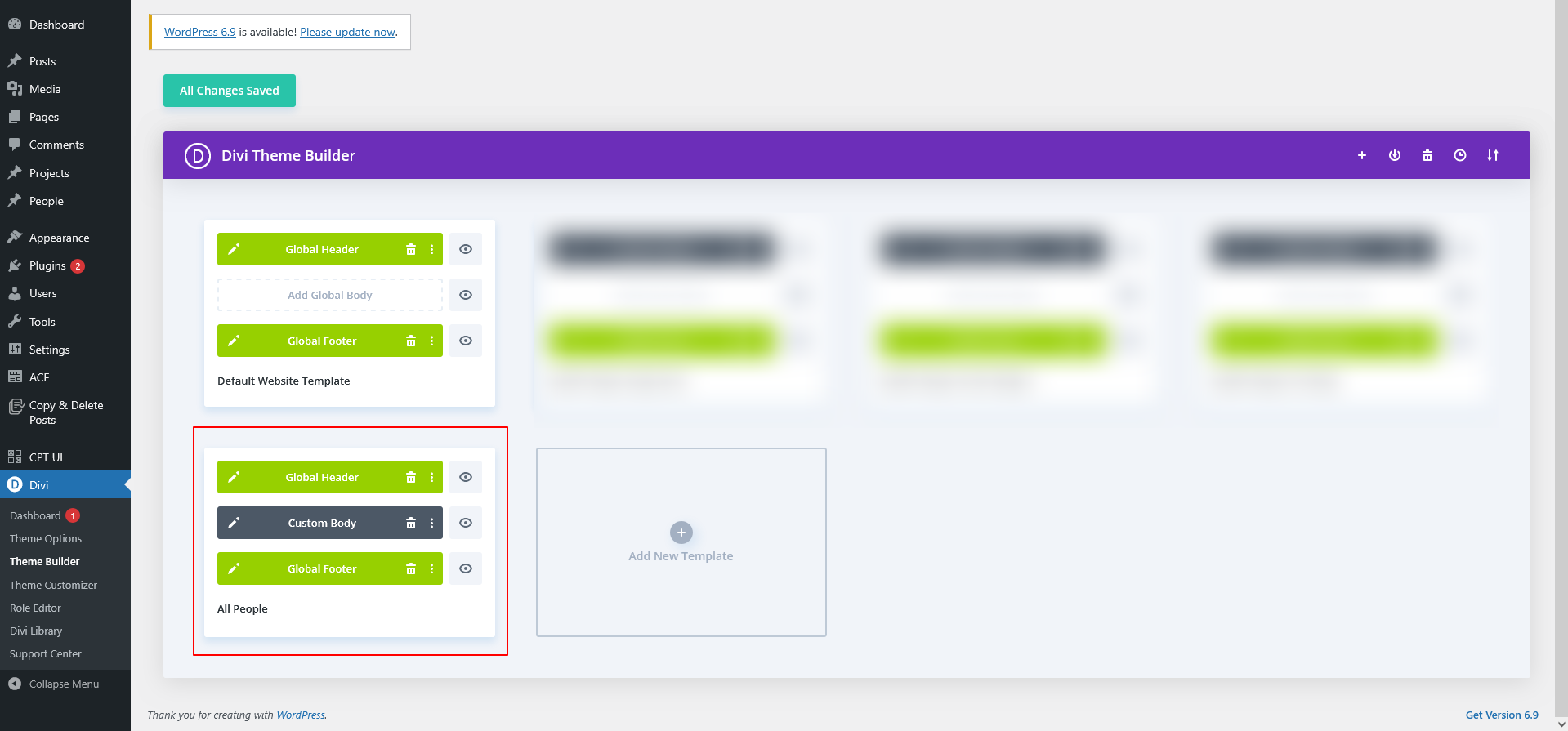
- Create your CPT (example: People)
- Go to Divi → Theme Builder
- Create a Single Post Template
- Assign it to your CPT
This template will apply to all posts of that CPT.
Step 2: Create ACF Fields for Your CPT (Demo Fields)
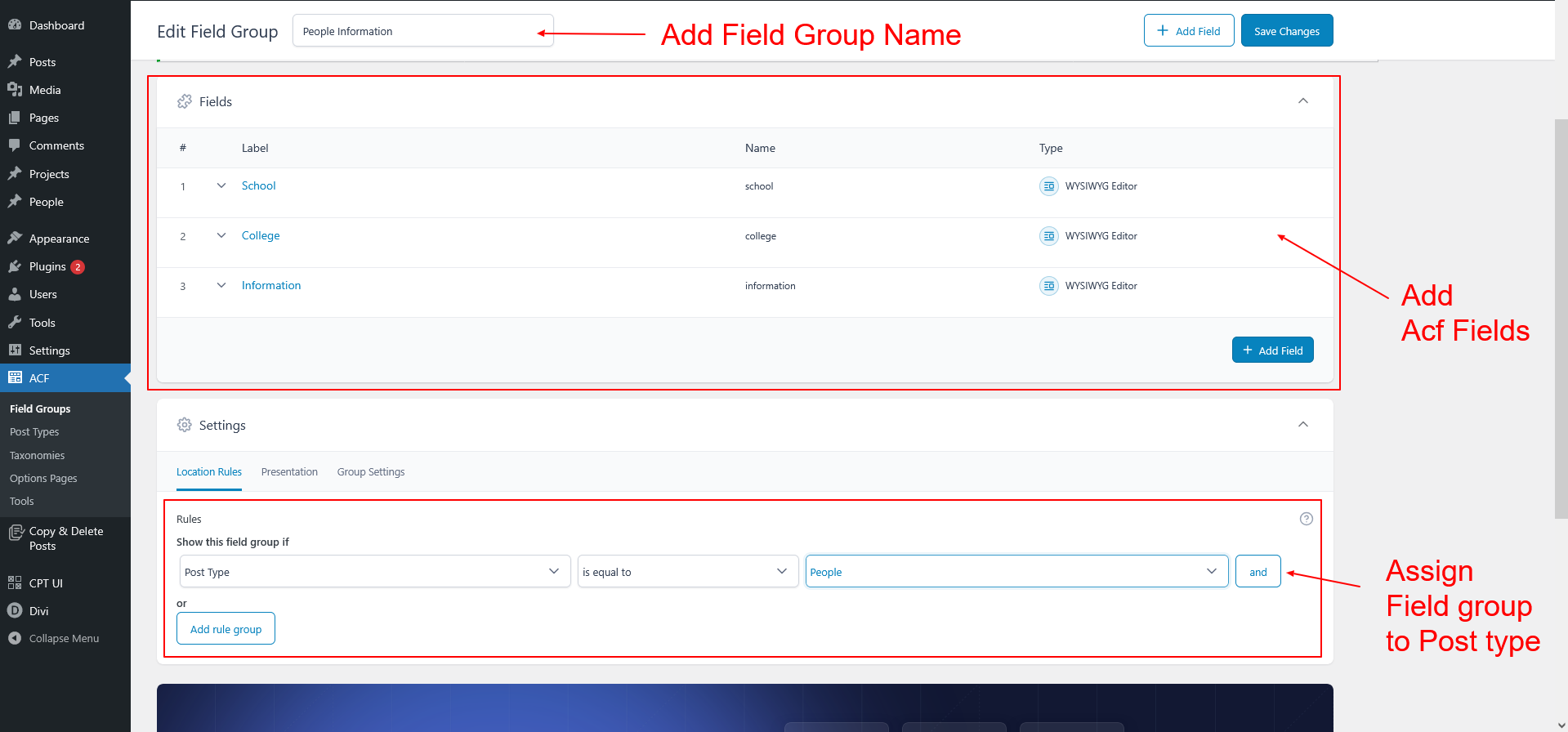
For demonstration, the following ACF fields are created:
- School
- College
- Information
These fields are just examples.
You can create any number of ACF fields depending on your CPT type.
Assign the ACF field group to your CPT.
Step 3: Add & Fill ACF Data in CPT Posts
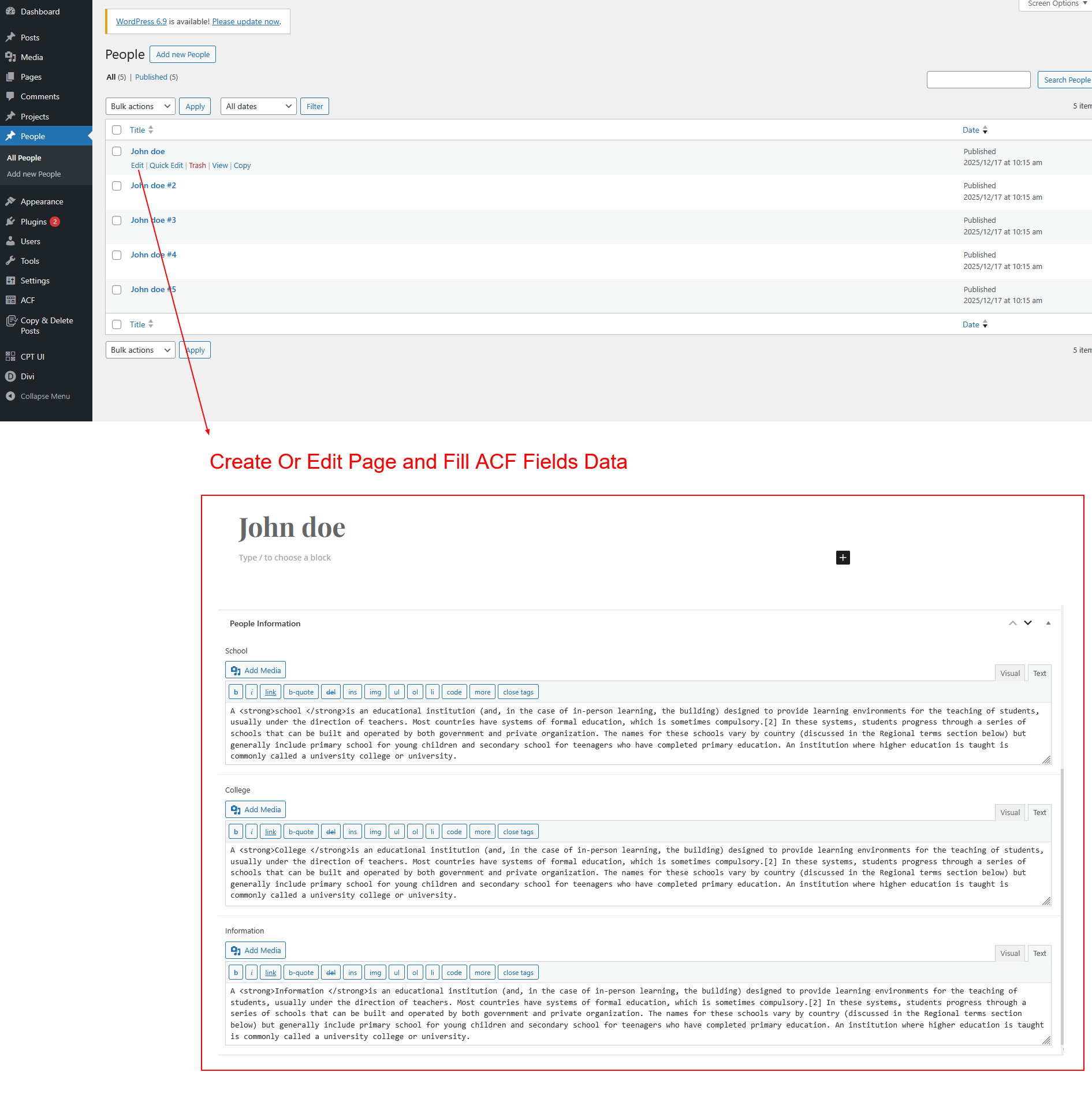
Create multiple CPT posts and fill ACF data differently:
- Some posts may contain School data
- Some may contain College data
- Some fields may be left empty
This variation helps test the automatic tab hiding logic later.
Step 4: Create Divi Tabs and Show ACF Data Dynamically
Now comes the most important part — creating dynamic tabs.
4.1 Add the Divi Tabs Module
- Edit your CPT single template in Divi Theme Builder
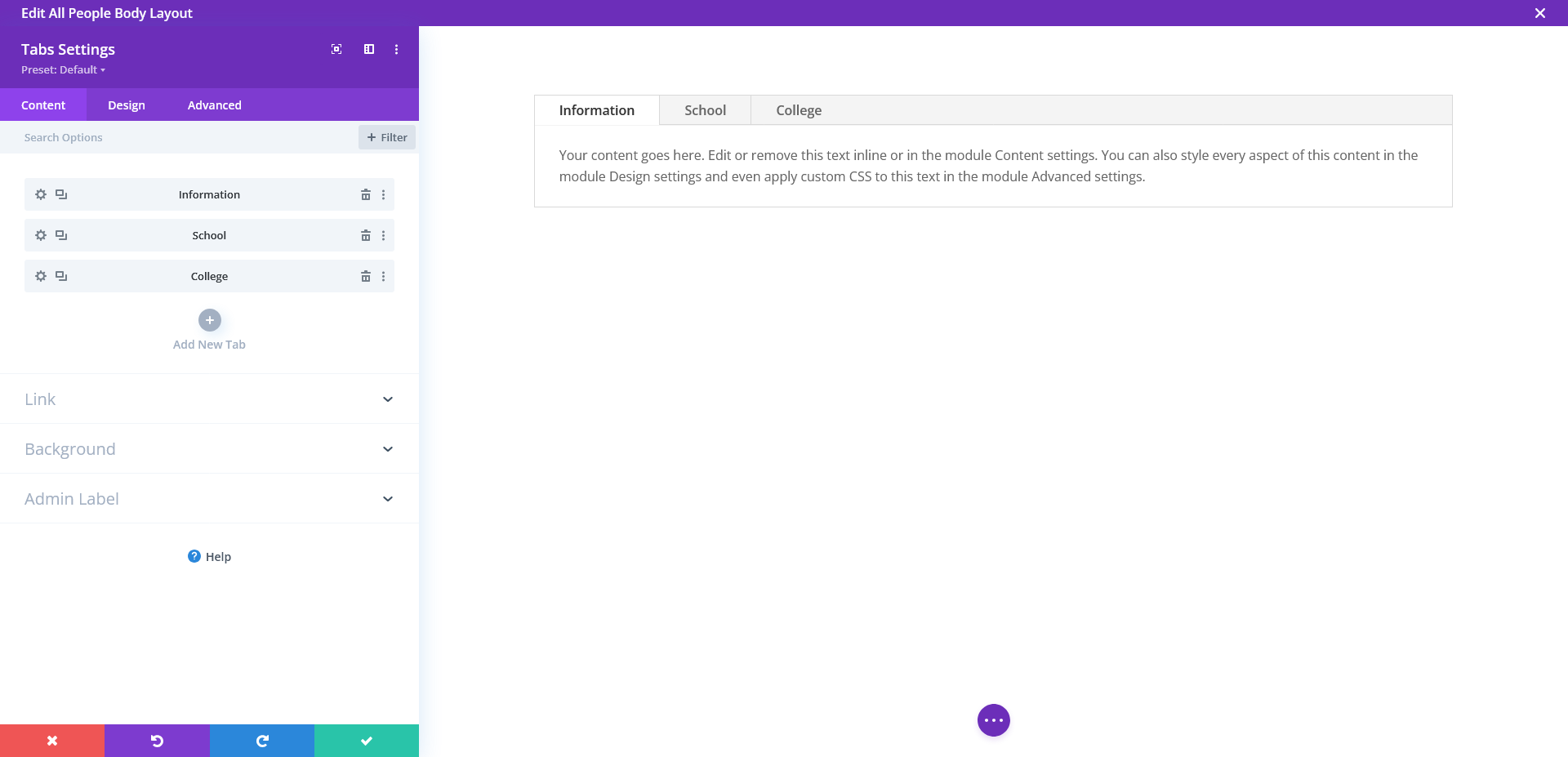
- Add a Tabs module
- Create tab titles such as:
- School
- College
- Information
These tab titles should match the type of ACF data you want to display.
You can rename them based on your CPT fields.
4.2 Fetch ACF Data Dynamically Inside Tab Content
Divi allows you to fetch ACF field values directly inside the tab content using its built-in Dynamic Content option, so no extra module or plugin setup is required.
To display ACF data inside a tab:
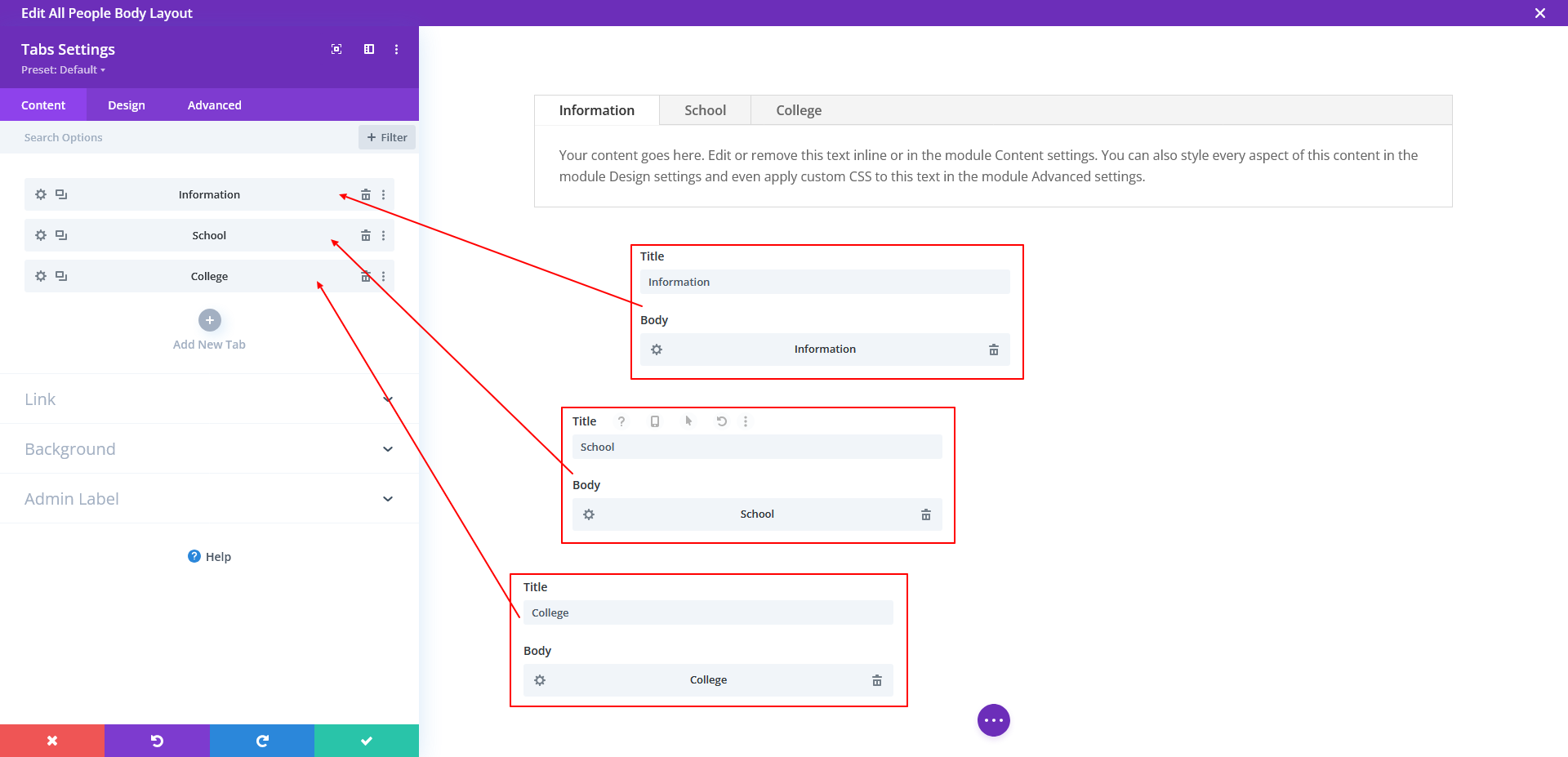
- Open the Tabs module in your CPT single template
- Click on the tab content area you want to edit
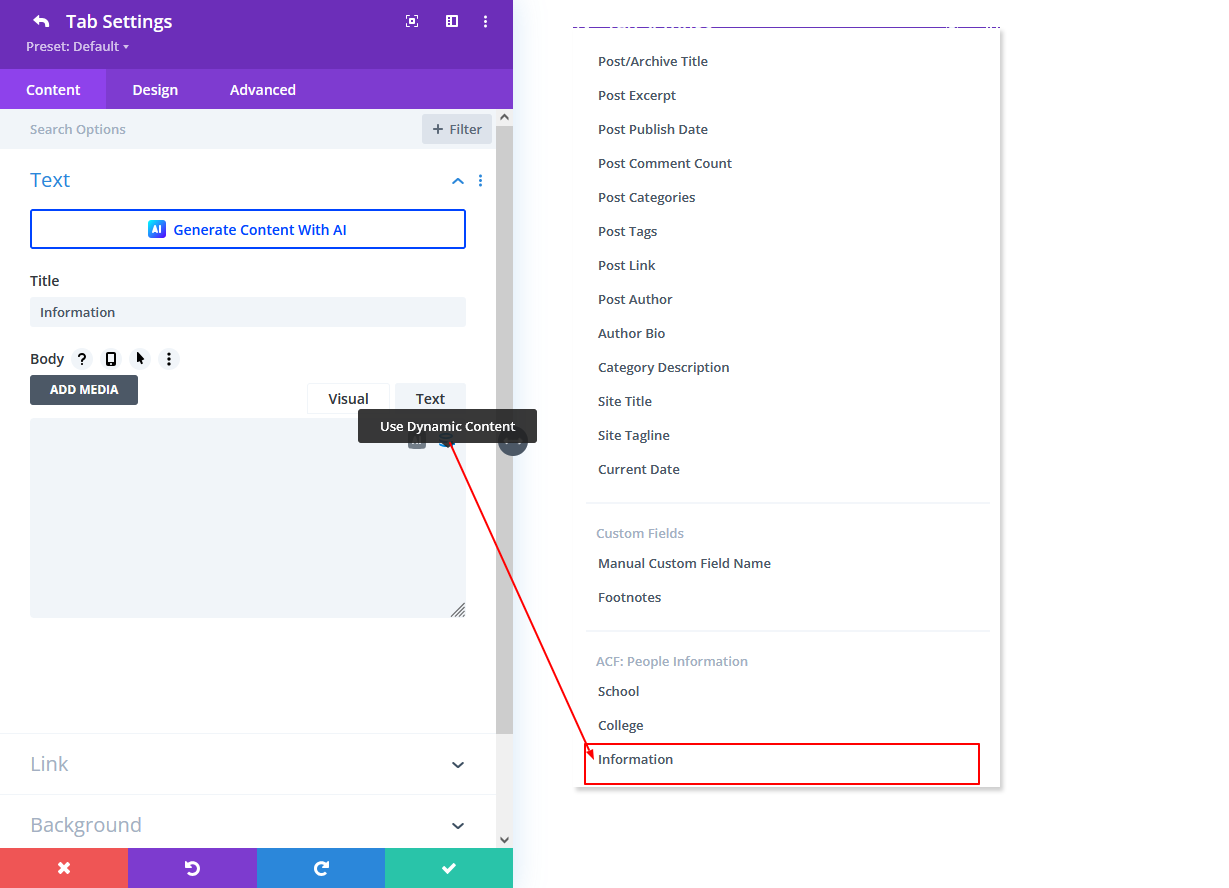
- On the right side of the content editor, click the Dynamic Content icon (database icon)
- From the dynamic options, select the ACF field you want to display
- Example: School
- Example: College
- Example: Information
Divi will now automatically pull and display the selected ACF field value for the current CPT post.
This means:
- Each CPT post shows its own ACF data
- No static content is required
- The tab content updates dynamically for every post
You can repeat the same process for each tab, selecting different ACF fields based on the tab tit
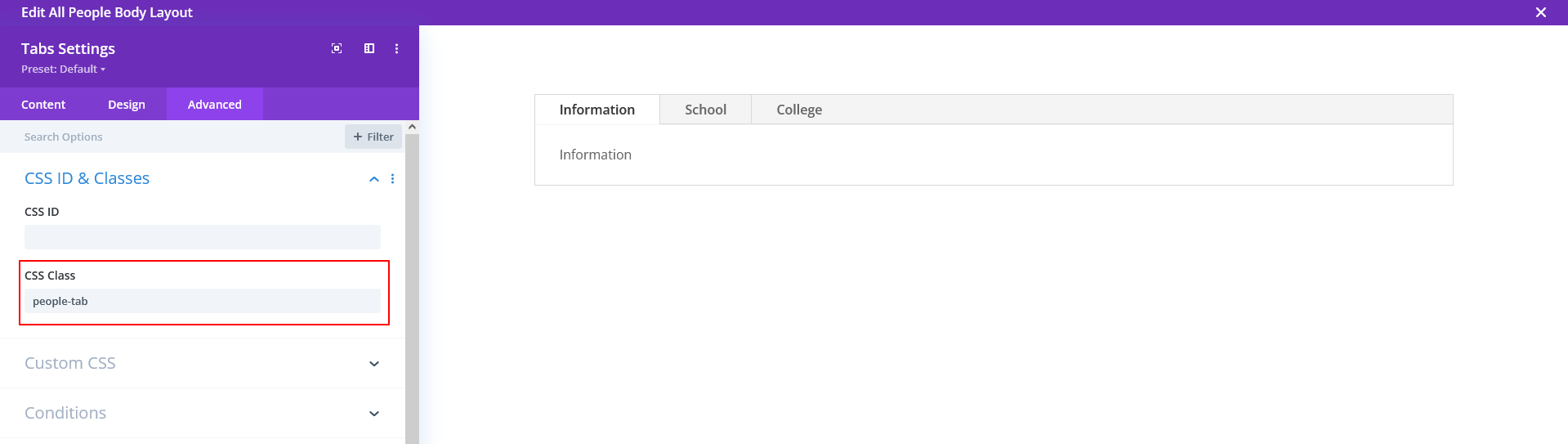
4.4 Add Custom Class to the Tabs Module
Add this custom class to the Tabs module:
people-tab
This is just a demo class name.
You can rename it based on your CPT, for example:
- team-tab
- product-tab
- property-tab
Step 5: Automatically Hide Tabs When ACF Data Is Empty
Go to:
Divi → Theme Options → Integration → Add code to the <body>
Paste this script 👇
<!-- hide tab -->
<script>
jQuery(document).ready(function($) {
  // Step 1: Mark empty tab content
  $('.people-tab .et_pb_all_tabs .et_pb_tab').each(function() {
    if ($.trim($(this).html()).length === 0) {
      $(this).addClass('hide-sec');
    }
  });

  // Step 2: Hide matching tab titles
  $('.people-tab .et_pb_all_tabs .et_pb_tab').each(function(index) {
    if ($(this).hasClass('hide-sec')) {
      $('.people-tab .et_pb_tabs_controls > li').eq(index).addClass('hide-title');
    }
  });

  // Step 3: Activate first visible tab
  var $tabs = $('.people-tab .et_pb_all_tabs .et_pb_tab');
  var $titles = $('.people-tab .et_pb_tabs_controls > li');

  $tabs.removeClass('et_pb_active_content');
  $titles.removeClass('et_pb_tab_active');

  $tabs.each(function(index) {
    if (!$(this).hasClass('hide-sec')) {
      $(this).addClass('et_pb_active_content');
      $titles.eq(index).addClass('et_pb_tab_active');
      return false;
    }
  });
});
</script>
Step 6: Add CSS to Hide Empty Tabs
Go to: Divi → Theme Options → Custom CSS
Add:
.people-tab .et_pb_tab.hide-sec,
.people-tab .et_pb_tabs_controls li.hide-title {
	display: none !important;
}
Final Result (Works for Any CPT)
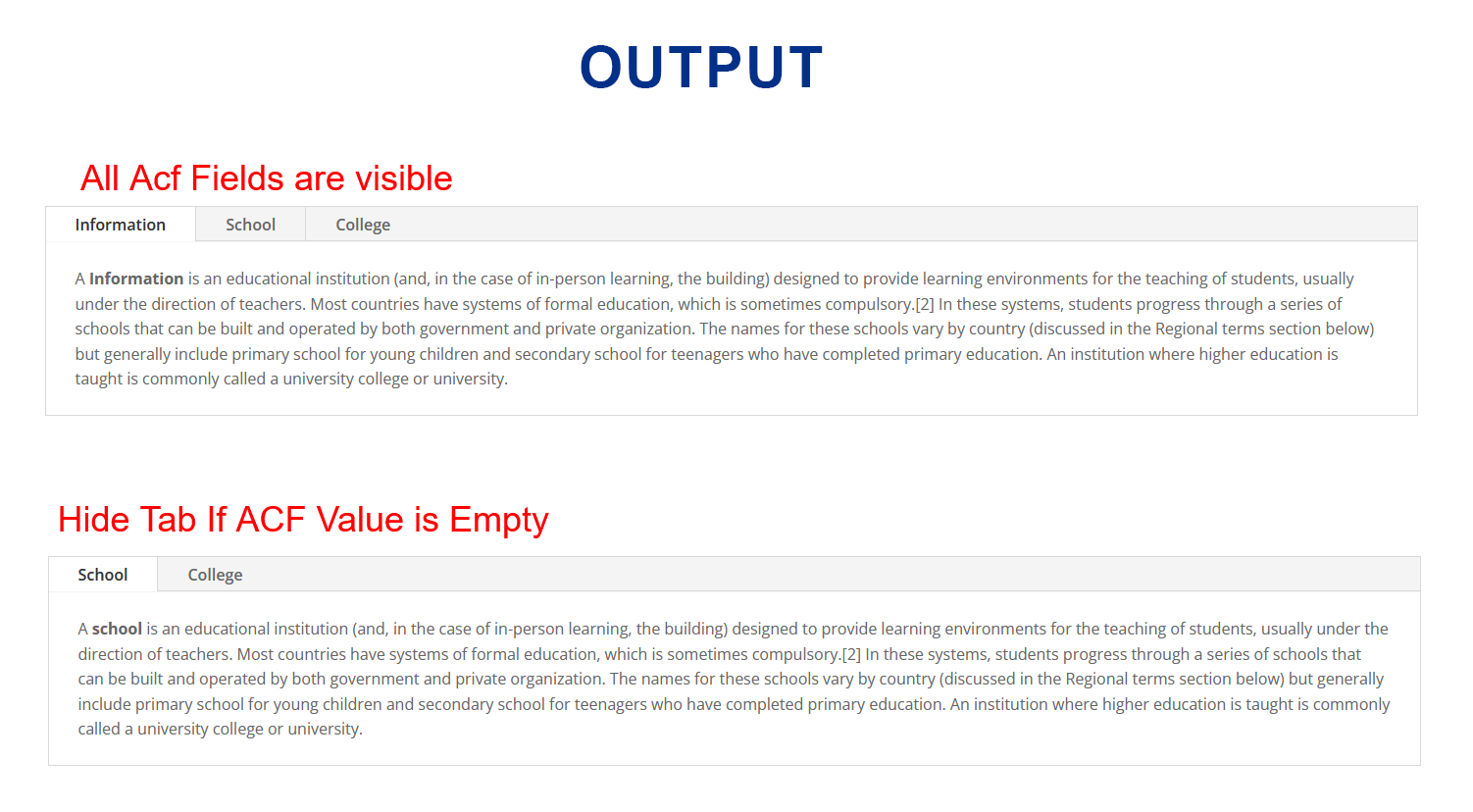
- Tabs display only when ACF data exists
- Tabs with empty ACF fields are hidden automatically
- First available tab opens by default
- Clean UI and better UX
- Fully reusable for any CPT single page
Conclusion
Although this tutorial uses a People CPT as a demo, the same setup works for any Custom Post Type. By combining Divi Tabs, ACF, and Divi Machine, you can build smart, dynamic CPT single pages without showing empty content.
Once implemented, you’ll never need to manually manage tab visibility again.
If you’re looking to develop a custom WordPress or Divi project with dynamic functionality, you can Book a Free Project Consultation to discuss your requirements and next steps.