Table of Contents
Creating advanced and interactive layouts in Divi 5 is now easier than ever. One powerful technique you can use is nested sliders—placing custom-designed content (like rows, columns, tabs, or galleries) inside a slider.
In this tutorial, we’ll walk you through how to create nested sliders step by step without using any custom code.
What Are Nested Sliders?
A nested slider allows you to insert complex layouts inside each slide, instead of just simple text or images.
With this method, you can create:
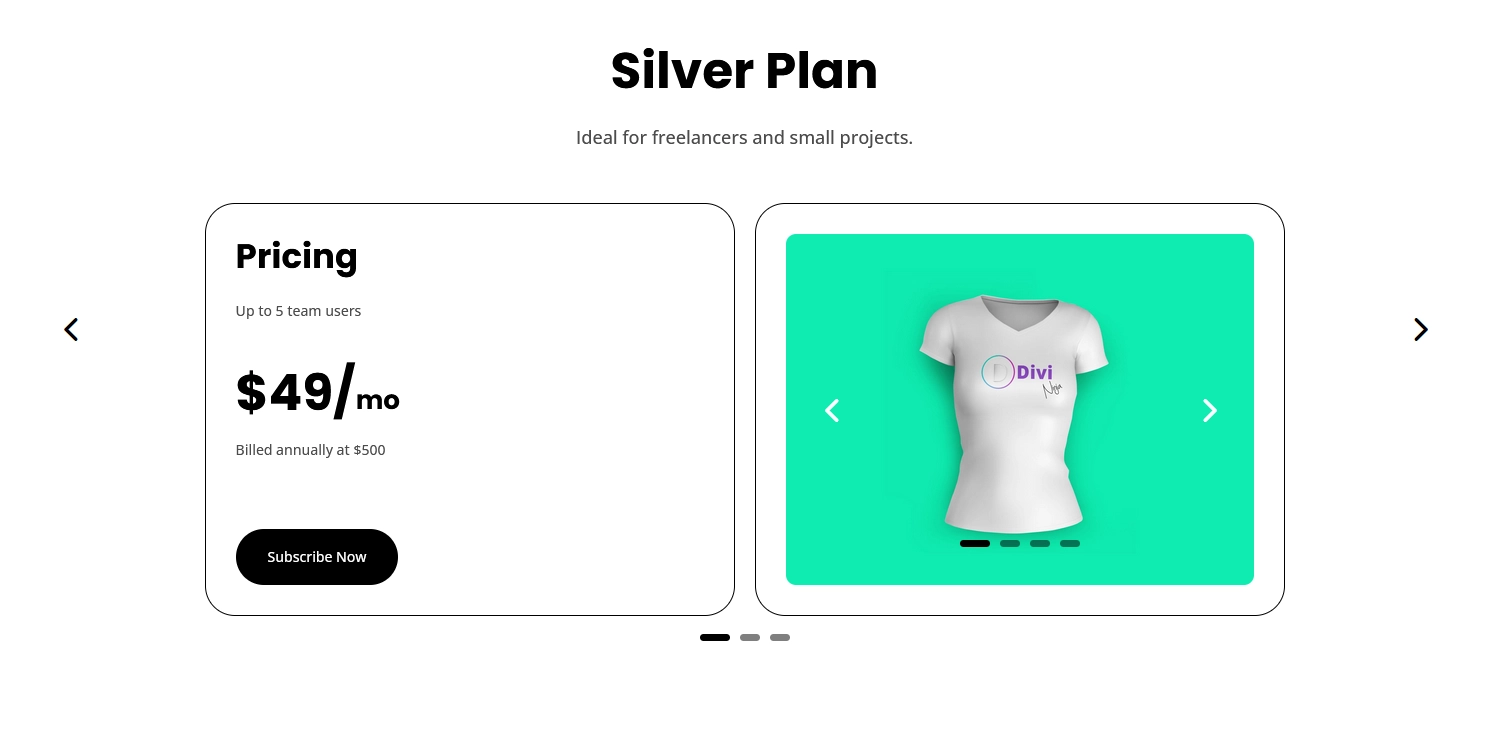
- Pricing sections (like your example)
- Feature comparisons
- Image galleries
- Tabs inside sliders
- Fully custom layouts
Step 1: Add a Slider Module
Start by creating a new section on your page.
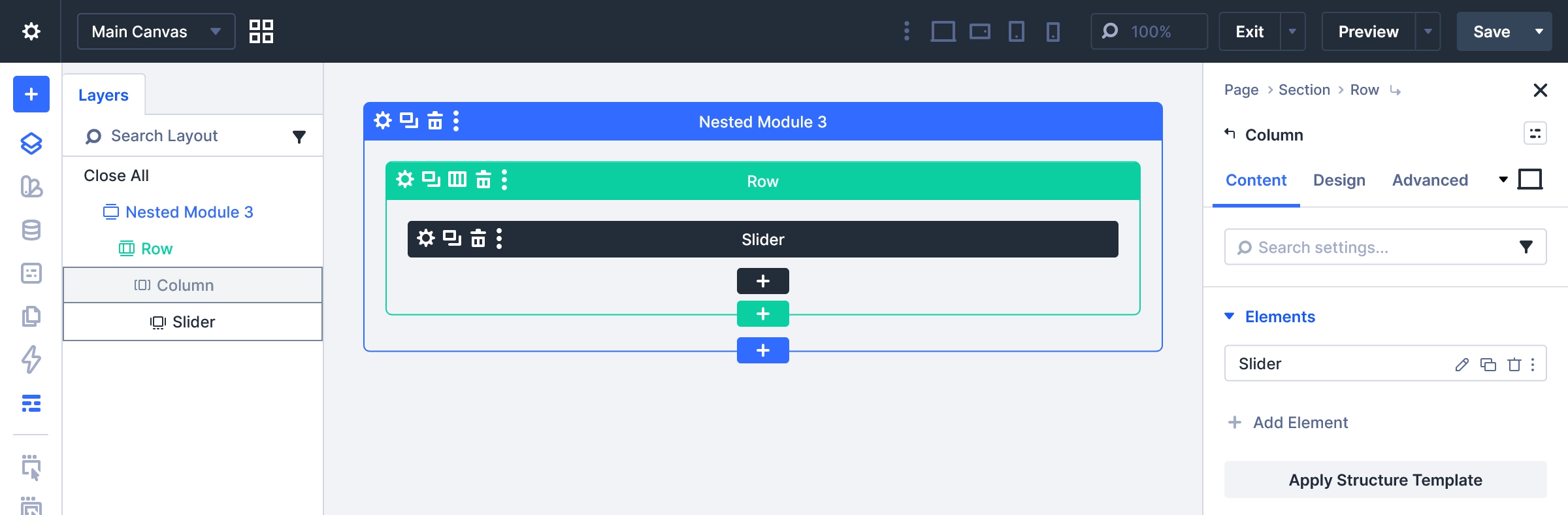
- Add a Row
- Insert the Slider Module
This will be your main container where all slides will live.
Step 2: Create Slides
Inside the Slider Module:
- Add multiple slides (e.g., 2–3 slides)
- Add basic content like:
- Title
- Description
Don’t worry too much about design here—we’ll customize it next.
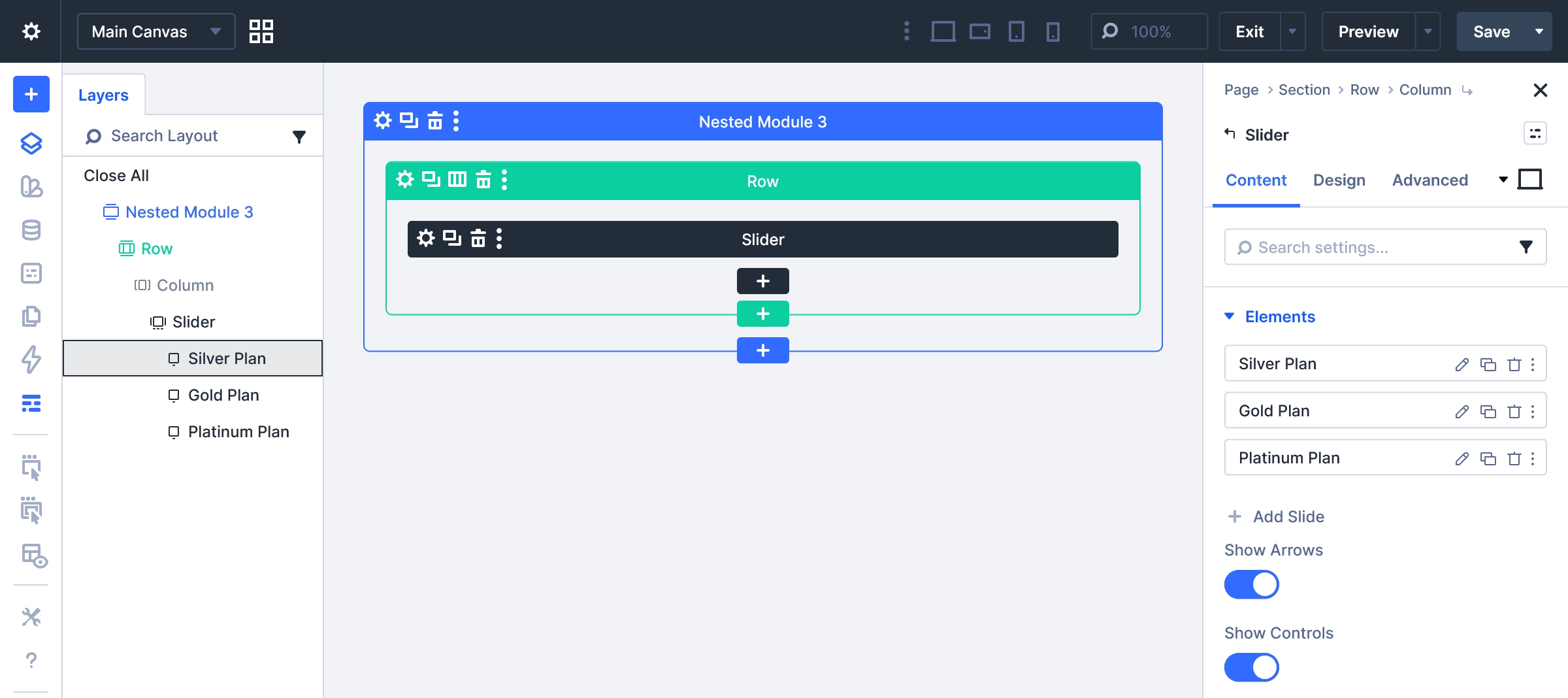
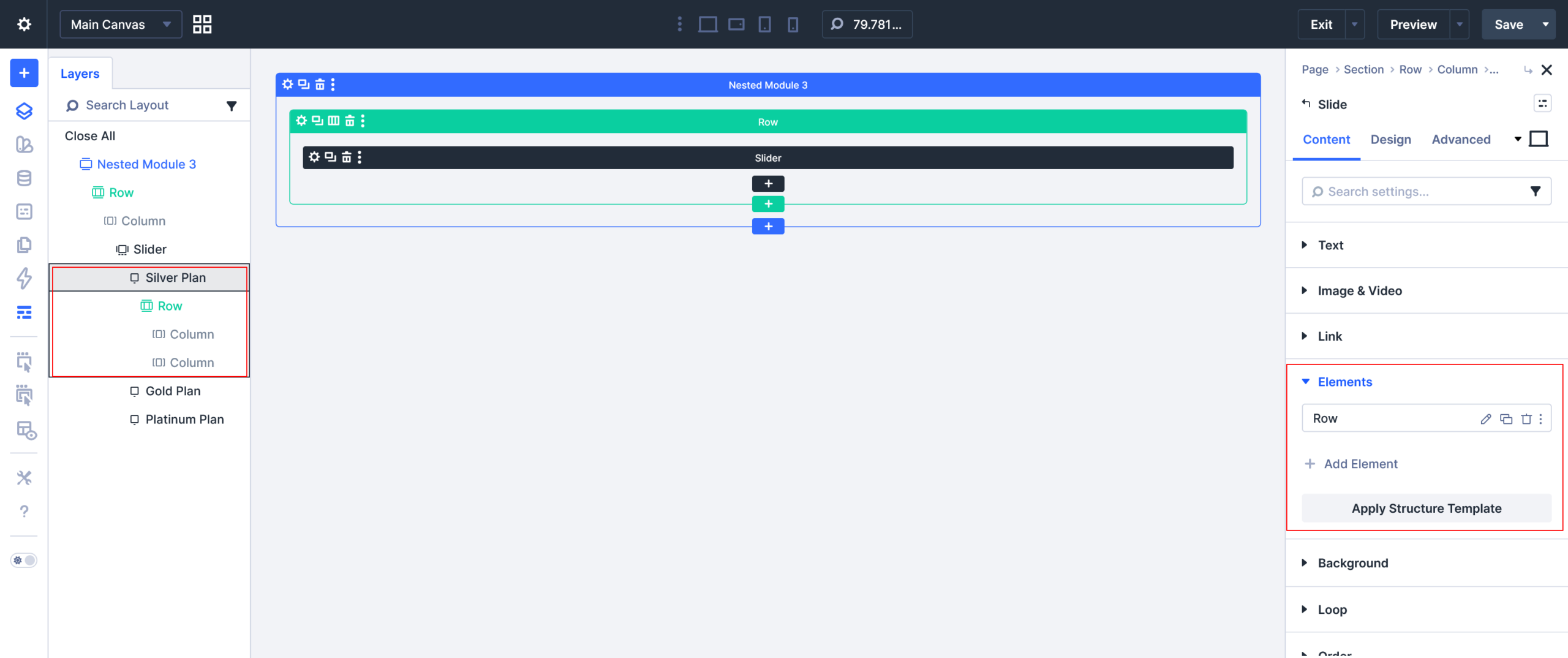
Step 3: Enable Slide Layout (Key Step)
Now comes the most important part
- Open any slide settings
- Go to the Slide Elements tab
- Add a Row inside the slide
This is what enables the nested structure.
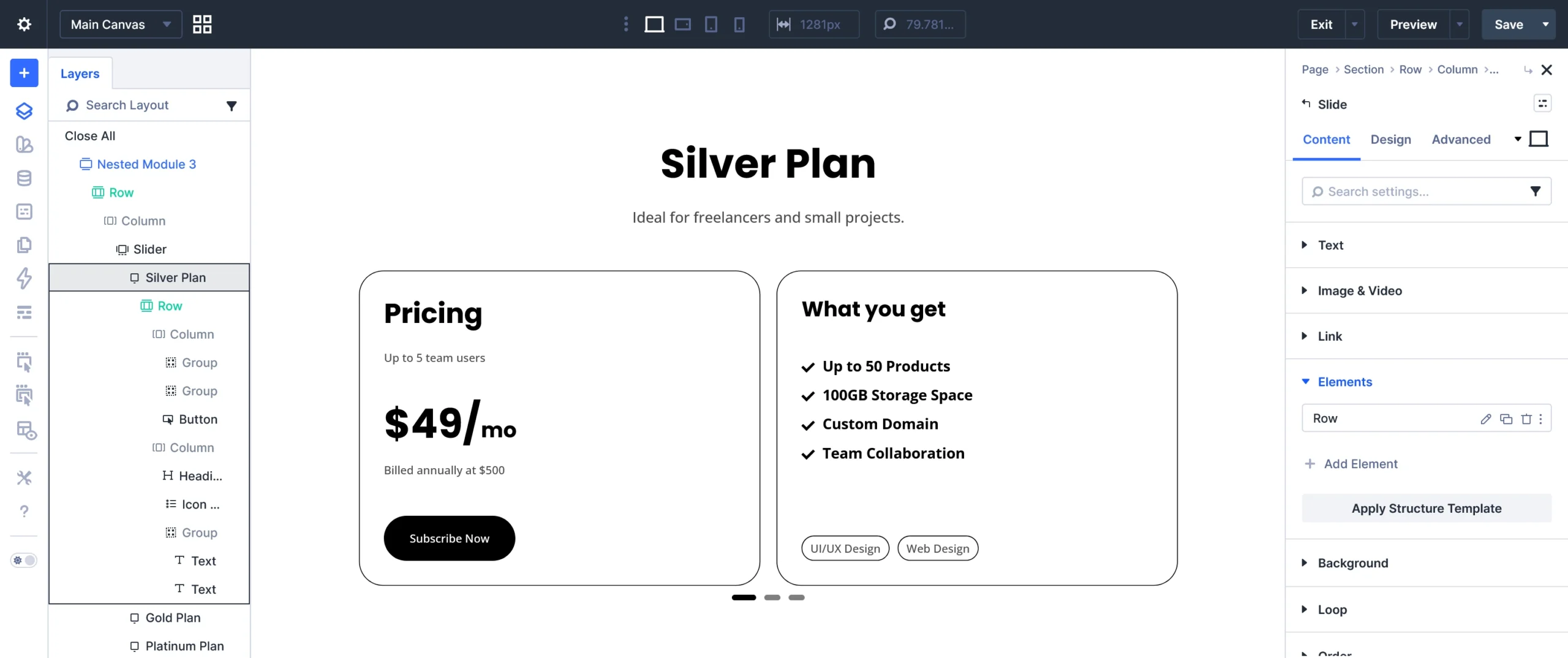
Step 4: Build Your Custom Layout
Inside the slide’s row:
- Choose a 2-column layout
- Design each column as needed
Example layout:
- Left column → Pricing details
- Right column → Features list
You can add:
- Text modules
- Buttons
- Icons
- Lists
- Images
This is exactly how your pricing slider design is created.
Step 5: Style Your Design
Now customize your layout:
- Add background colors
- Use border radius for cards
- Adjust spacing (padding & margin)
- Style buttons and typography
Tip: Keep consistent spacing and colors for a professional look.
Step 6: Duplicate & Customize Slides
- Duplicate your slide
- Update content for each variation (plans, features, etc.)
This saves time and keeps design consistent across slides.
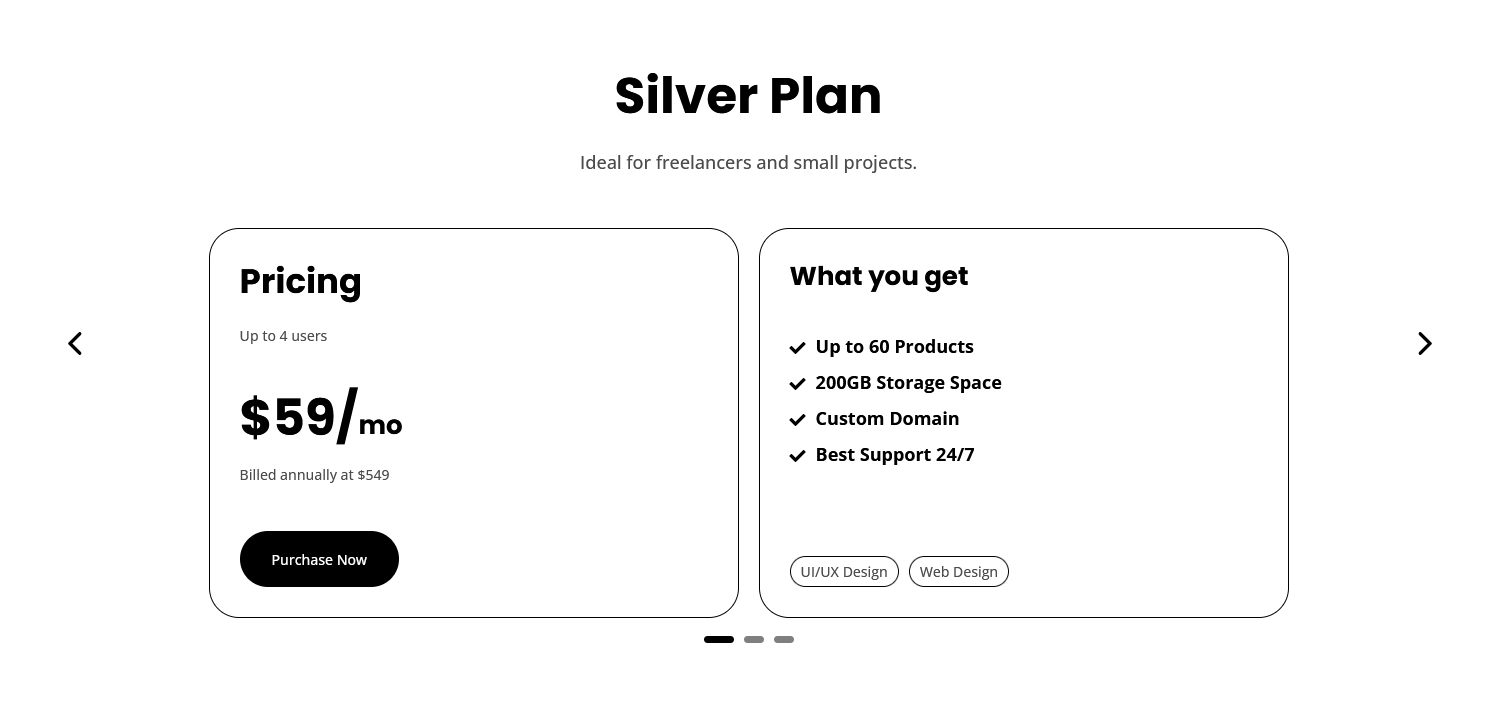
Step 7: Check Frontend Output
Save your page and preview it.
You’ll now see a fully functional nested slider where each slide contains a complete layout.
What You Can Build With This Method
This technique is extremely flexible. You can create:
- Pricing sliders
- Portfolio sliders
- Testimonial layouts
- Product showcases
- Tabs inside sliders
- Image galleries
Basically, you can place any Divi module inside a slide.
Pro Tips
- Keep slides lightweight for better performance
- Use consistent design across slides
- Avoid overcrowding content
- Test responsiveness on mobile
Final Thoughts
Nested sliders in Divi 5 unlock a new level of design flexibility. Instead of being limited to basic slides, you can now create fully customized, dynamic sections inside each slide.
This method is perfect for modern websites that need interactive and engaging layouts.