Table of Contents
- What You Need
- Step 1: Create Your Custom Post Type (CPT)
- Step 2: Add ACF Repeater & Relationship Fields to Your CPT
- Step 3: Add Projects
- Step 4: Build a Single CPT Template in Divi
- Step 5: Display ACF Relationship & Repeater Data
- Part A — Fetch Relationship Field Data
- Part B — Fetch Repeater Field Data
- Main Settings
- Loop Layout Settings
- Grid Options Settings
- Step 6: Save and Test
If you’re building dynamic WordPress websites with Divi + ACF + Divi Machine, you already know the power of these three tools. But many users get stuck when trying to display Custom Post Types, ACF Repeater, and Relationship fields inside Divi layouts.
Using Divi Machine, you can easily fetch and display Custom Post Types, ACF Repeater fields, and Relationship data—without writing any PHP code.
This guide walks you through a clean, step-by-step process to fetch and display CPT content and ACF fields using Divi Machine.
What You Need
Before getting started, make sure you have:
- Divi Theme
- ACF Plugin ( Need ACF PRO to create repeater field)
- Divi Machine plugin
- Advanced Custom Fields (ACF) Pro
- A Custom Post Type (CPT)
- ACF Repeater and Relationship fields
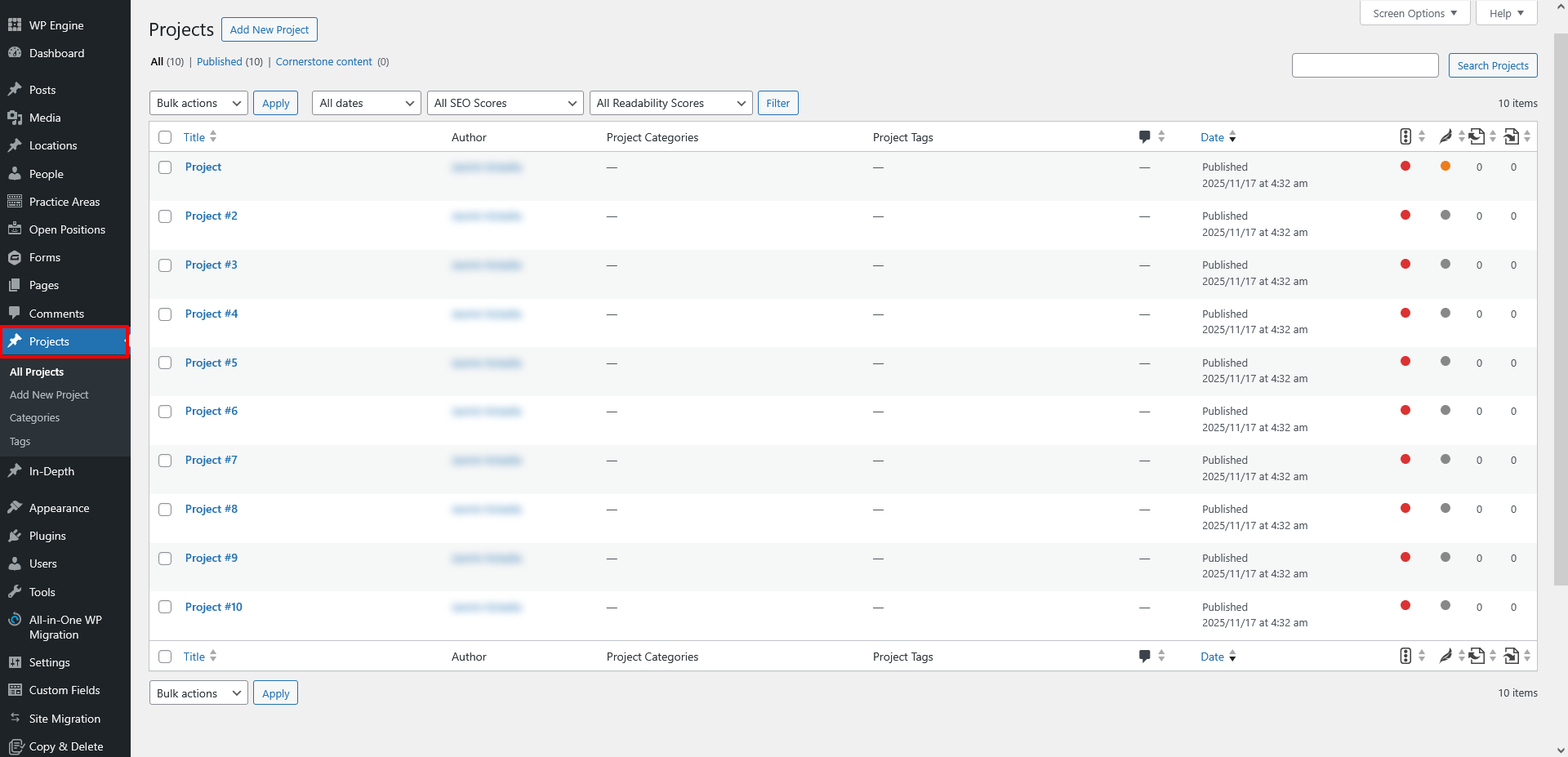
Step 1: Create Your Custom Post Type (CPT)
You can create a CPT with CPT UI plugin or by using custom code.
Example: Projects
Step 2: Add ACF Repeater & Relationship Fields to Your CPT
Go to: ACF → Field Groups → Add New
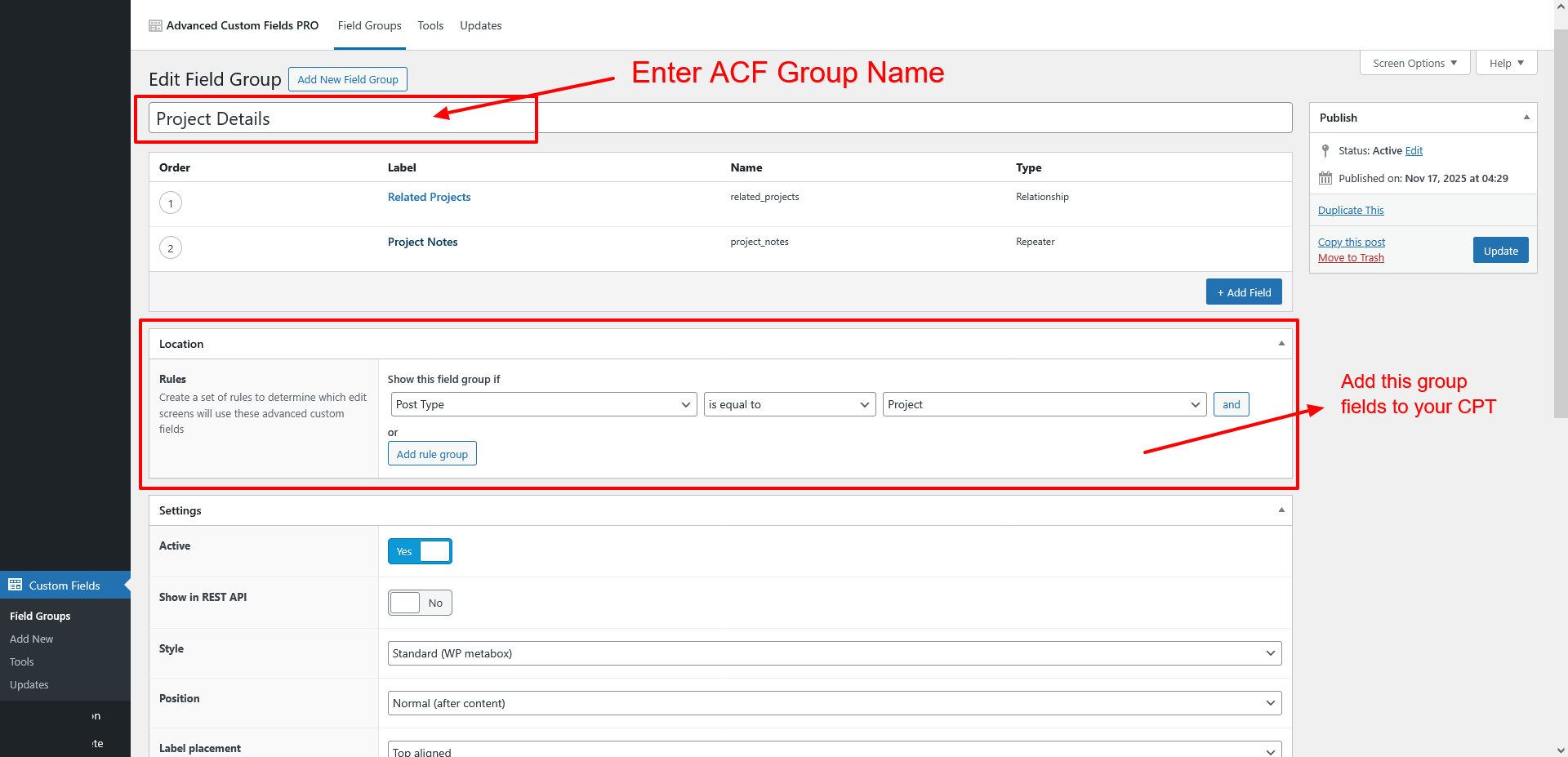
Field Group Name: Project Details
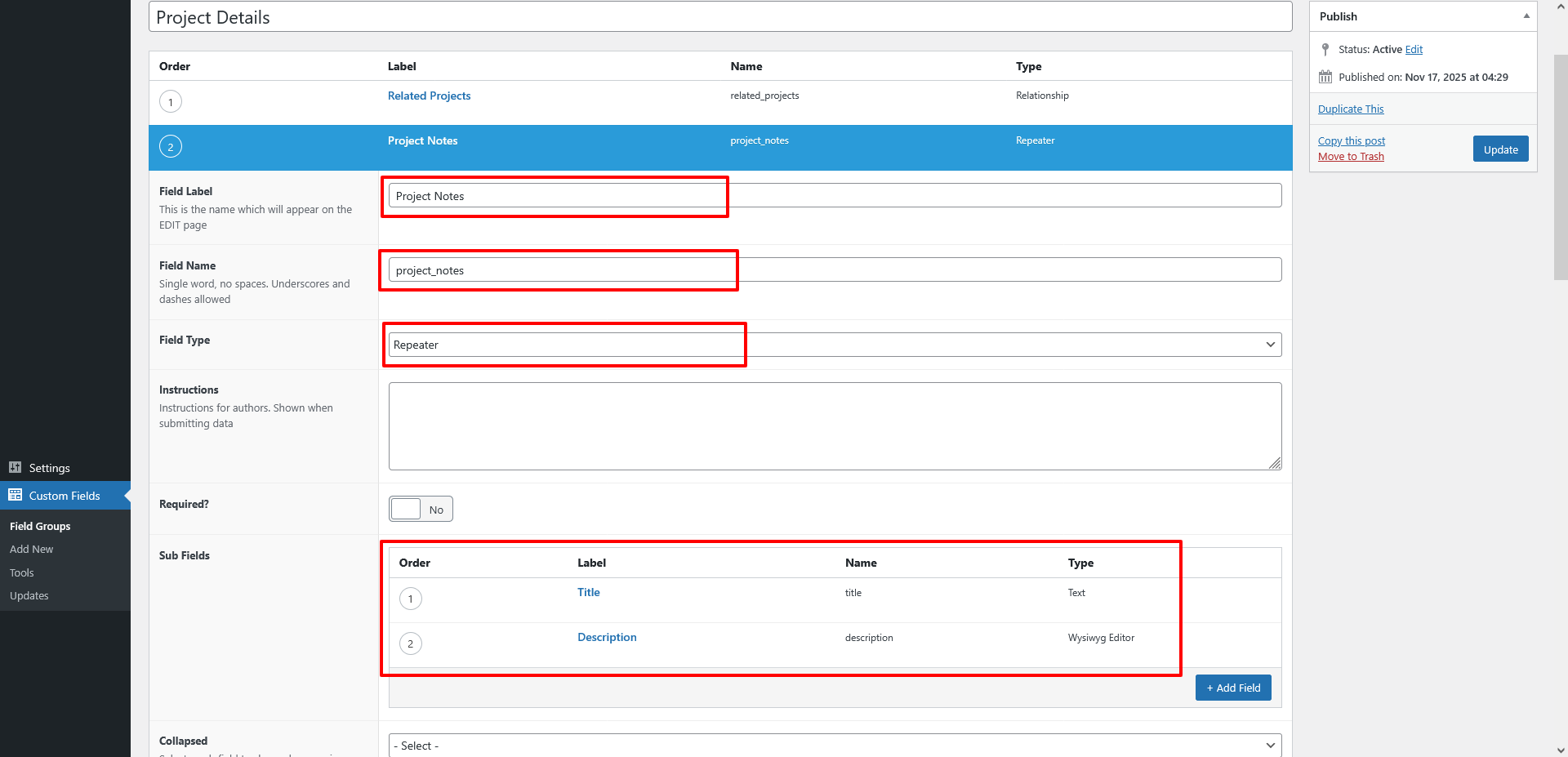
Create Repeater Field:
- Field Name: Project Notes
- Field Type: Repeater
- Subfields: Title, Description
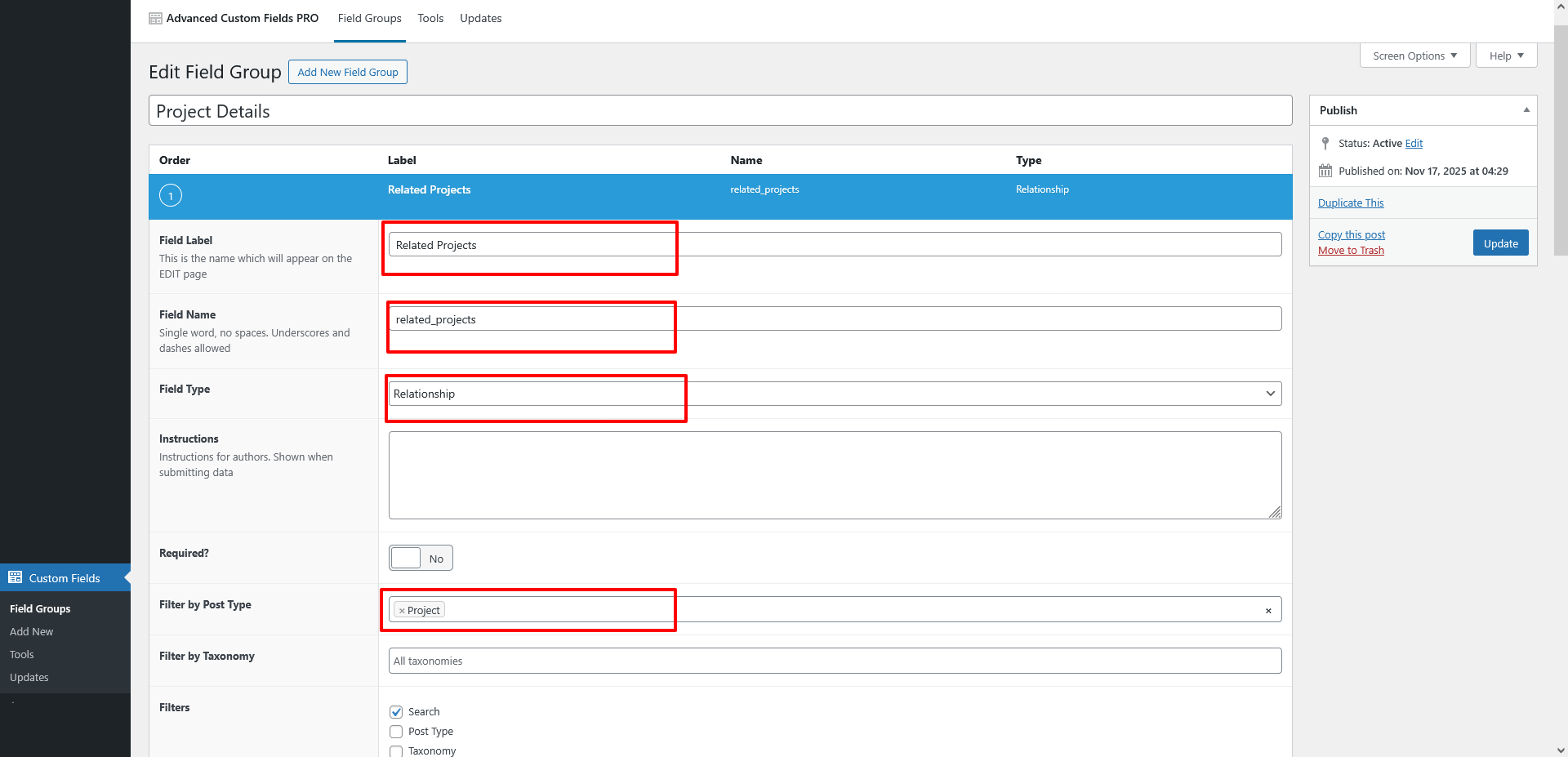
Create Relationship Field
- Name: Related Projects
- Return Format: Post Object
- Filter By Post Type: Project
Assign this field group to CPT: Project.
Go to: Location Rules → Post Type → Is equal to → Project
Step 3: Add Projects
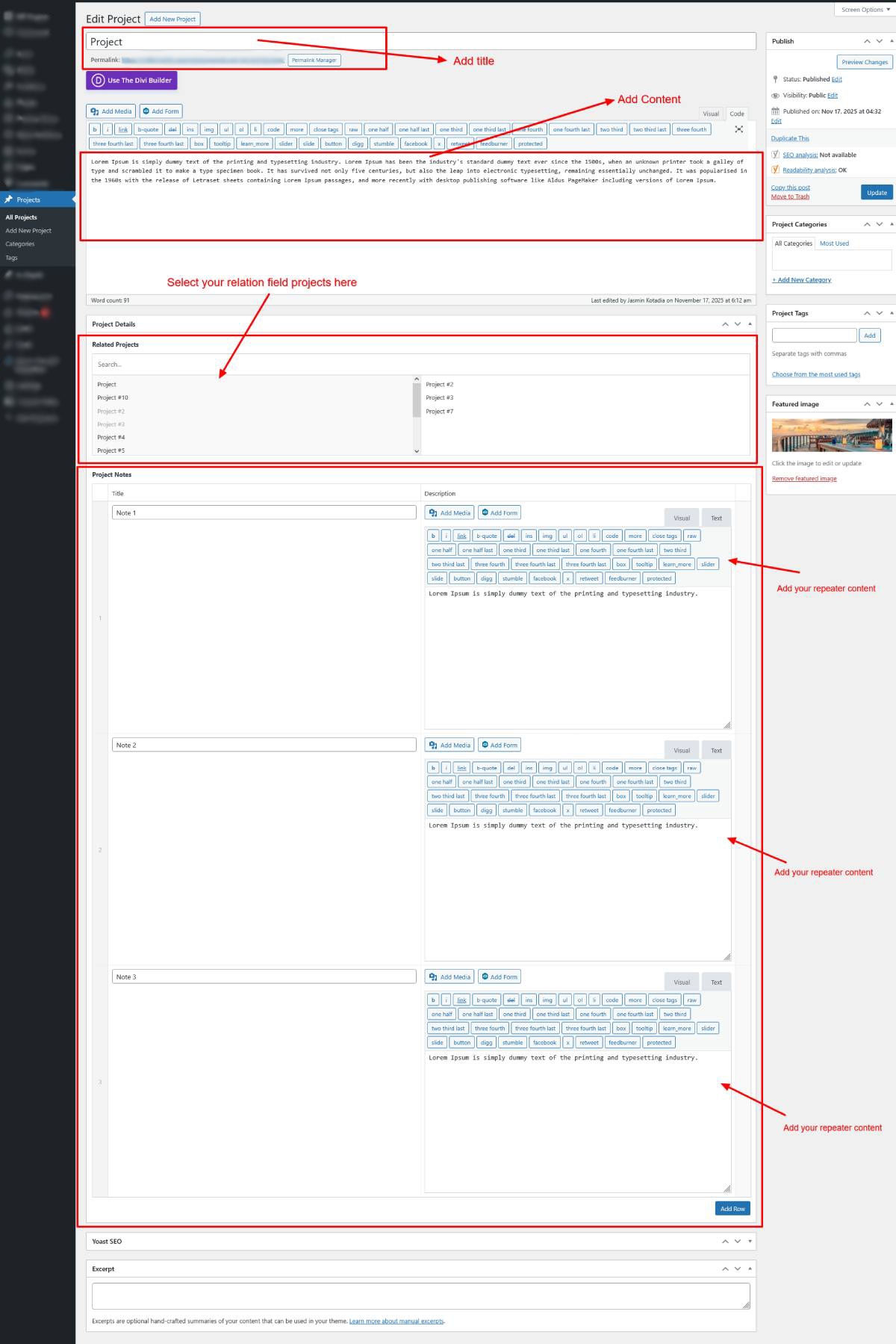
Go to: Projects → Add New
Add title, description, featured image, repeater data, and select related projects.
Step 4: Build a Single CPT Template in Divi
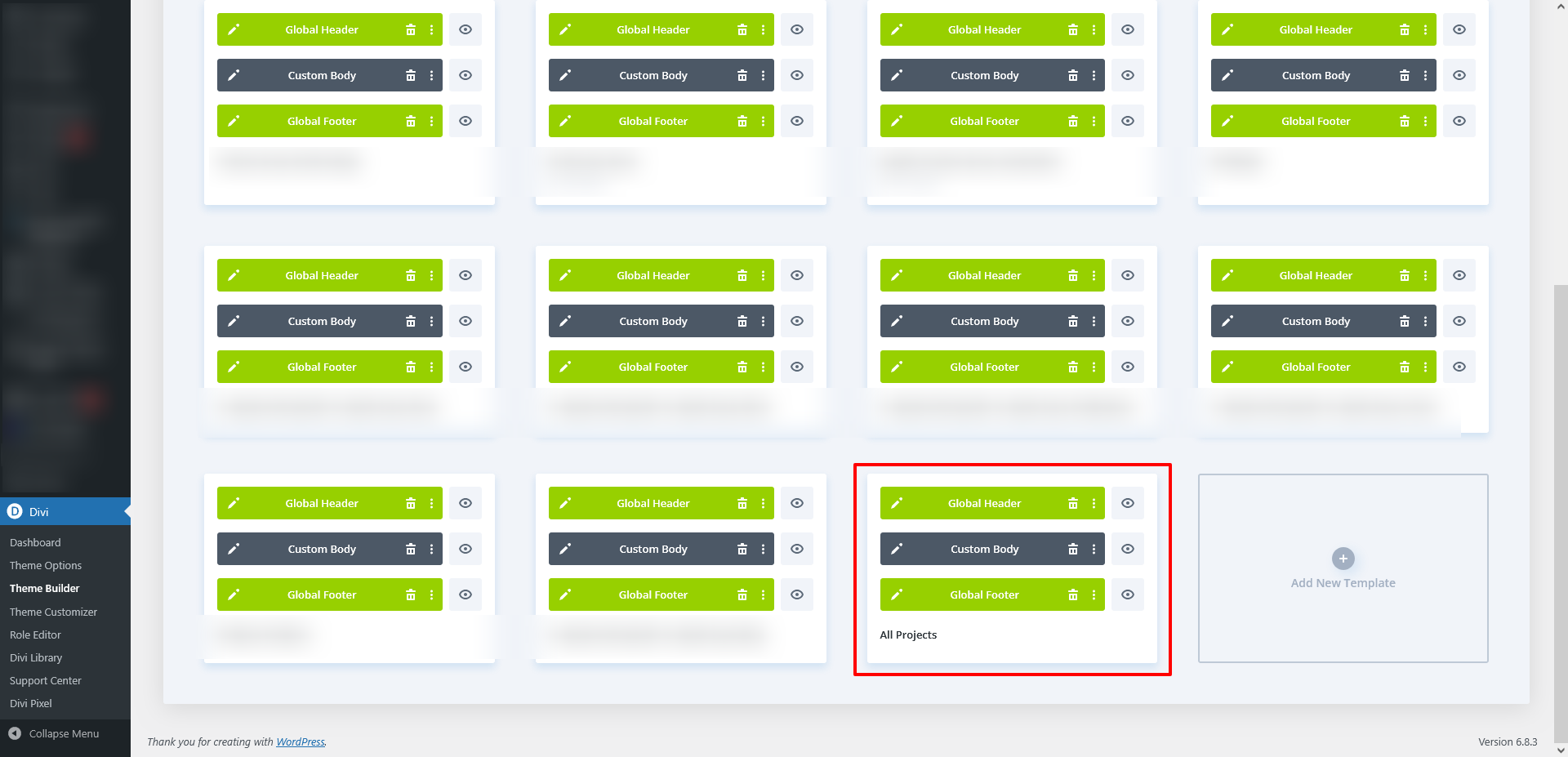
- Go to: Divi → Theme Builder → Add Template → Assign to Projects.
- Click Edit with Divi.
- Add Post Title and Post Content using Divi Machine modules.
- Design your layout as needed.
Step 5: Display ACF Relationship & Repeater Data
Part A — Fetch Relationship Field Data
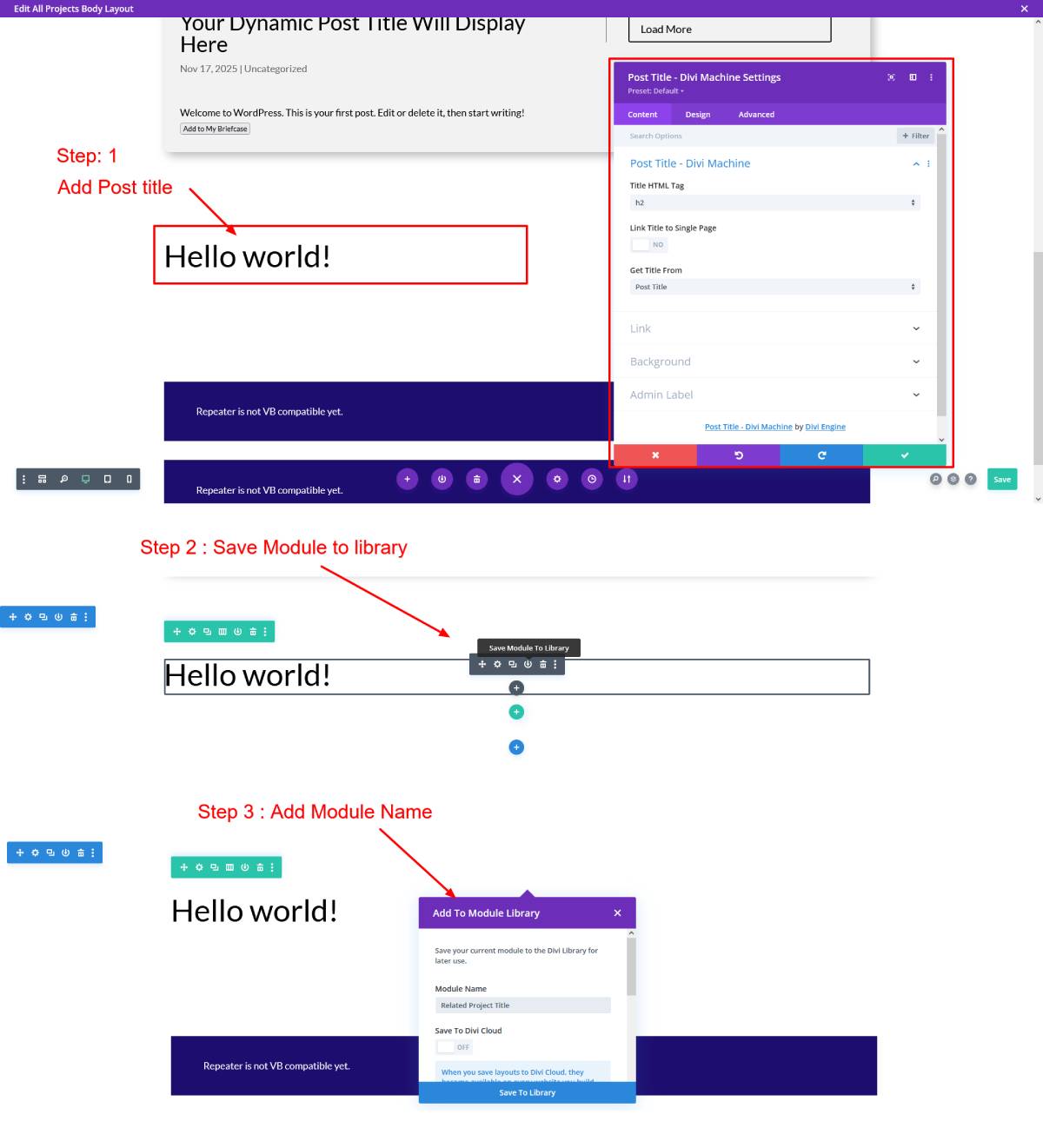
1. Create a Custom Loop Layout
If you want to show only titles:
- Add Post Title module
- Save it to the library
- Name it: Related Project Title Module
2. Insert Relationship Loop Module
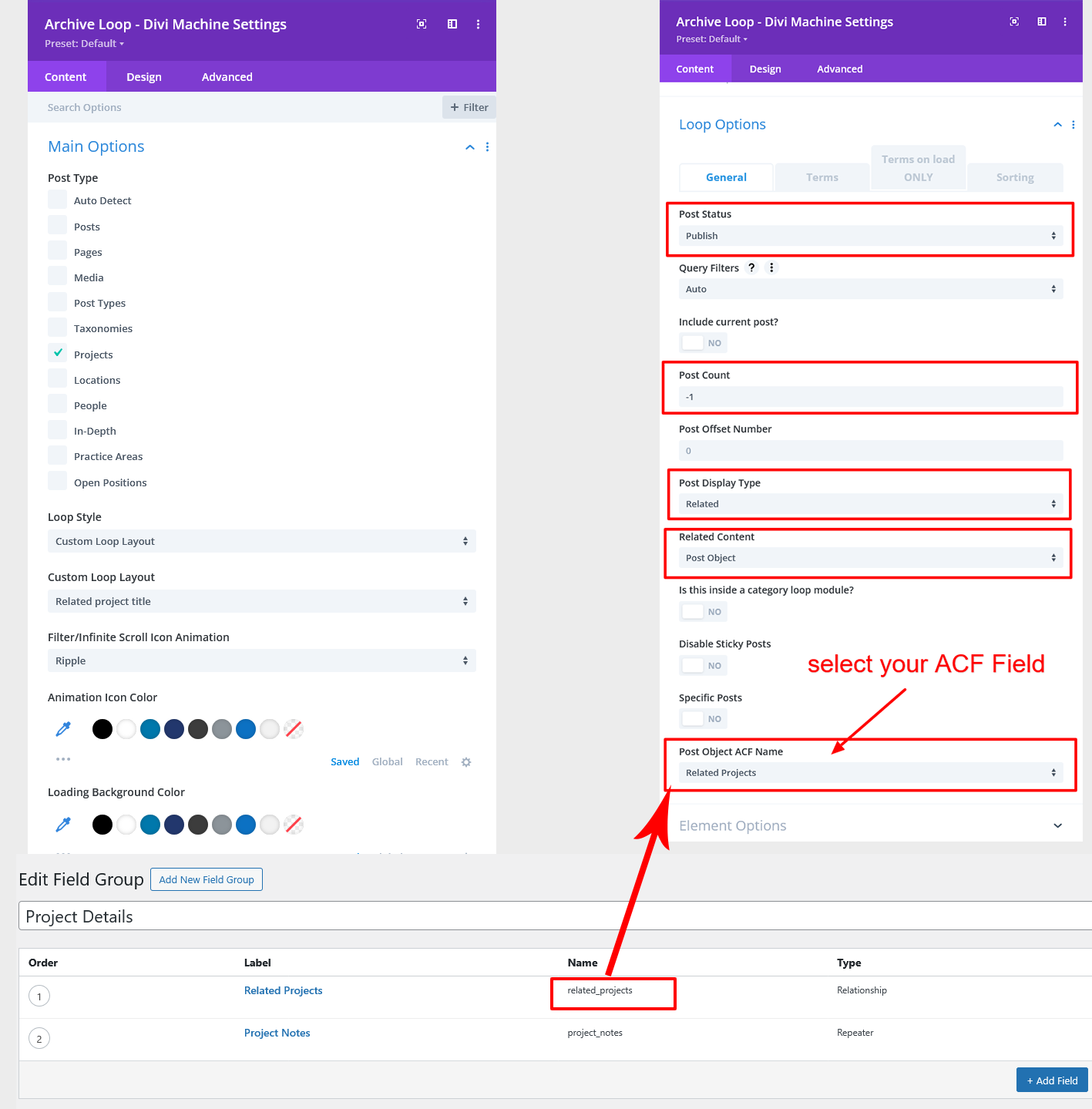
Add: Archive Loop – Divi Machine Module
Main Options Tab
- Select Post Type → Projects
- Loop Style → Custom Loop Layout
- Custom Loop Layout → Select your saved layout (e.g., Related Project Title Module)
Loop Options Tab
- Post Status → Publish
- Post Count → 10 (or -1 to show all)
- Post Display Type → Related
- Related Count → Post Object
- Post Object ACF Name → Related Projects
This will dynamically display all selected related projects for each item.
Part B — Fetch Repeater Field Data
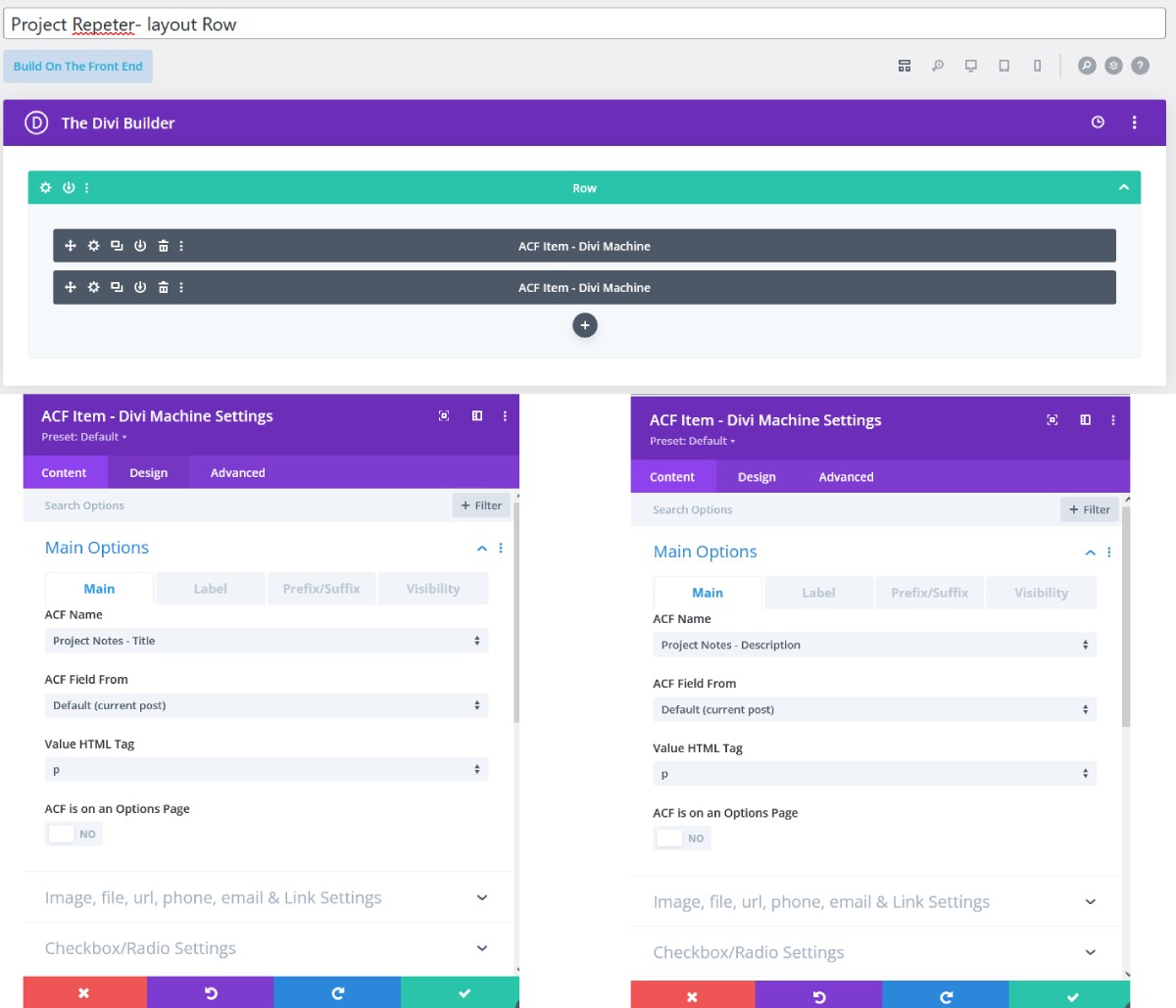
1. Create a Single Repeater Item Layout
Inside Divi Builder:
- Add Section > Row
- Insert ACF Item – Divi Machine module
- ACF Name → Project Notes Title
- Add another ACF Item – Divi Machine module
- ACF Name → Project Notes Description
Save this layout to Library and name it:
Project Repeater Layout – Row
2. Add the Repeater Loop Module
Add:
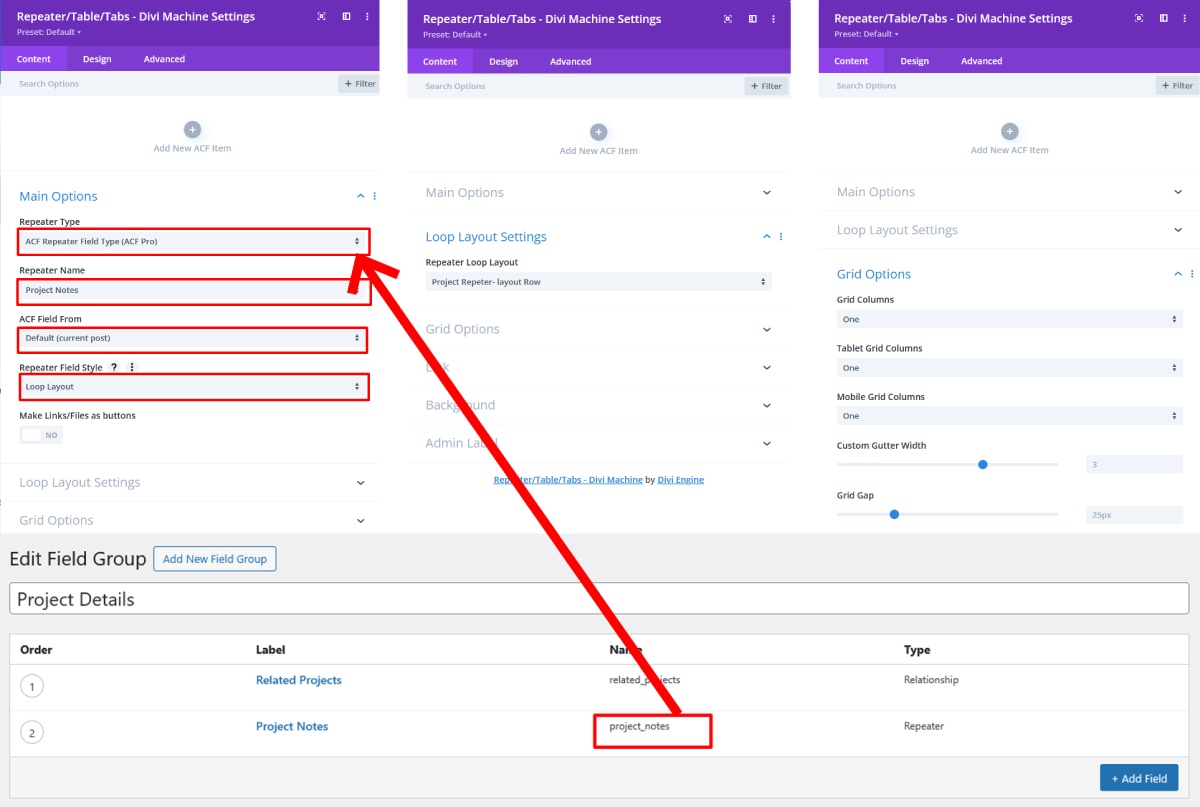
Repeater / Table / Tabs – Divi Machine Settings
Main Settings
- Repeater Type → ACF Repeater (ACF Pro)
- Repeater Name → Project Notes
- ACF Field From → Default (Current Post)
- Repeater Field Style → Loop Layout
Loop Layout Settings
- Repeater Loop Layout → Select your saved layout
(e.g., Project Repeater Layout – Row)
Grid Options Settings
Choose your grid columns for:
- Desktop
- Tablet
- Mobile
Example: 1 column to display repeaters vertically
Step 6: Save and Test
Open any project to see dynamic repeater and related project data.
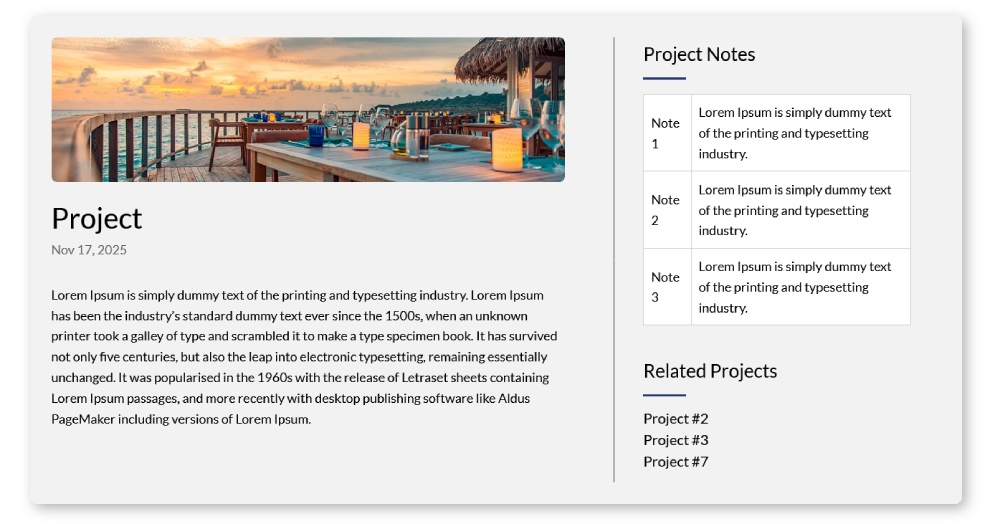
You will now see:
- All related projects pulled dynamically
- All repeater fields displayed beautifully
- Full Divi control over layout and styling
Using ACF and Divi Machine together lets you build smarter, more flexible WordPress websites. If you’re planning a custom web project and need experienced developers, Book a Free Consultation Call.