Table of Contents
- 1. Displaying Product Feeds With The WooCommerce Products Module
- 2. Custom Product Displays Using Loop Builder
- 2.1 Mini Glossary
- 2.2 How The Loop Builder Works With WooCommerce
- 2.3 Examples With WooCommerce Products And Custom Fields
- 3. Choosing The Right Tool For Your Shop
- 4. Build Your Own Product Displays With Divi 5
Divi 5 introduces a new way to build WooCommerce product layouts that goes far beyond the traditional Woo Products Module. While the classic module is still useful, Divi’s Loop Builder unlocks complete design freedom, custom data support, and scalable product displays.
This blog explains both approaches and helps you choose the right tool for your WooCommerce store.
1. Displaying Product Feeds With The WooCommerce Products Module
The WooCommerce Products Module is Divi’s default solution for displaying product feeds. It allows you to quickly show products from your WooCommerce store using predefined layouts and built-in settings.
You can control:
- Product source (latest, featured, sale, category-based)
- Number of products
- Grid columns and spacing
- Visibility of common product elements
This makes it a reliable choice for fast setup and standard shop layouts.
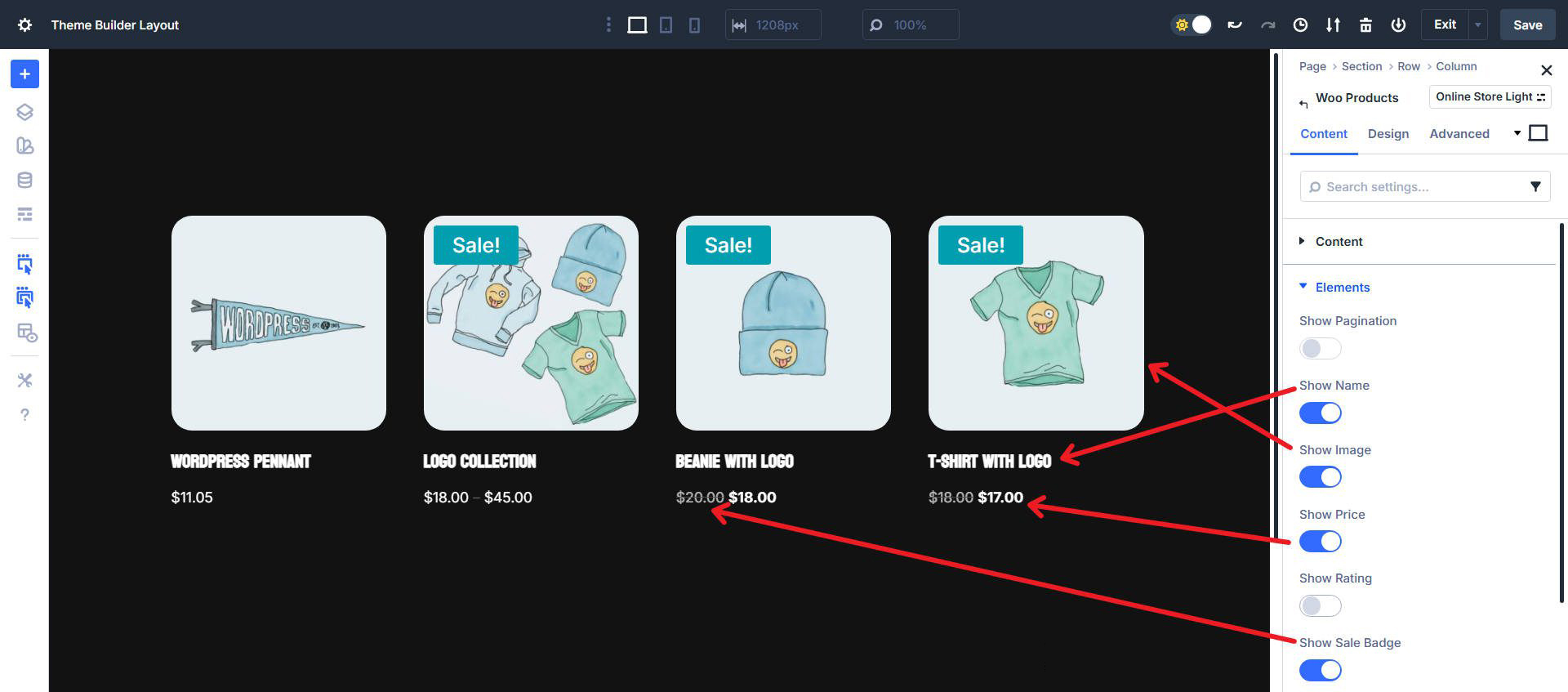
1.1 Product Attributes
The Products Module automatically supports core WooCommerce product attributes such as:
- Product image
- Product title
- Price (including sale price)
- Rating
- Add to cart button
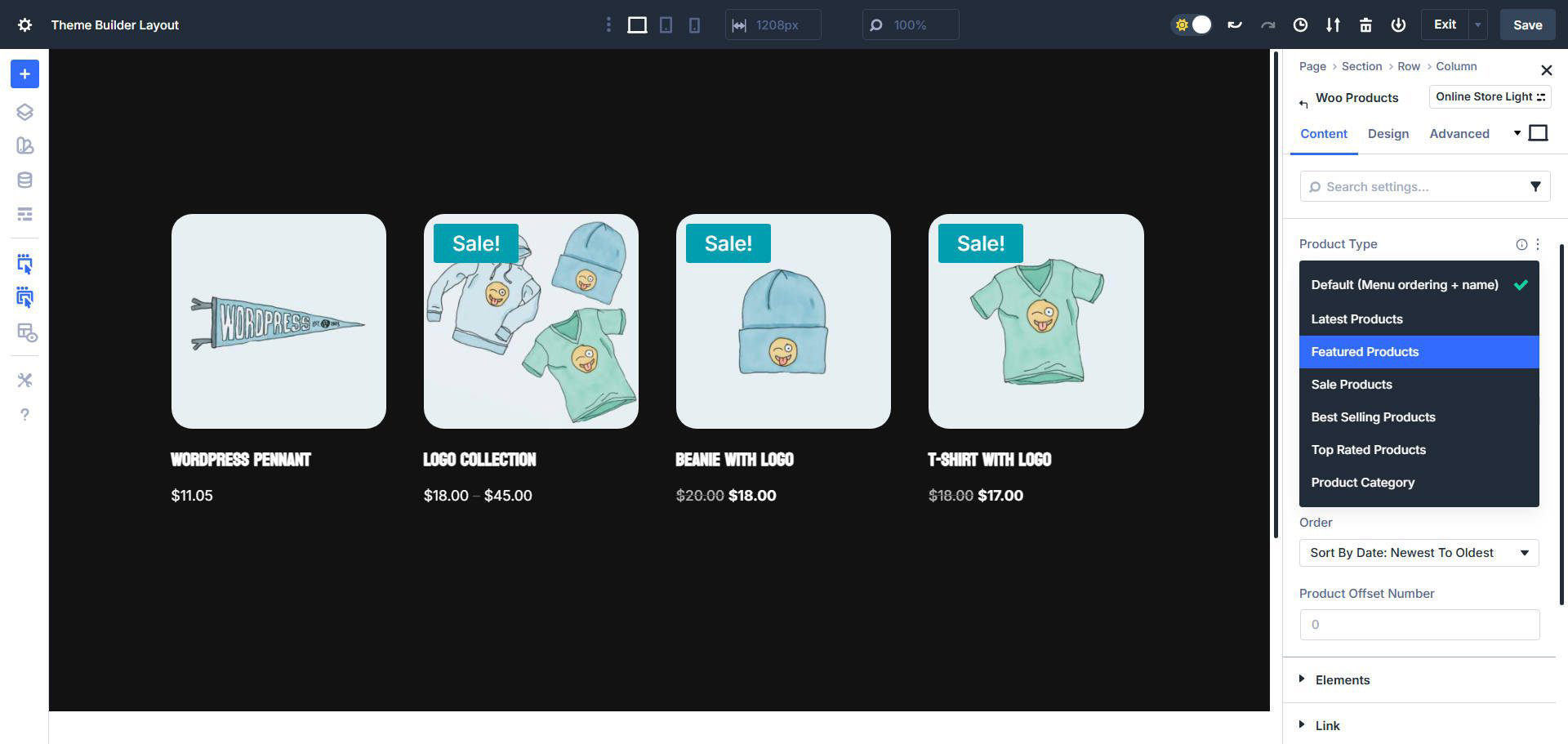
However, these attributes are locked into a fixed layout structure. You can toggle them on or off, but you can’t freely reposition them or add custom attributes without workarounds.
This limitation becomes noticeable when your products require additional information like custom labels, specifications, or marketing elements.
2. Custom Product Displays Using Loop Builder
Divi 5’s Loop Builder is a modern, flexible system designed for dynamic content. Instead of relying on one module to handle everything, you create your own product layout and let Divi repeat it automatically.
With Loop Builder, products are no longer confined to predefined grids—you build the design exactly how you want.
2.1 Mini Glossary
Before going further, here are a few key terms used in Divi 5 loops:
- Loop – A dynamic container that repeats content based on a query
- Query – Defines which WooCommerce products are loaded
- Dynamic Content – Data pulled automatically from WooCommerce (title, price, image, etc.)
- Custom Fields – Additional product data added via plugins like ACF
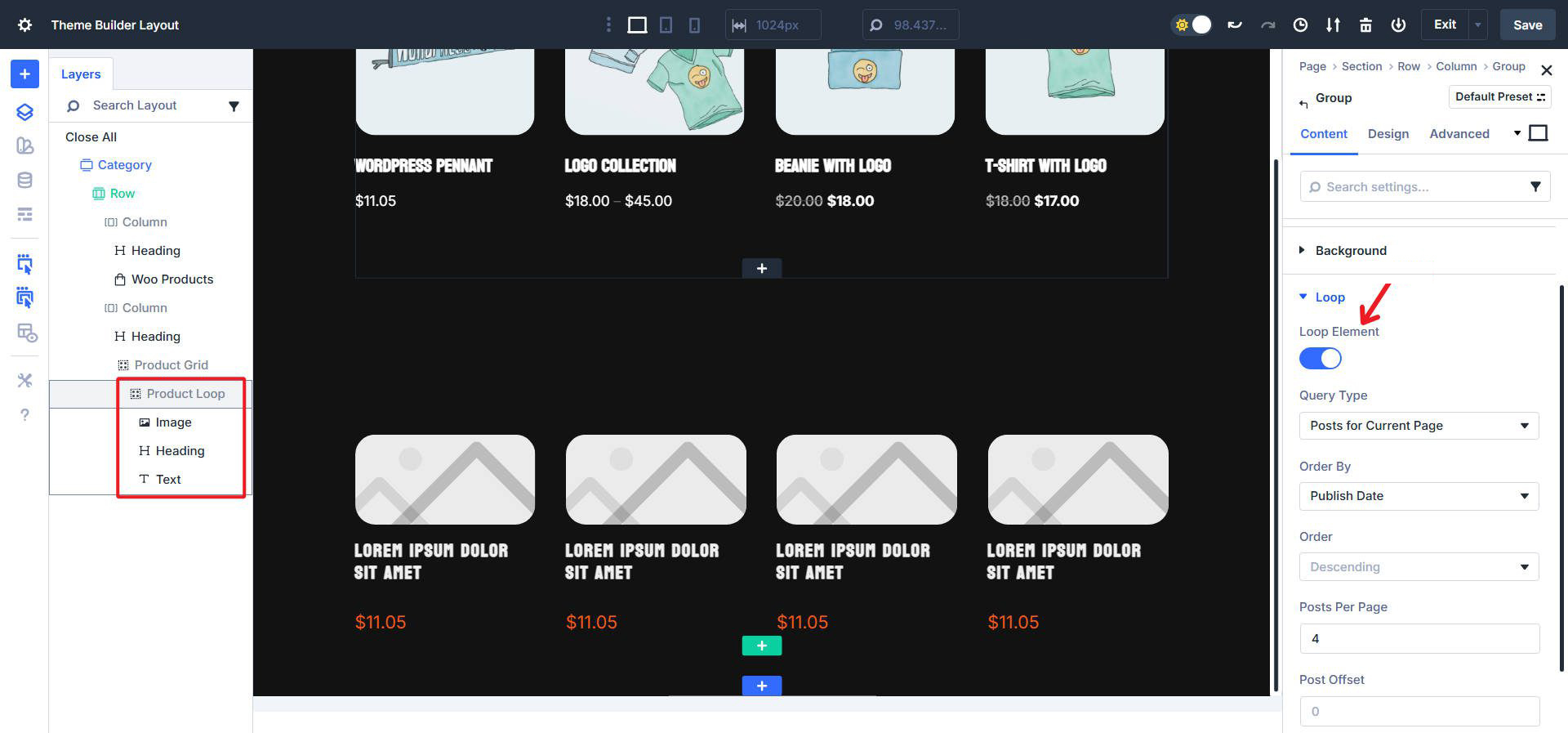
Understanding these concepts makes working with custom loops much easier.
2.2 How The Loop Builder Works With WooCommerce
When using Loop Builder with WooCommerce:
- You set the loop query to Products
- Divi pulls products from your WooCommerce database
- You design a single product layout using Divi modules
- Divi repeats that layout for every product in the query
Each module inside the loop can be connected to dynamic WooCommerce data, such as product titles, prices, images, or links.
This approach gives you complete control over both data and design.
2.3 Examples With WooCommerce Products And Custom Fields
Custom loops are especially powerful when working with custom product fields.
For example, you can display:
- Product material
- Delivery time
- Warranty details
- Custom badges like “Eco Friendly” or “Limited Stock”
Using Loop Builder, these fields can be placed anywhere in the layout, styled individually, and conditionally shown—something the Products Module does not handle well.
This makes custom loops ideal for advanced WooCommerce stores and branded product experiences.
3. Choosing The Right Tool For Your Shop
Both tools have their place in Divi 5. The key is knowing when to use each one.
3.1 When The Products Module Is Ideal
The Woo Products Module works best when:
- You need a quick product grid
- Your store uses only standard WooCommerce fields
- Layout customization is minimal
- Speed and simplicity are priorities
For basic shop pages or temporary layouts, this module still performs well.
3.2 When The Loop Builder Is Ideal
The Loop Builder is the better choice when:
- You need full layout flexibility
- Products use custom fields or metadata
- You want unique product card designs
- Branding and UX matter
- You’re building modern Divi 5 layouts
If your store goes beyond a standard grid, Loop Builder is the future-ready solution.
4. Build Your Own Product Displays With Divi 5
Divi 5 encourages builders to move away from rigid modules and toward flexible systems. With Loop Builder, you’re no longer limited by predefined product layouts—you create exactly what your store needs.
Whether you’re designing custom shop pages, product landing sections, or advanced category layouts, custom loops allow you to build scalable, maintainable, and visually consistent WooCommerce displays.
The result: better design control, cleaner layouts, and a more professional shopping experience.
Final Takeaway
- Use the Woo Products Module for speed and simplicity
- Use Loop Builder for control, customization, and future scalability
Divi 5 makes it possible to choose the right approach for every situation—and custom loops are the key to unlocking advanced WooCommerce design.
Want professional help replacing the Woo Products module with custom loops in Divi 5?
Let TechnoCrackers build optimized, dynamic product layouts that convert—Contact us today.