




Table of Contents
Creating visually appealing and interactive product displays is essential for any modern website. Whether you run an eCommerce store or showcase services, the way your products are presented directly impacts user engagement and conversions. With the latest improvements in Divi 5, building dynamic and interactive product cards has become easier, faster, and more efficient.
In this guide, you’ll learn how to create interactive product cards using Divi 5’s Loop Builder, along with best practices to enhance performance and user experience.
Why Use Interactive Product Cards?
Interactive product cards improve how users interact with your content. Rather than static blocks, these cards respond to user actions like hover, clicks, and animations.
Key Benefits:
- Higher Engagement: Users are more likely to explore products
- Better Conversions: Clear and interactive CTAs increase clicks
- Professional Design: Modern UI enhances brand trust
- Easy Management: Update one layout, apply everywhere
Requirements Before You Start
Before building your product cards, make sure you have:
- Divi 5 installed and active
- A product source such as:
- WooCommerce
- Or a custom post type
(Optional but recommended):
- Advanced Custom Fields for additional custom data
Step-by-Step Guide to Creating Interactive Product Cards
Step 1: Enable Divi Builder and Loop Builder
Start by editing a page with Divi Builder:
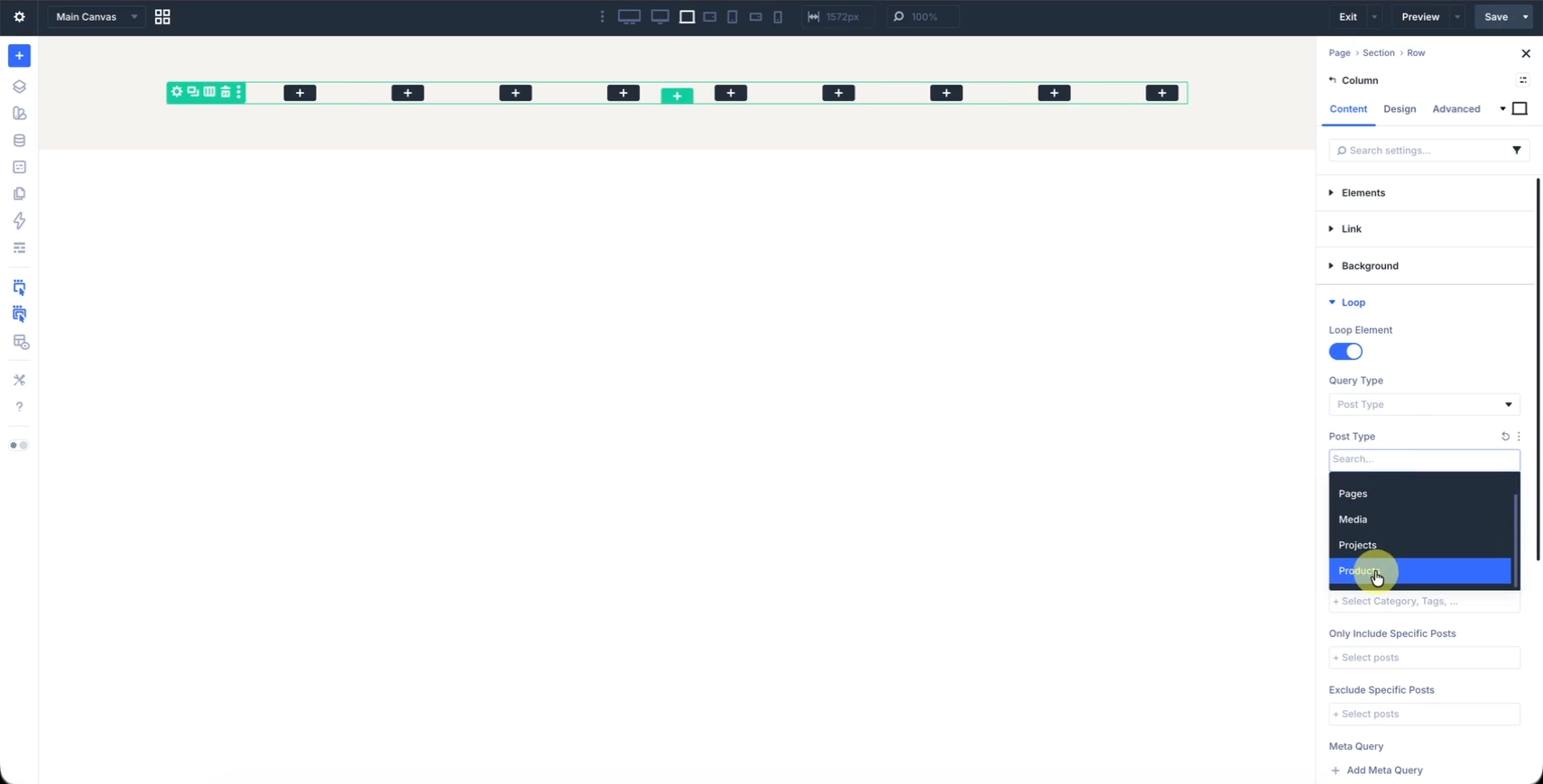
- Add a new Row
- Enable the Loop Builder option
- Select your content source:
- Products (WooCommerce)
- Posts or custom post types
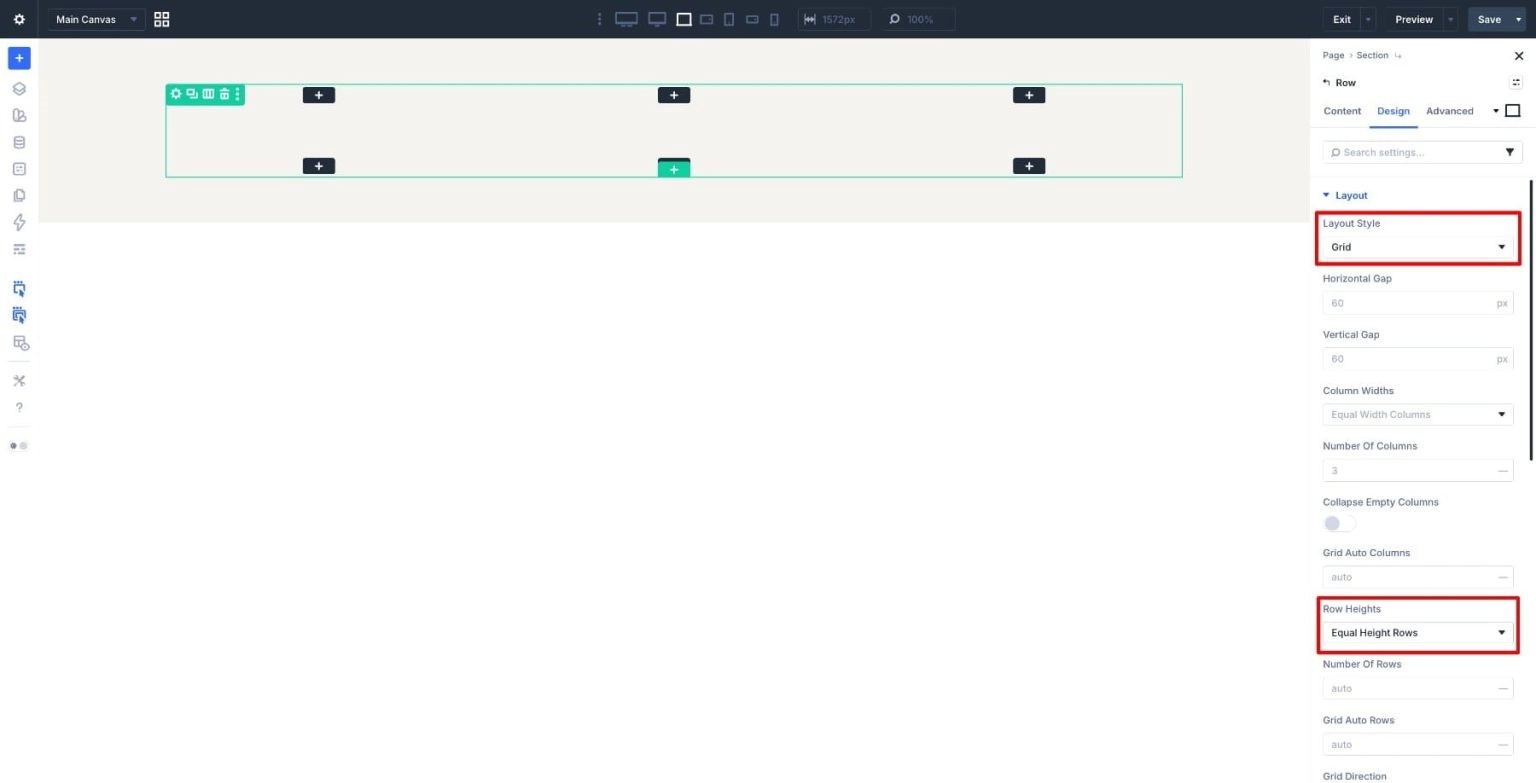
- Set the row’s Layout Type to Grid and turn on Equal Height Rows to keep the cards uniform across the layout.
Step 2: Design Your Product Card Layout
Now you’ll create a single product card layout that will repeat automatically.
Add the following modules:
- Image Module
→ Set dynamic content to Featured Image - Text Module (Title)
→ Dynamic content → Product Title - Text Module (Price)
→ Dynamic content → Product Price - Button Module
→ Link to dynamic product URL
Keep the layout clean and structured. A simple vertical card layout works best for most websites.
Step 3: Use Dynamic Content
Divi allows you to pull real-time data into your design.
Click the dynamic content icon (database icon) and assign:
- Product name
- Price
- Image
- Custom fields (if using ACF)
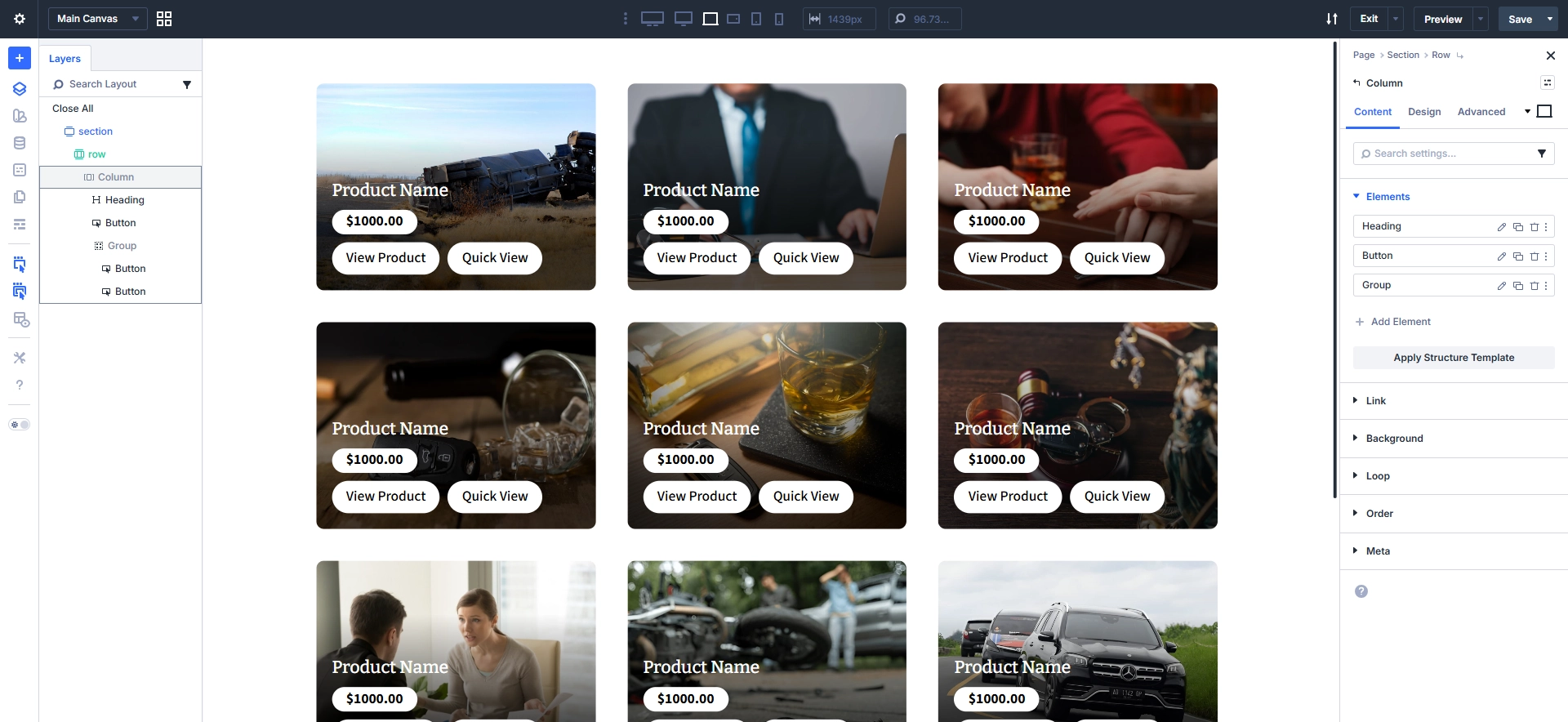
This ensures every product card updates automatically based on your database.
Step 4: Add Interactive Elements
This is where your product cards come to life.
1. Hover Effects
- Add hover state styling to:
- Images (zoom effect)
- Buttons (color transition)
- Backgrounds
2. Transform & Animation
- Apply scale effect on hover (e.g., 1 → 1.05)
- Add smooth transition for better UX
3. Overlay Content
- Show hidden elements on hover:
- “Quick View”
- “Add to Cart” button
4. Box Shadow Effects
- Add subtle shadow by default
- Increase shadow on hover
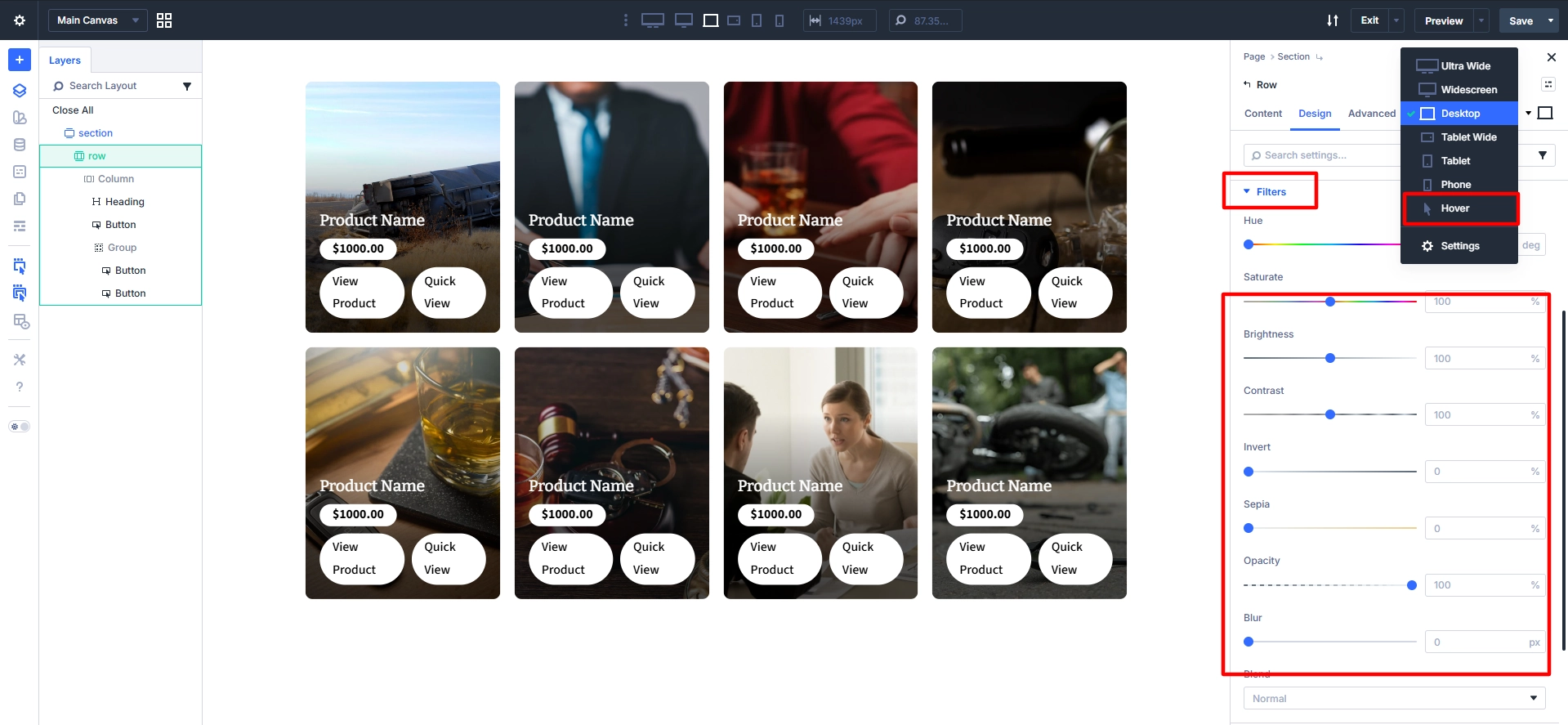
These enhancements create a modern, interactive feel that improves user engagement.
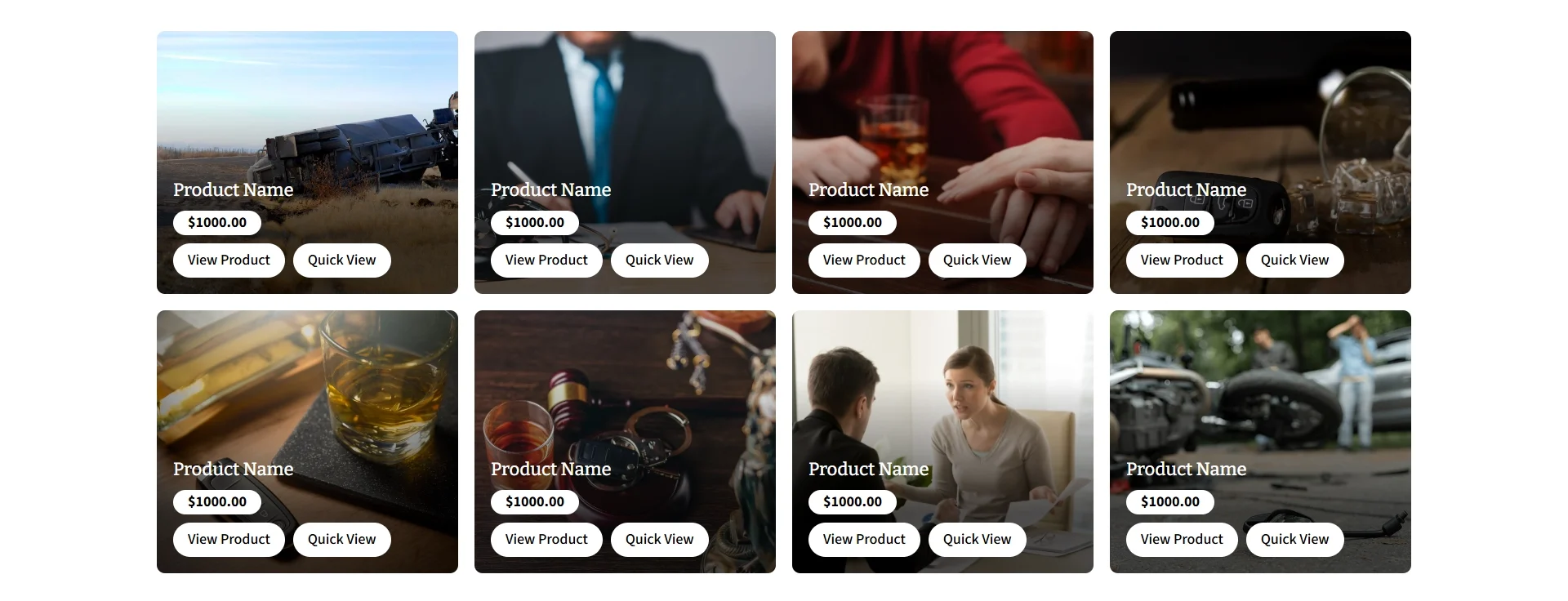
Final Result
Here’s the finished layout in action.
Conclusion
Divi 5’s Loop Builder is a powerful tool that transforms how you create and manage product layouts. By combining dynamic content with interactive design elements, you can build product cards that are not only visually appealing but also highly functional.
Whether you’re using WooCommerce for an online store or showcasing custom content, Divi’s Loop Builder allows you to streamline your workflow and maintain consistency across your website.
Start by designing one product card, enhance it with hover effects and animations, and let Divi handle the rest. With the right approach, you can create a modern, engaging shopping experience that drives results.
Need White Label WordPress Support?
Scale your agency without the hassle of hiring. Our expert team at Technocrackers delivers reliable solutions through white label WordPress development tailored to your client needs. Schedule a free consultation and start scaling your business with confidence.