




Table of Contents
- Create Custom Shop Page in WooCommerce
- Step 1: Create Shop Page Template
- Step 2: Build Product Layout Design
- Step 3: Enable Loop
- Step 4: Connect Dynamic Content
- Result
- Create Custom Specific Category Page in WooCommerce
- Step 1: Create Category Template
- Step 2: Build Product Layout Design
- Step 3: Enable Loop (Important)
- Step 4: Connect Dynamic Content
- Result
- Pro Tips
- Conclusion
Creating a custom WooCommerce shop page usually requires extra plugins or complex coding — but with Divi 5’s built-in Loop feature, you can design fully customized product layouts visually.
In this guide, you’ll learn how to create:
- A custom WooCommerce Shop page
- Custom category pages (like Men, Hoodies, etc.)
No plugins. No code. Just Divi
Create Custom Shop Page in WooCommerce
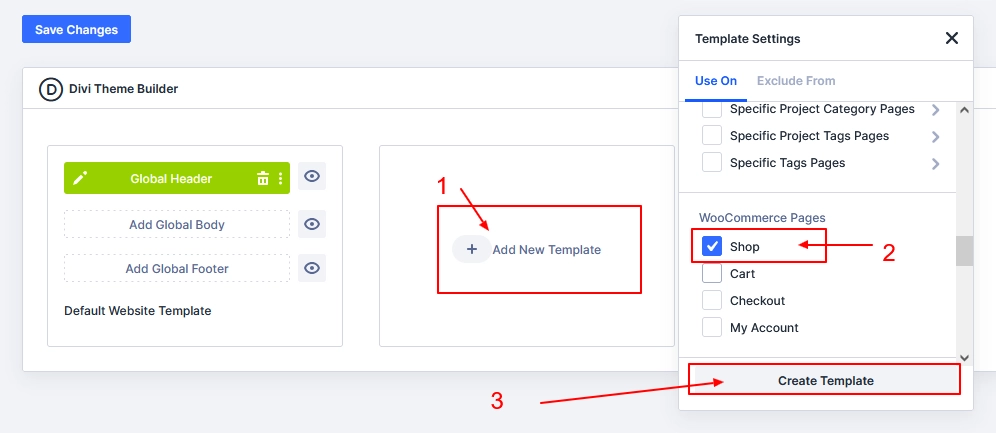
Step 1: Create Shop Page Template
- Go to Divi → Theme Builder
- Click Add New Template
- Select Shop Page
- Click Create Template
- Add Custom Body
Step 2: Build Product Layout Design
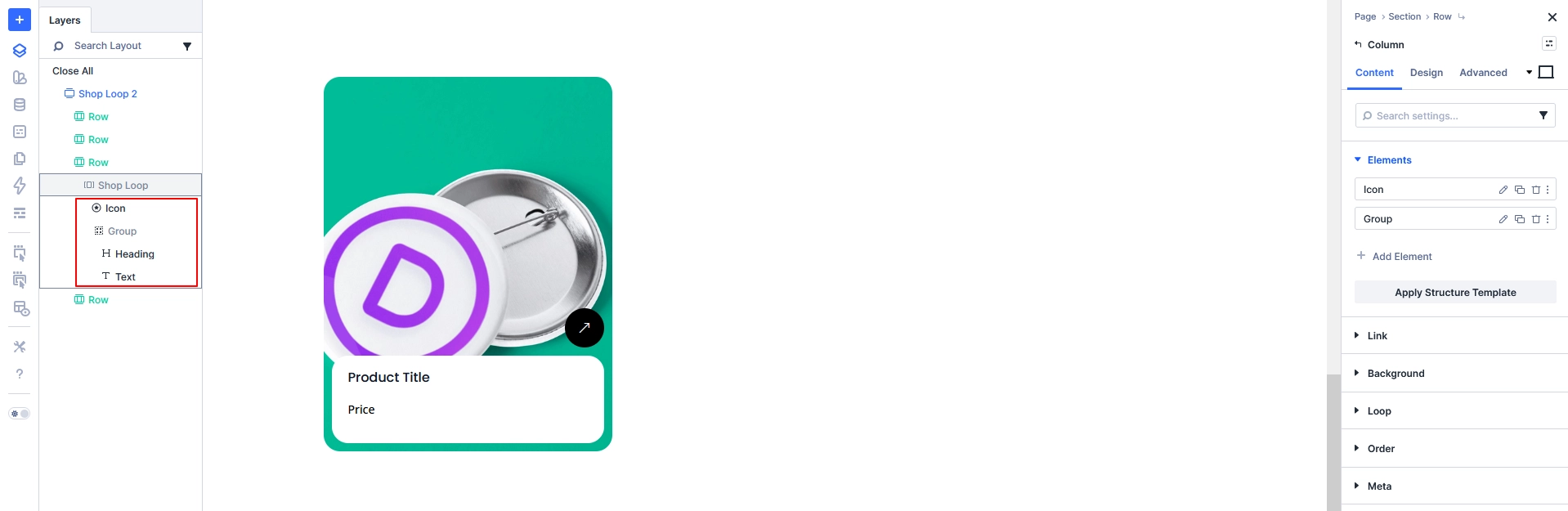
Inside Custom Body:
- Add Row → Column
- Inside column add:
- Heading (Product Title)
- Text (Price / Description)
- Image (Product Image)
Design this layout as your product card UI
Step 3: Enable Loop
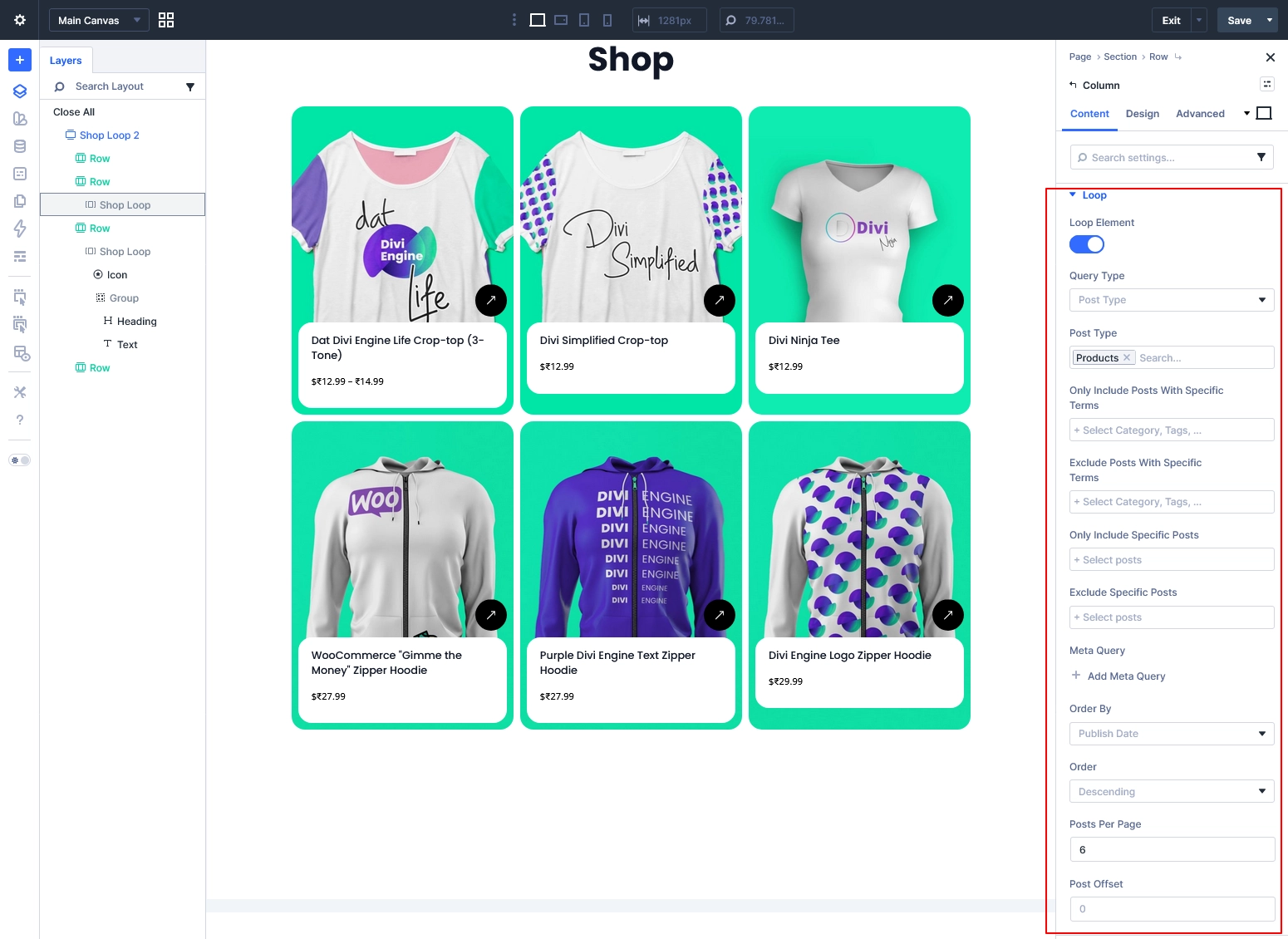
- Open Column Settings
- Enable Loop
Configure Loop:
- Query Type: Post Type
- Post Type: Products
- Order By: Publish Date
- Posts Per Page: 6 / 12 / 15
Optional: Select category if you want filtered products
Step 4: Connect Dynamic Content
Now link elements:
- Heading → Loop Product Title
- Text → Loop Product Price
- Image → Loop Featured Image
Optional:
- Use Featured Image as Background for creative layouts
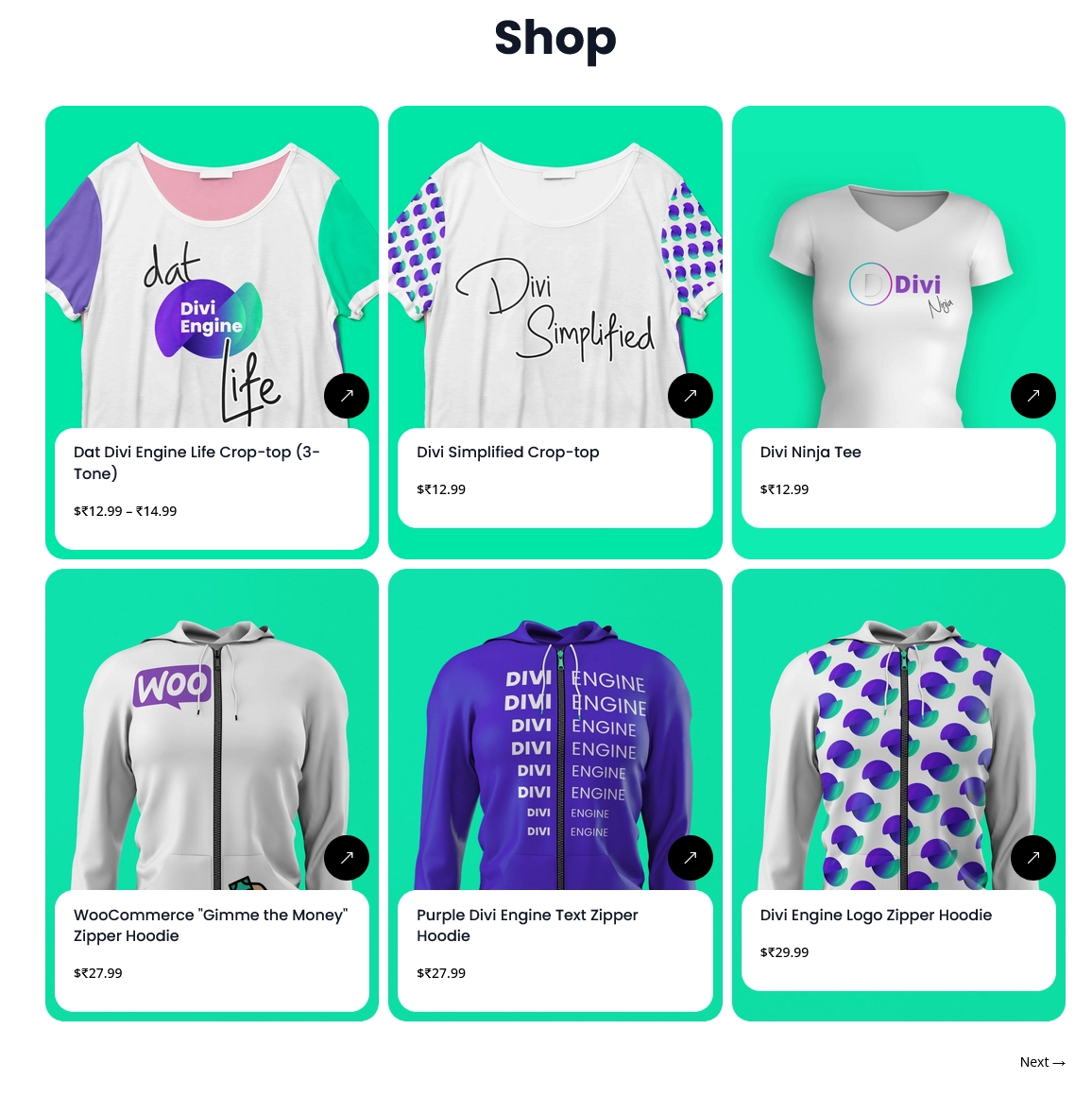
Result
Your custom-designed shop page will now dynamically display all products.
Create Custom Specific Category Page in WooCommerce
Now let’s create custom layouts for specific product categories like:
- Men
- Hoodies
- Shirts
- Accessories
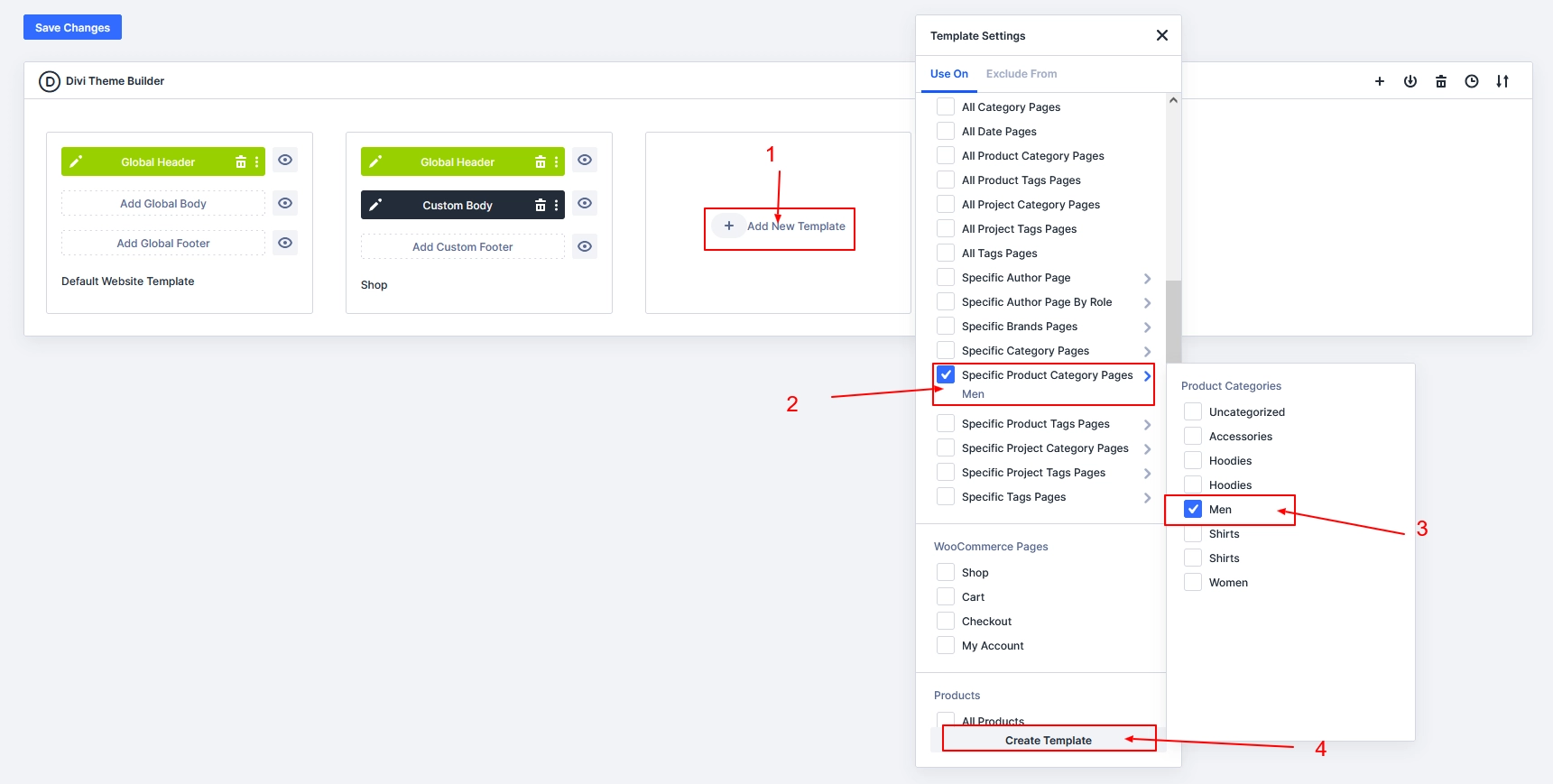
Step 1: Create Category Template
- Go to Divi → Theme Builder
- Click Add New Template
- Select Specific Product Category Pages
- Choose your category (e.g., Men)
- Click Create Template
- Add Custom Body
Step 2: Build Product Layout Design
Same as Shop Page (you can reuse or redesign)
Inside Custom Body:
- Add Row → Column
- Add:
- Heading
- Text
- Image
Design your layout differently if you want unique category styles.
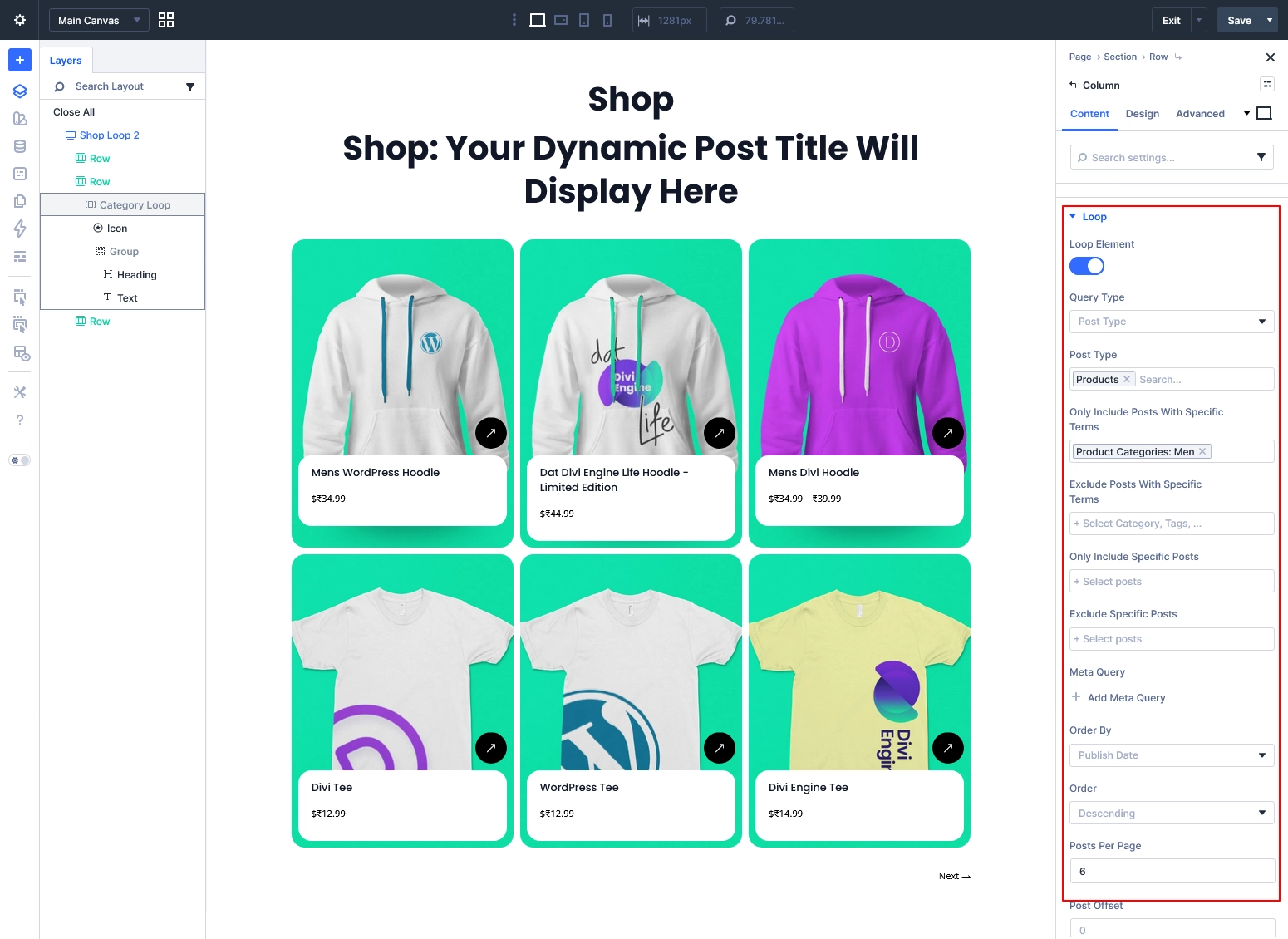
Step 3: Enable Loop (Important)
- Open Column Settings
- Enable Loop
Configure:
- Query Type: Post Type
- Post Type: Products
- Include Terms: Select your category (e.g., Men)
- Posts Per Page: 6 / 12 / 15
Step 4: Connect Dynamic Content
- Heading → Loop Product Title
- Text → Loop Product Price
- Image → Loop Featured Image
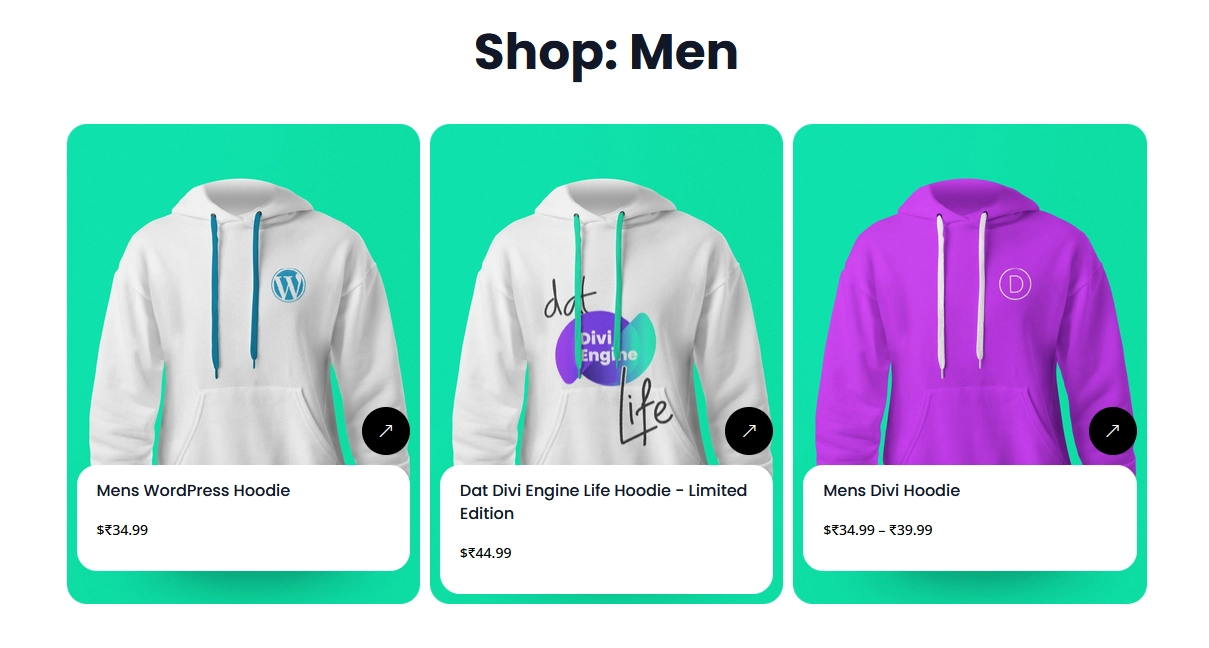
Result
Now only products from the selected category will display with your custom design.
Pro Tips
- Use different layouts for each category (e.g., grid, card, minimal)
- Add hover animations for modern UI
- Include Add to Cart button dynamically
- Use badges like Sale / New
- Combine with filters for advanced UX
Conclusion
Divi 5 makes WooCommerce customization simple and powerful.
You can now:
- Build fully custom shop pages
- Create unique category layouts
- Control everything visually
No plugins. No coding. Just Divi.