Table of Contents
- Requirements
- Step 1: Create a Page with Divi Builder
- Part 1: Create a Custom Post Type Grid Using Divi 5 Loop Builder
- Step 2: Enable Loop on the Group
- Step 3: Make Elements Dynamic
- Step 4: Create the Grid Layout
- Part 2: Create a Custom Post Type Carousel Using Divi 5 Loop Builder
- Step 3: Make Carousel Content Dynamic
- Step 4: Configure Carousel Settings
- Final Result
- Why Use Divi 5 Loop Builder?
- Conclusion
Divi 5 introduces a powerful Loop Builder that makes it easy to display Custom Post Types (CPTs) dynamically—without writing any code. Using the Group and Group Carousel modules, you can create both grid layouts and carousel sliders that automatically pull content from your CPTs.
In this tutorial, I’ll show you how to build:
- A Custom Post Type Grid
- A Custom Post Type Carousel
using the latest Divi 5 theme.
Requirements
- Latest Divi 5 Theme
- A Custom Post Type (in this example, Projects)
- Featured images, titles, and excerpts added to your CPT posts
Step 1: Create a Page with Divi Builder
- Go to Pages → Add New
- Create a new page
- Click Edit with Divi
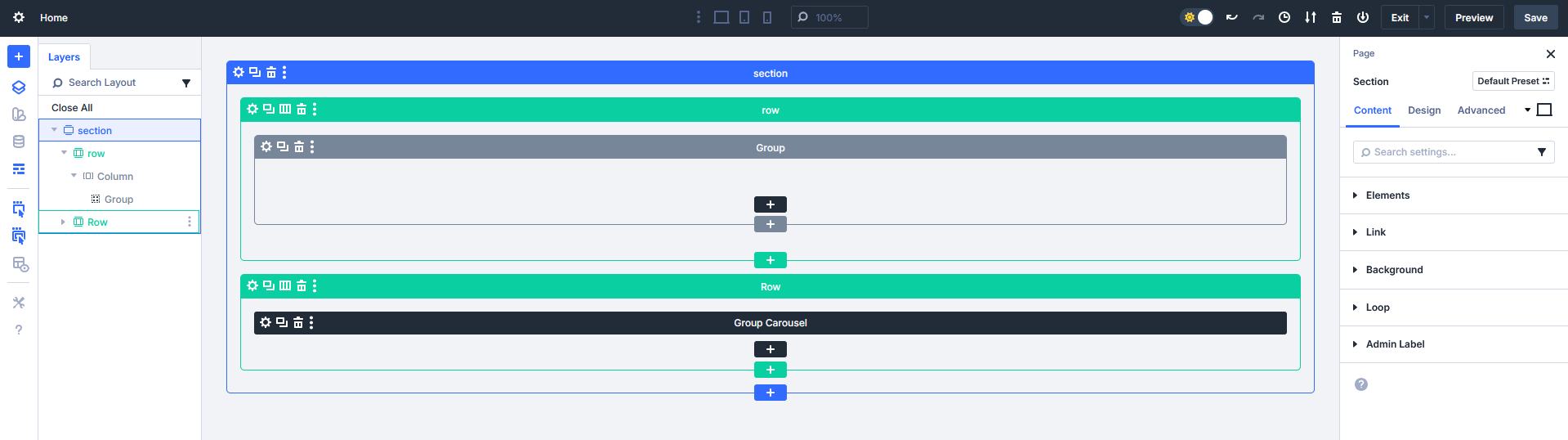
- Add one section
- Inside the section, add two rows
We’ll use:
- Row 1 → CPT Grid
- Row 2 → CPT Carousel
Part 1: Create a Custom Post Type Grid Using Divi 5 Loop Builder
Step 1: Add a Group Module
- In Row add a Group module
- Inside the Group, add these elements:
- Image
- Heading
- Text
- Button
This Group will act as a single post template.
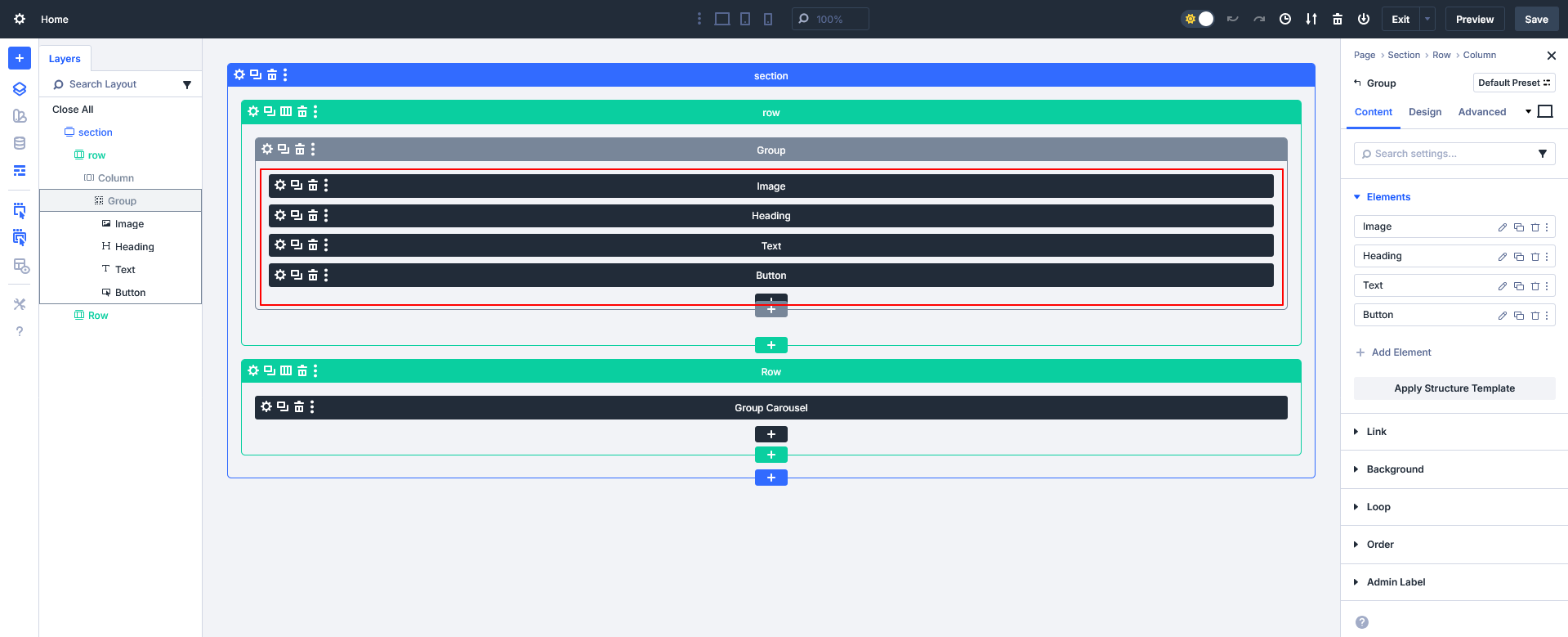
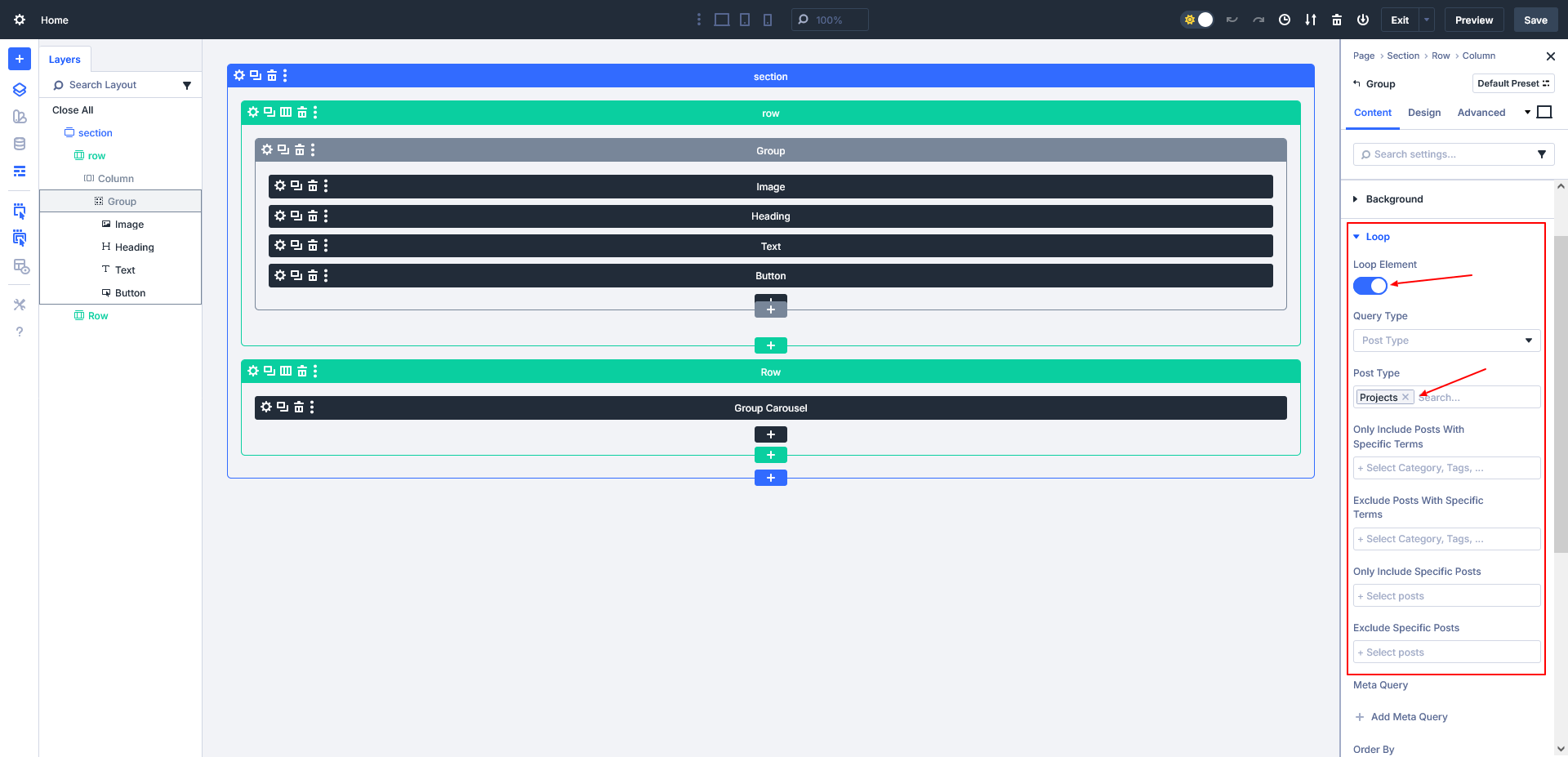
Step 2: Enable Loop on the Group
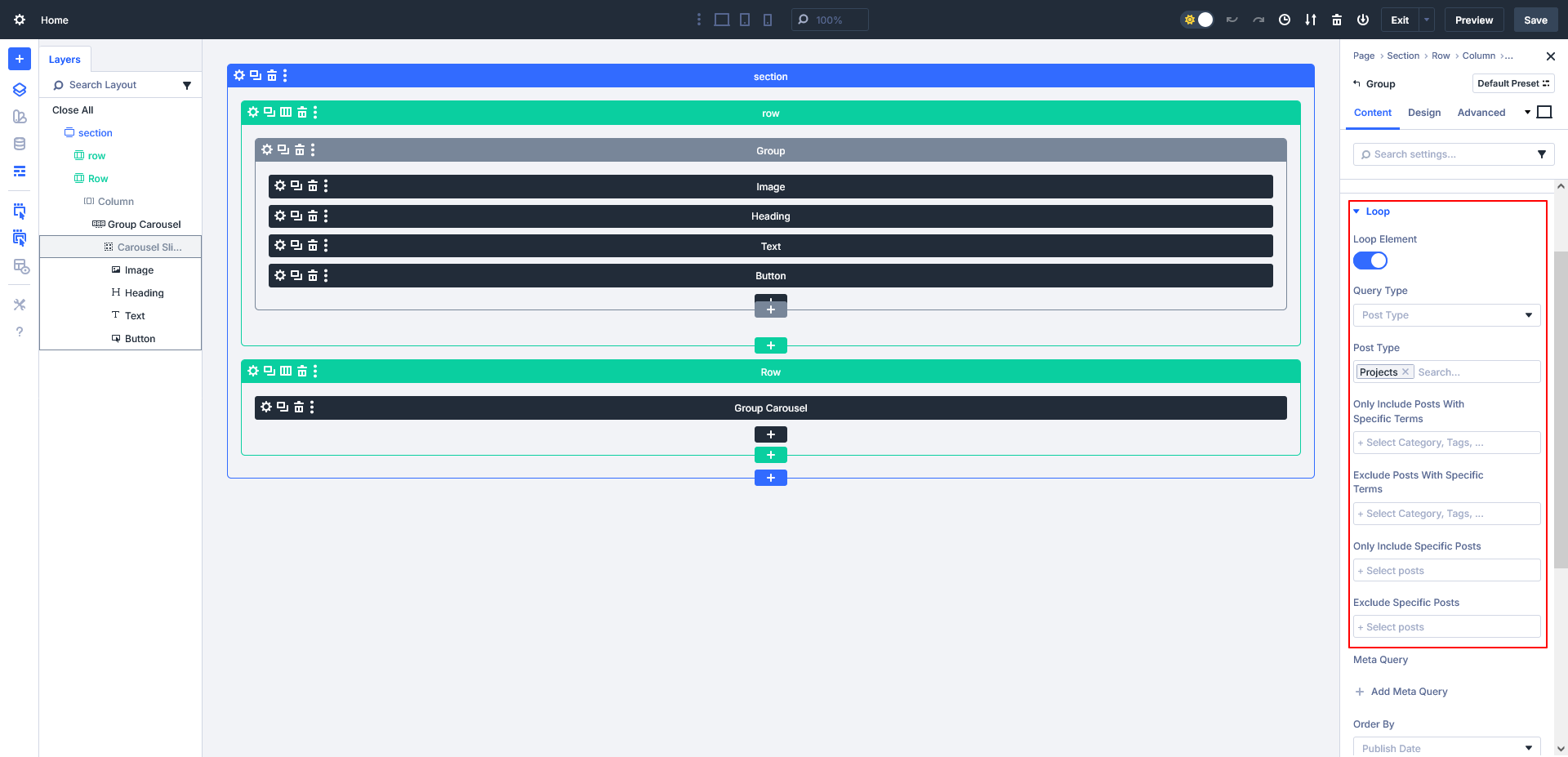
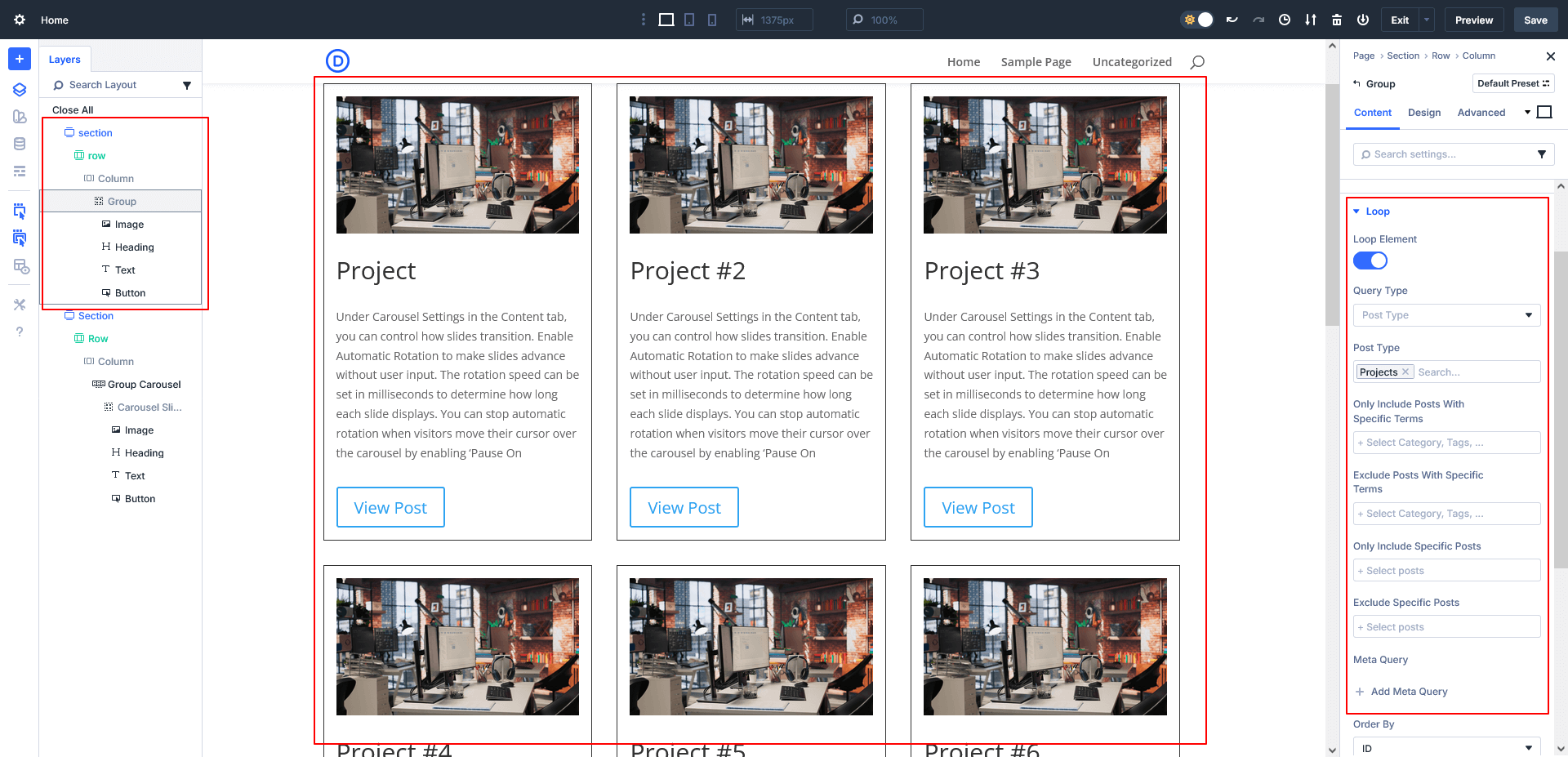
- Open Group Settings
- Enable Loop
- Select Query Type → Post Type
- Choose your CPT
Example: Projects
Once enabled, Divi automatically turns this Group into a dynamic loop.
Step 3: Make Elements Dynamic
Now connect each element to loop data:
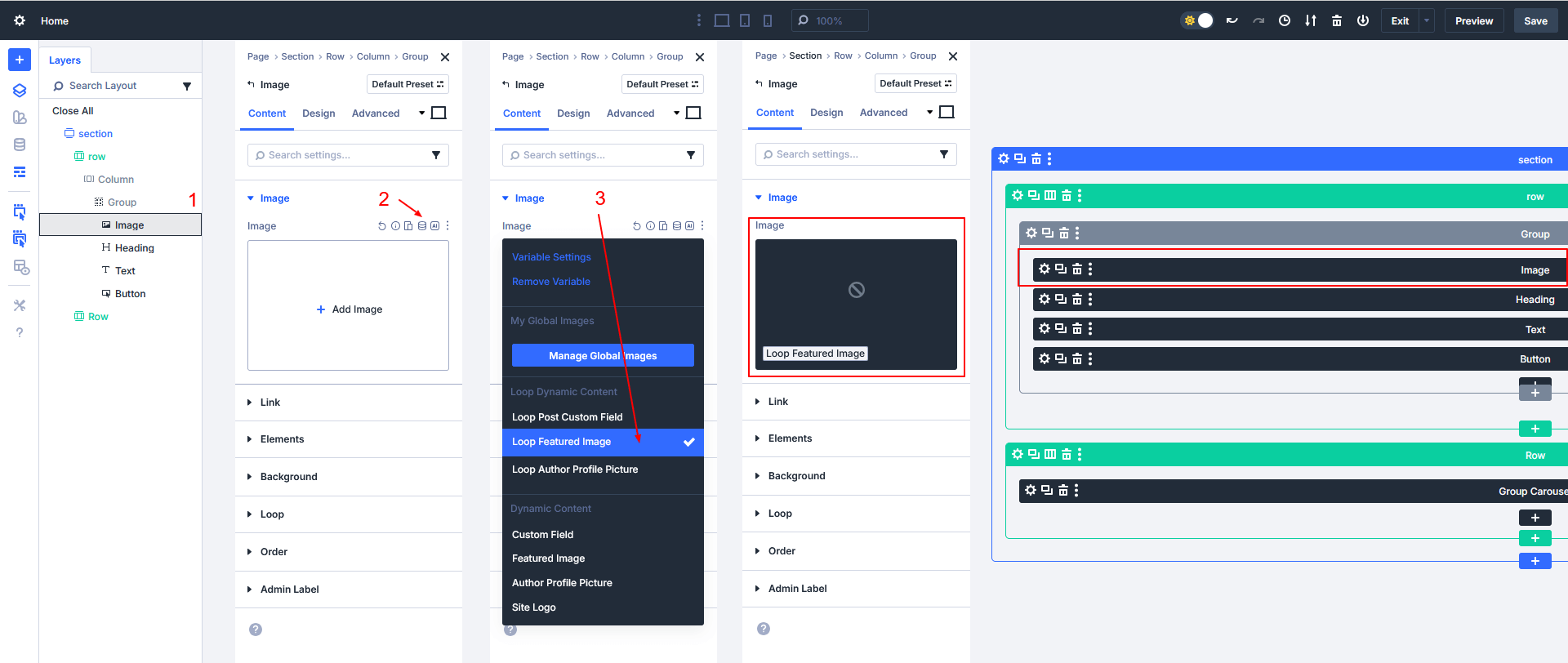
- Image
- Click the dynamic icon
- Select Loop Featured Image
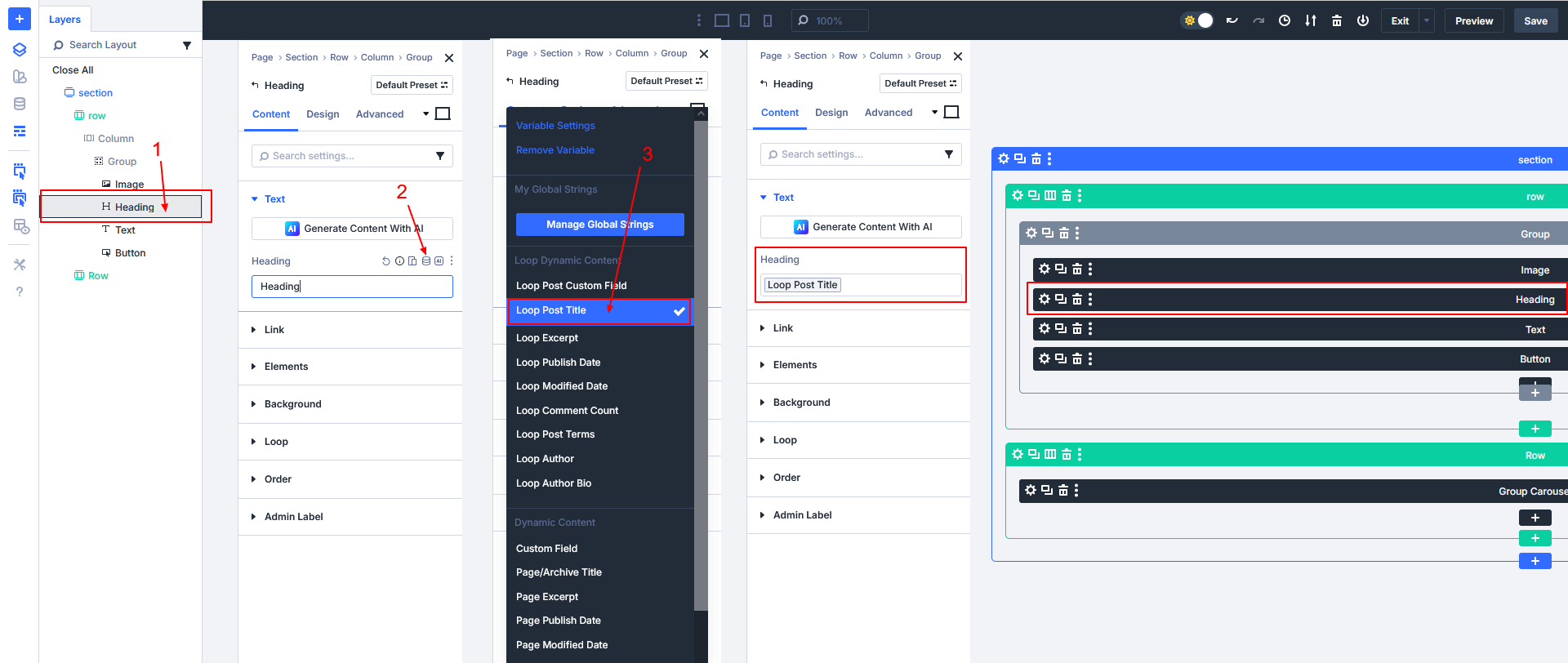
- Heading
- Insert dynamic content
- Select Loop Post Title
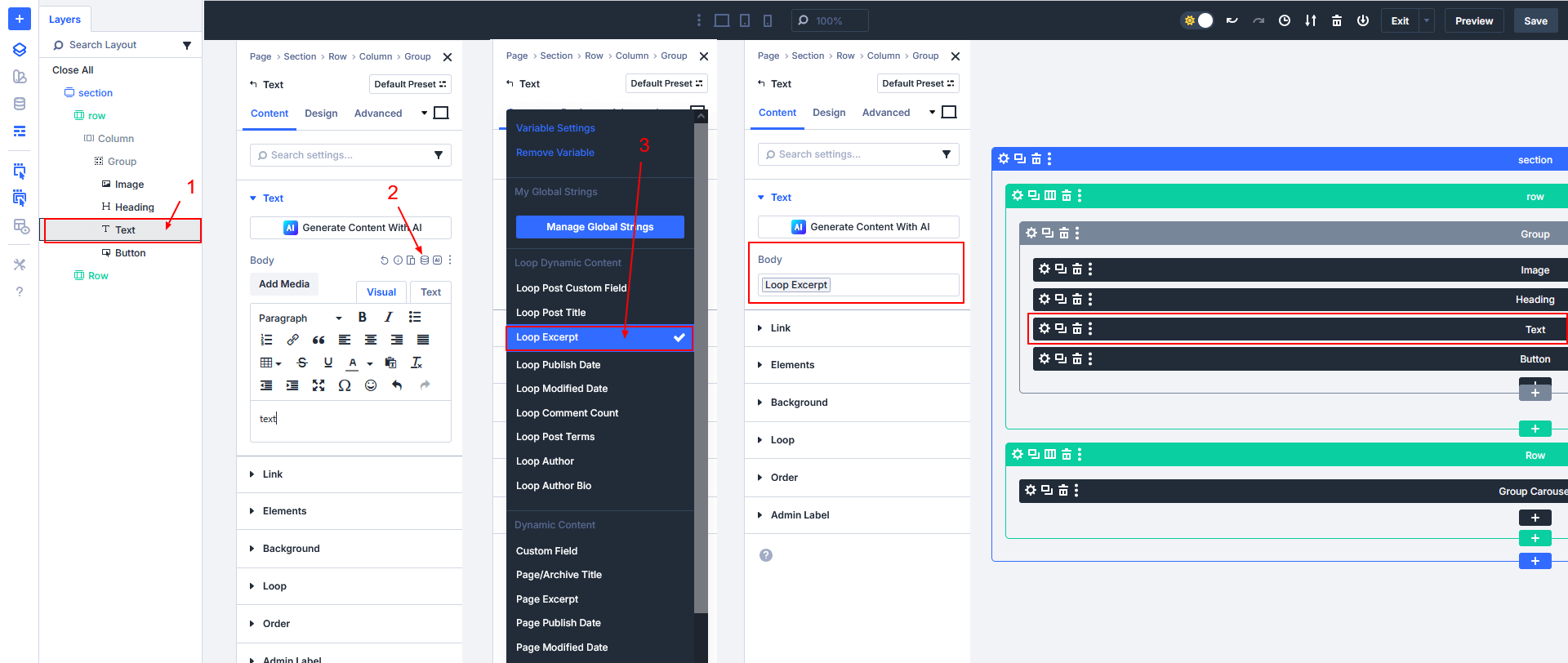
- Text
- Insert dynamic content
- Select Loop Excerpt
- Button
- Set button link to Loop Link
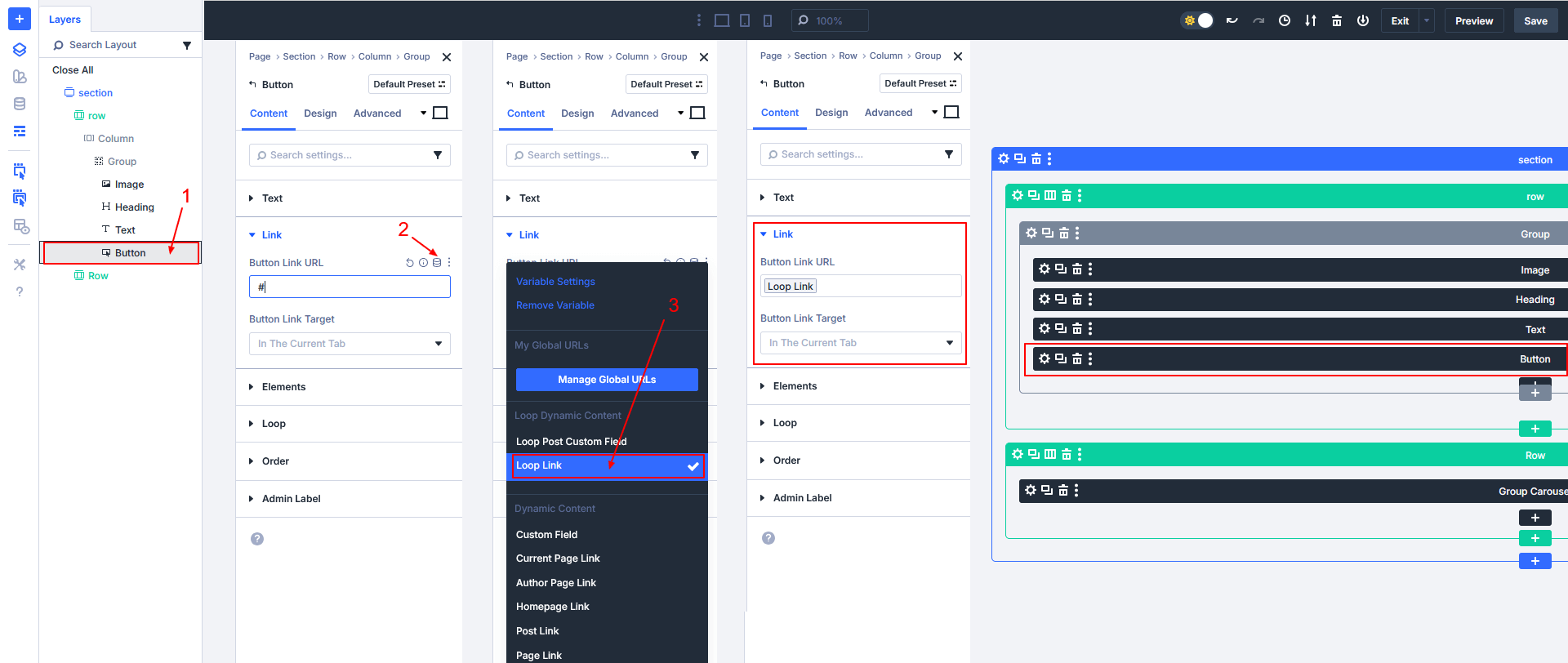
This ensures every post displays its own content automatically.
Step 4: Create the Grid Layout
- Open Column Settings
- Go to Design → Layout
- Choose:
- Grid or Flex layout
- Set columns (e.g., 3 columns)
- Adjust spacing as needed
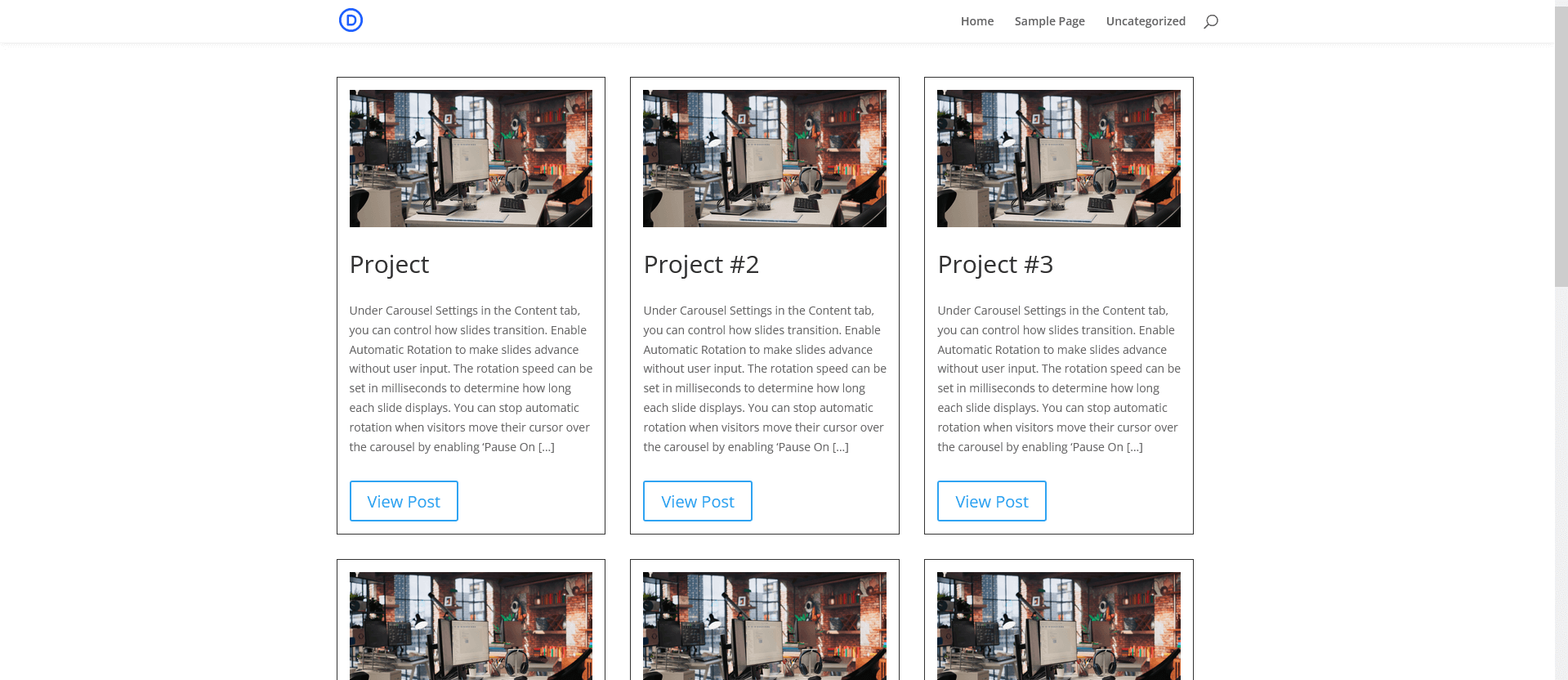
Your Custom Post Type Grid is now ready and will automatically update when new posts are added.
Part 2: Create a Custom Post Type Carousel Using Divi 5 Loop Builder
Now let’s build a carousel using the same CPT.
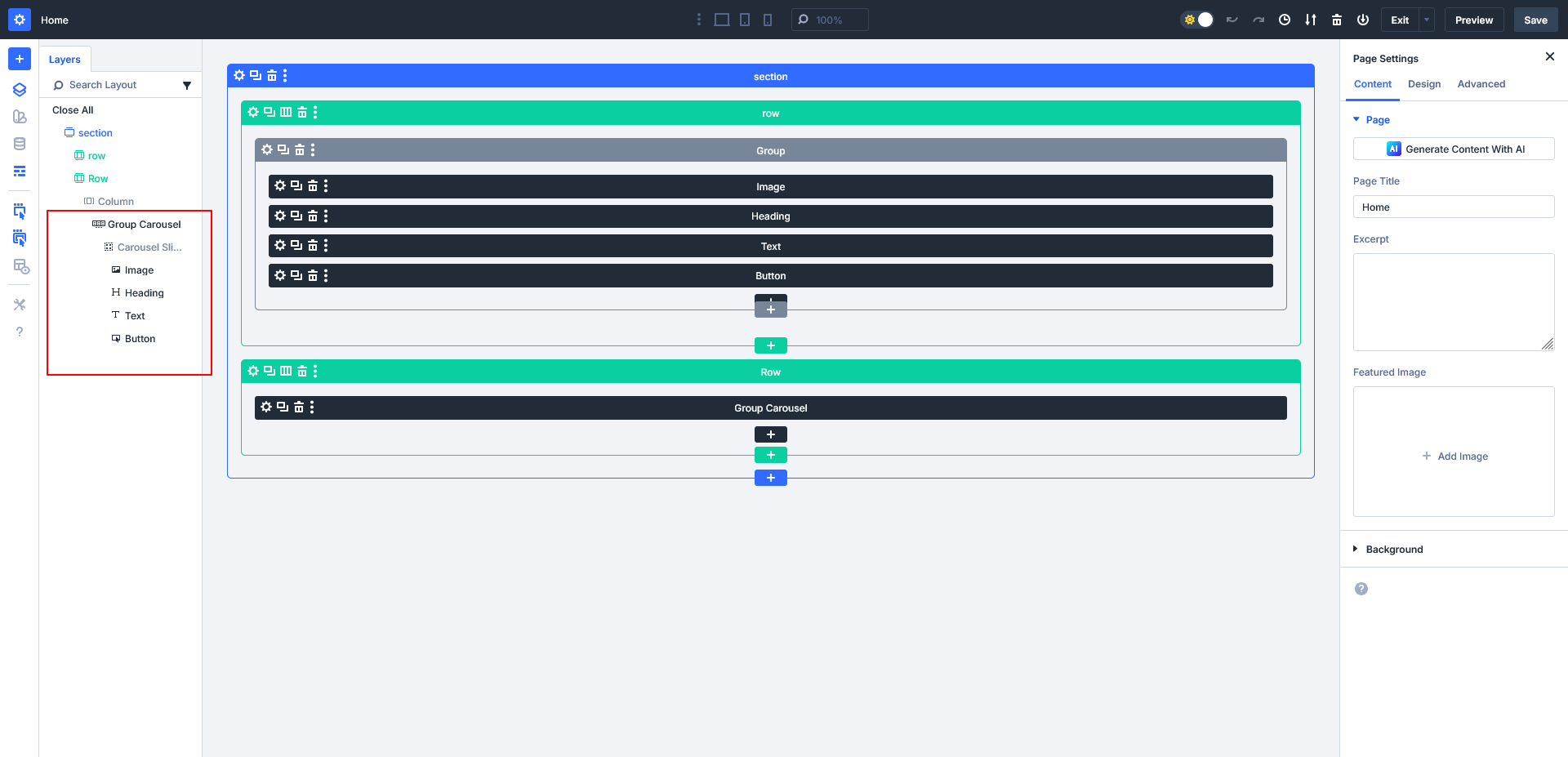
Step 1: Add Group Carousel Module
- In Row 2, add a Group Carousel module
- Inside the Carousel Slide, add:
- Image
- Heading
- Text
- Button
This slide will be reused dynamically for each post.
Step 2: Enable Loop on Carousel Slide
- Open Carousel Slide Settings
- Enable Loop
- Select Query Type → Post Type
- Choose your CPT
Example: Projects
Divi will now duplicate the slide automatically for each post.
Step 3: Make Carousel Content Dynamic
Assign loop data exactly like the grid:
- Image → Loop Featured Image
- Heading → Loop Post Title
- Text → Loop Excerpt
- Button Link → Loop Link
This keeps the carousel fully dynamic.
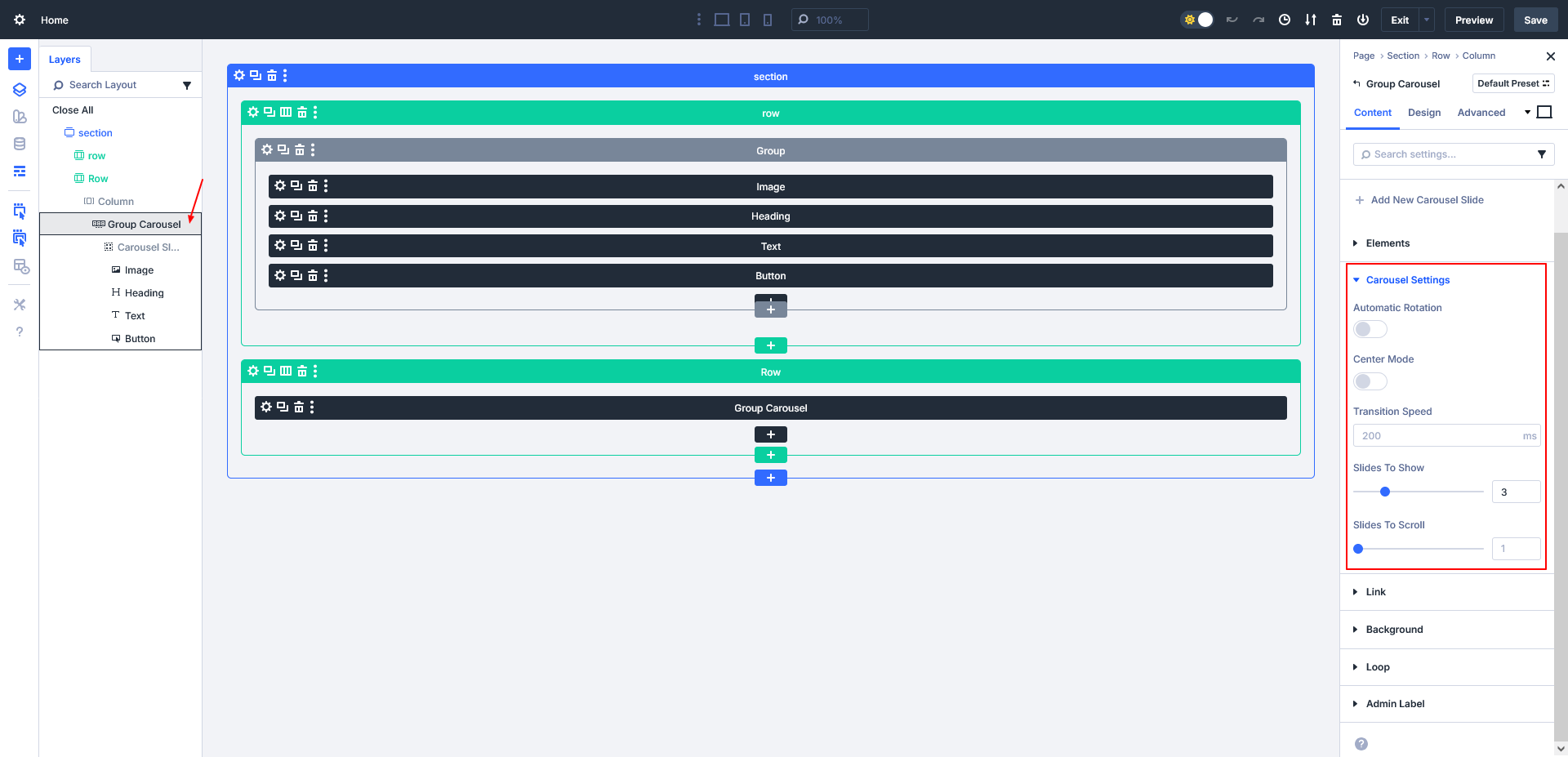
Step 4: Configure Carousel Settings
- Open Group Carousel Settings
- Adjust Carousel Settings:
- Slides to Show (e.g., 3)
- Slides to Scroll (e.g., 1)
- Transition Speed
- Enable or disable:
- Automatic rotation
- Center mode
- Navigation arrows
Save your changes.
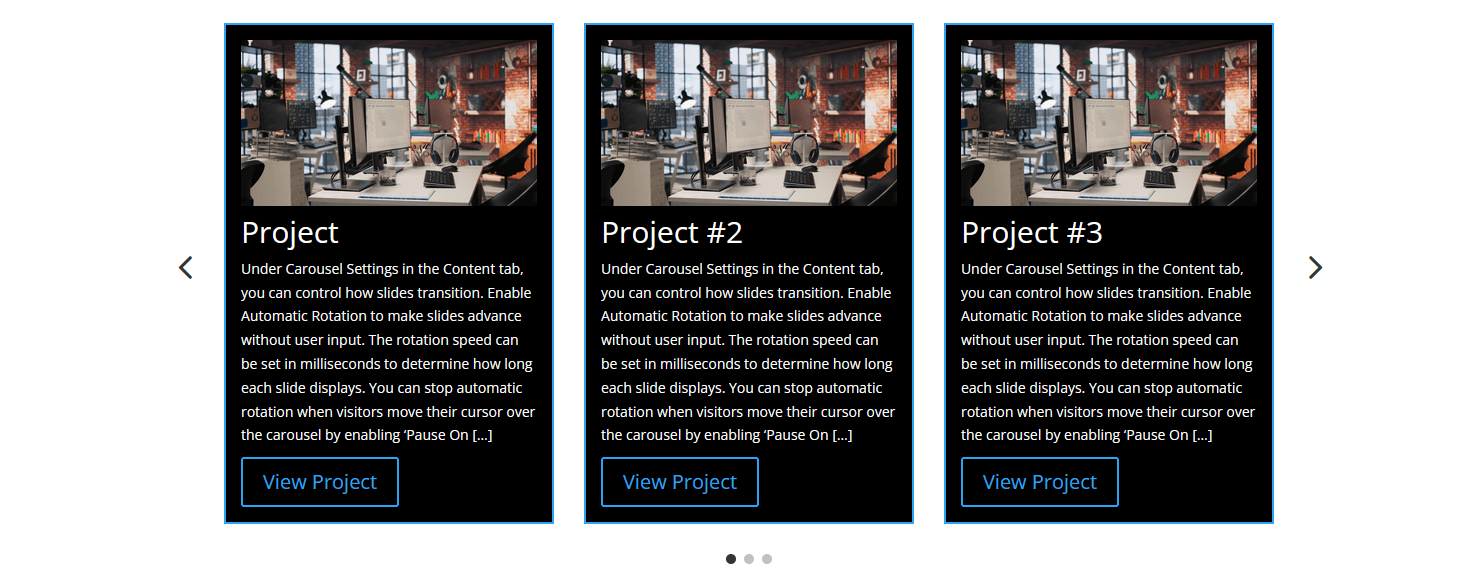
Your Custom CPT Carousel is now live.
Final Result
- Row 1: Responsive CPT Grid powered by Divi Loop Builder
- Row 2: Dynamic CPT Carousel using Group Carousel
Both layouts automatically update when:
- New CPT posts are added
- Existing posts are edited
No shortcodes. No custom queries. No PHP.
Why Use Divi 5 Loop Builder?
- No coding required
- Fully visual workflow
- Works with any Custom Post Type
- Reusable layouts
- Faster and cleaner than traditional modules
Conclusion
Divi 5’s Loop Builder makes it incredibly easy to build advanced layouts like custom grids and carousels using dynamic content. By combining Group and Group Carousel modules, you can create powerful, scalable designs that adapt automatically to your content.
If you’re building portfolio sections, project listings, or dynamic blogs—this approach is a game changer.
Want a custom post type grid or carousel layout built the right way in Divi 5?
Let TechnoCrackers design dynamic layouts that boost engagement and performance—Contact us today.