Table of Contents
- What Is the Variable Manager in Divi 5?
- Why Design Variables Make Websites Faster
- Types of Global Variables in Divi 5 (Explained)
- 1. Color Variables
- 2. Font Variables
- 3. Text Variables
- 4. Image Variables
- 5. Link Variables
- 6. Number Variables
- Real-World Example: Faster IT Company Website Workflow
- Final Thoughts: Why Every Divi 5 Website Should Use Variables
Building fast, scalable, and easy-to-manage websites has always been a challenge—especially when design changes need to be applied across dozens of pages. With Divi 5, this problem is finally solved in a smarter way.
One of the most powerful additions in Divi 5 is the Variable Manager, a feature that allows you to create global design variables and reuse them throughout your website. This not only speeds up your workflow but also improves consistency, performance, and long-term scalability.
In this blog, we’ll explain what Divi 5 Design Variables are, why they matter, and how to use each variable type to build faster and more dynamic websites.
What Is the Variable Manager in Divi 5?
The Variable Manager in Divi 5 allows you to define global values—such as colors, fonts, text, images, numbers, and links—once, and then reuse them anywhere inside the Divi Builder.
Instead of updating styles or content manually on every page, you simply update the variable once, and the change applies site-wide instantly.
This feature is a major step forward by the team at Elegant Themes, making Divi 5 faster, cleaner, and more future-ready.
Why Design Variables Make Websites Faster
Design Variables don’t just improve design consistency—they directly impact speed and efficiency:
- Fewer manual edits = faster development
- Cleaner CSS output
- Reduced chances of design conflicts
- Faster redesigns and updates
- Improved workflow for teams
In short: less repetition, more performance.
Types of Global Variables in Divi 5 (Explained)
Divi 5 currently allows you to create the following global variable types:
1. Color Variables
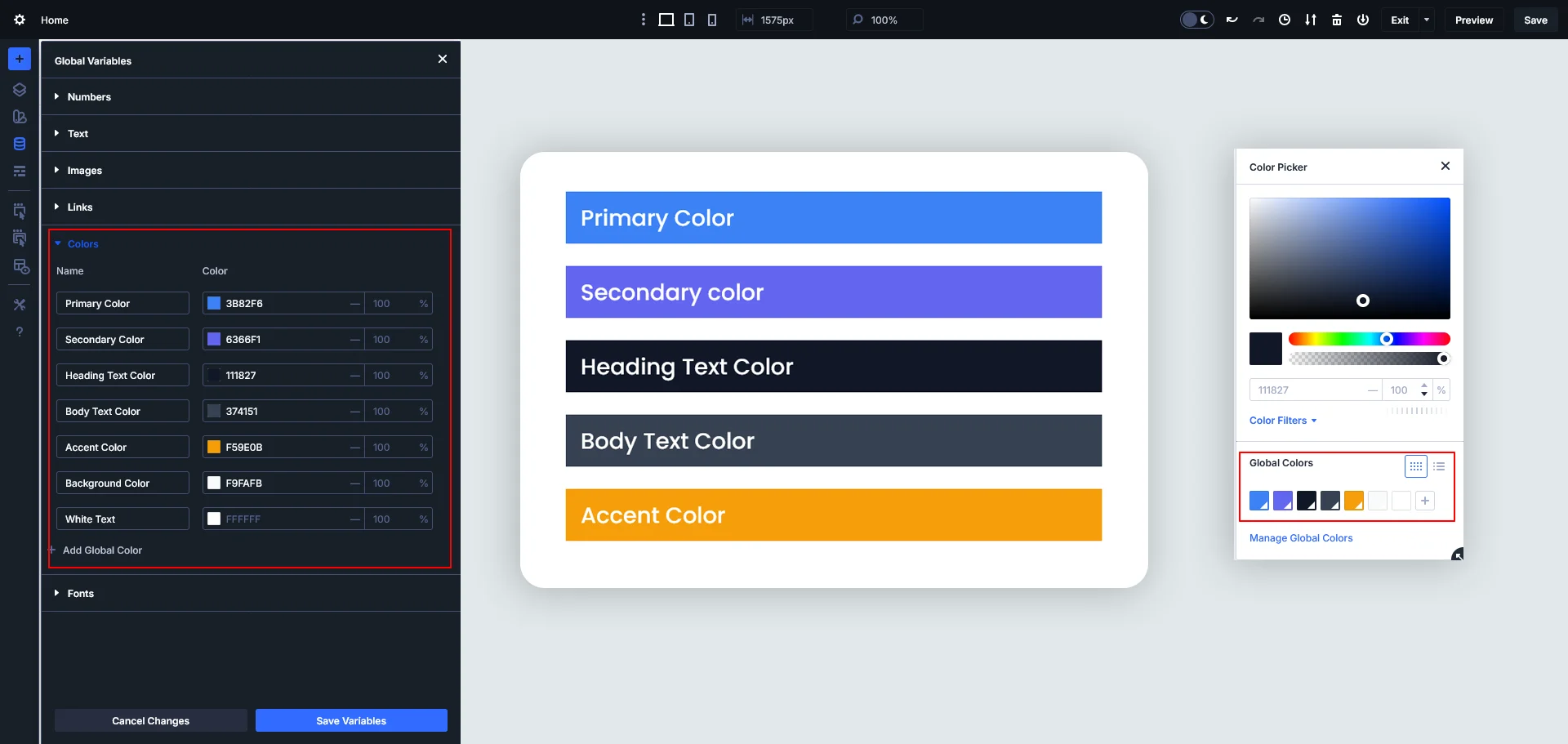
Color variables let you define your brand colors once and reuse them everywhere.
Example use cases:
- Primary brand color
- Secondary color
- Button hover color
- Background colors
Why it improves speed:
- No need to hunt for colors across modules
- Easy brand updates in seconds
- Consistent UI across the site
Change your brand color once, and your entire website updates automatically.
2. Font Variables
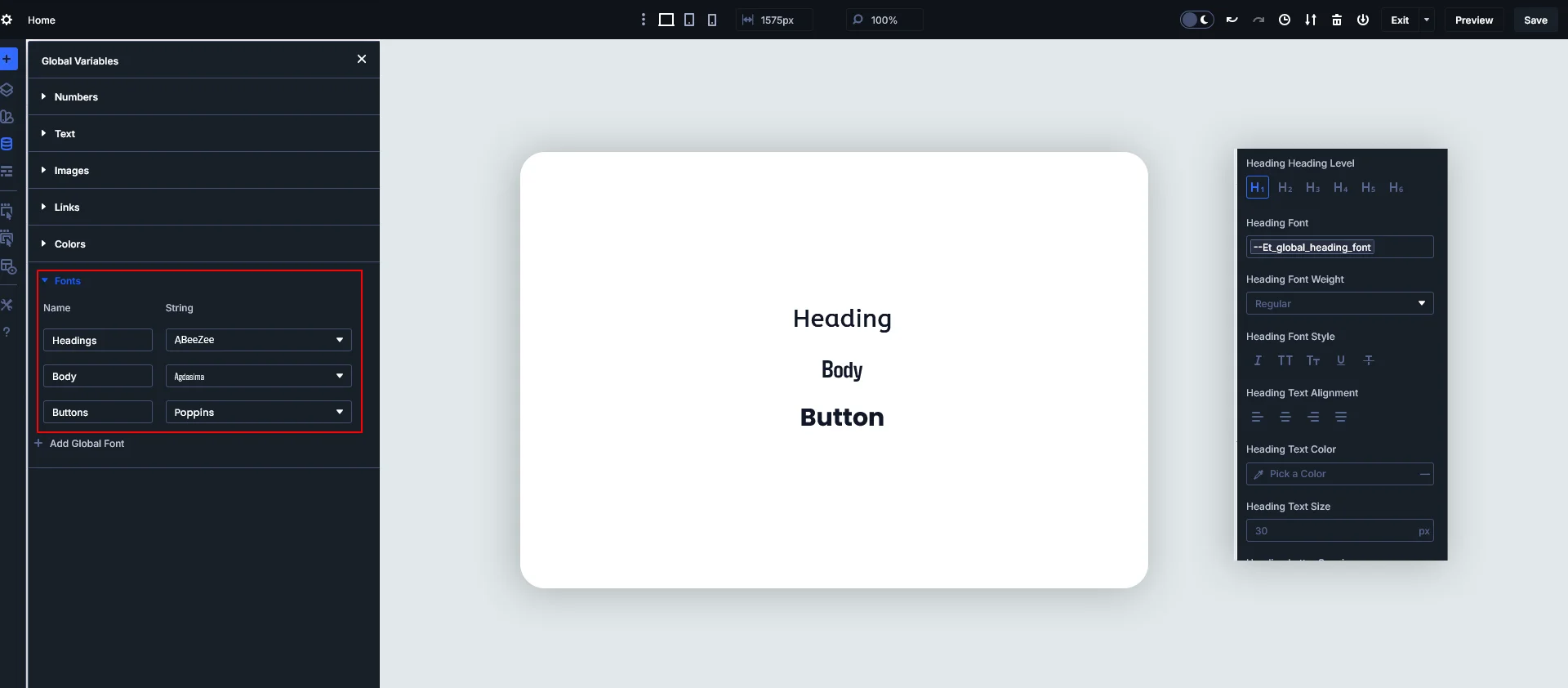
Font variables help you manage typography centrally.
Example use cases:
- Heading font
- Body text font
- Button font
- Accent font
Why it improves speed:
- Consistent typography
- Faster theme-wide font changes
- Cleaner design system
Perfect for maintaining brand identity without repetitive styling.
3. Text Variables
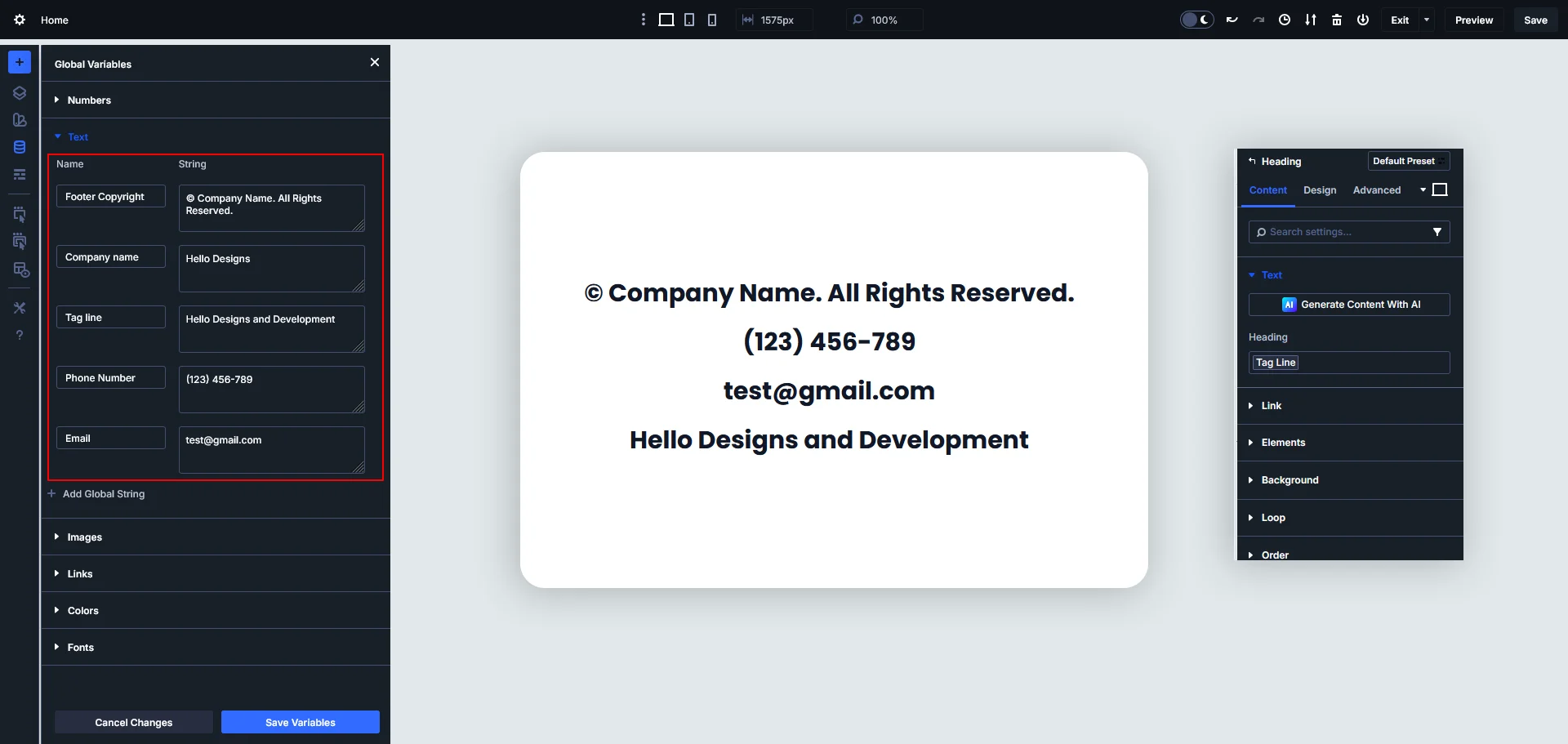
Text variables allow you to store reusable text content.
Example use cases:
- Company name
- Tagline
- Call-to-action text
- Footer copyright text
Why it improves speed:
- Update recurring text instantly
- Avoid content mismatches
- Ideal for multilingual or marketing-heavy sites
This is extremely useful for IT company websites where messaging evolves frequently.
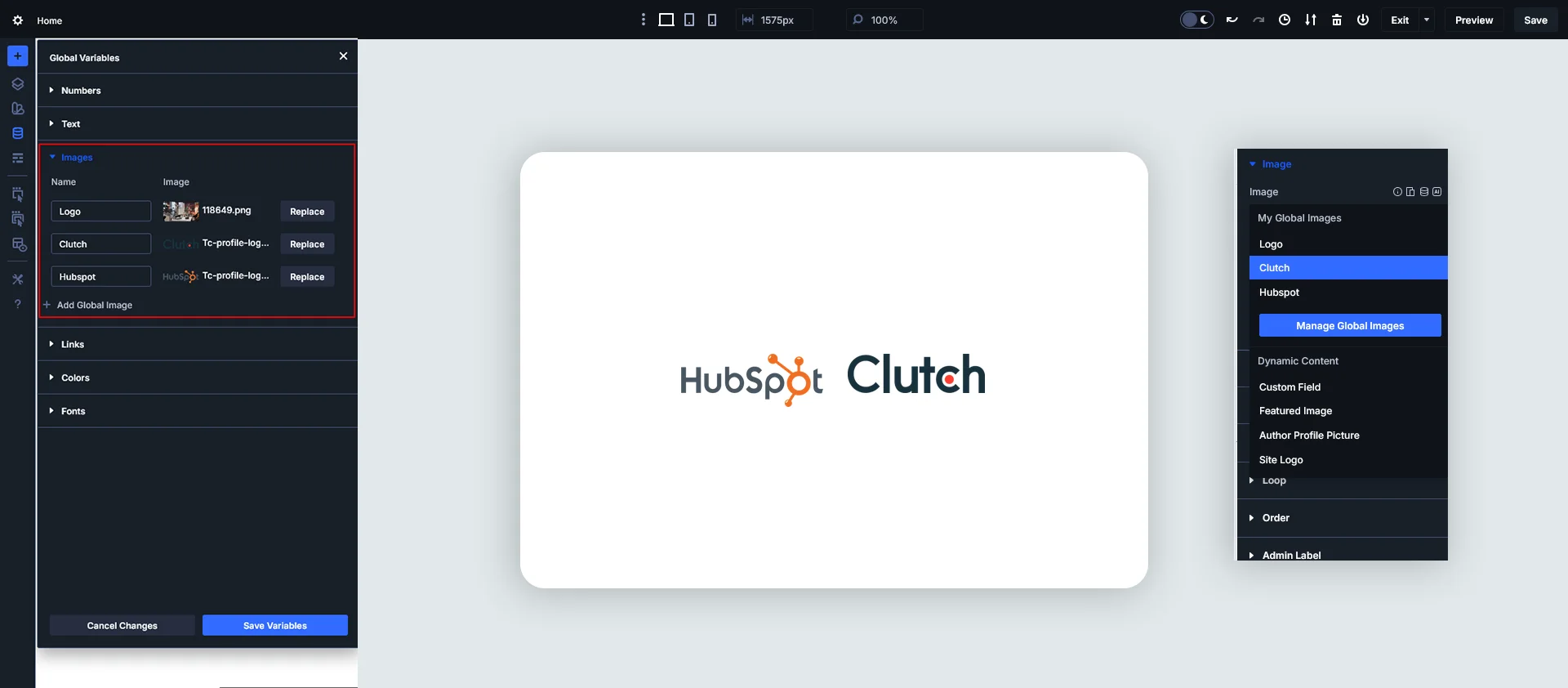
4. Image Variables
Image variables let you define images once and reuse them across the site.
Example use cases:
- Logo
- Client badges
- Hero background image
- Author or team images
Why it improves speed:
- Faster design changes
- Consistent visuals
- Reduced risk of outdated images
Update your logo once, and it updates everywhere—headers, footers, and landing pages.
5. Link Variables
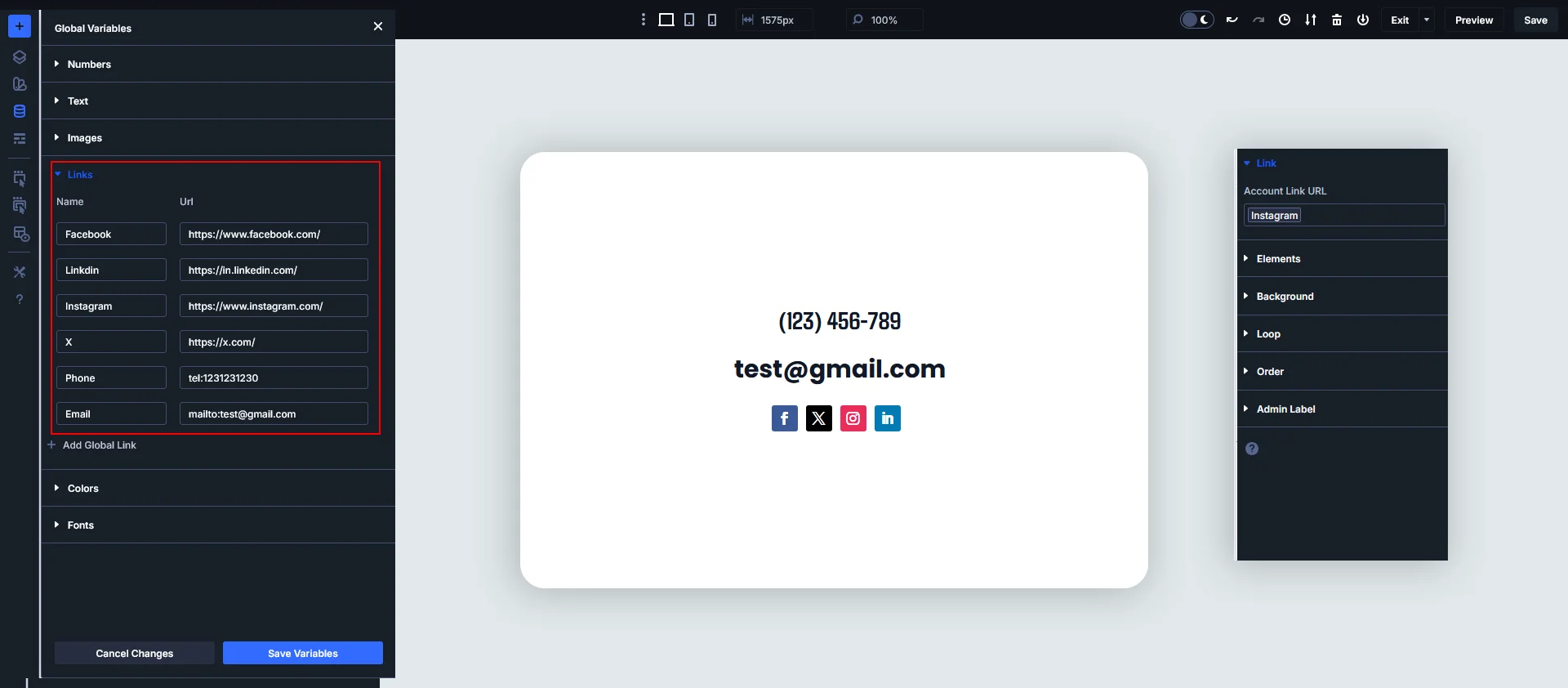
Link variables are perfect for URLs used multiple times.
Example use cases:
- Contact page URL
- WhatsApp link
- Support page link
- Social media links
Why it improves speed:
- No broken links
- Centralized URL management
- Faster marketing updates
This is a must-have for CTA-heavy business websites.
6. Number Variables
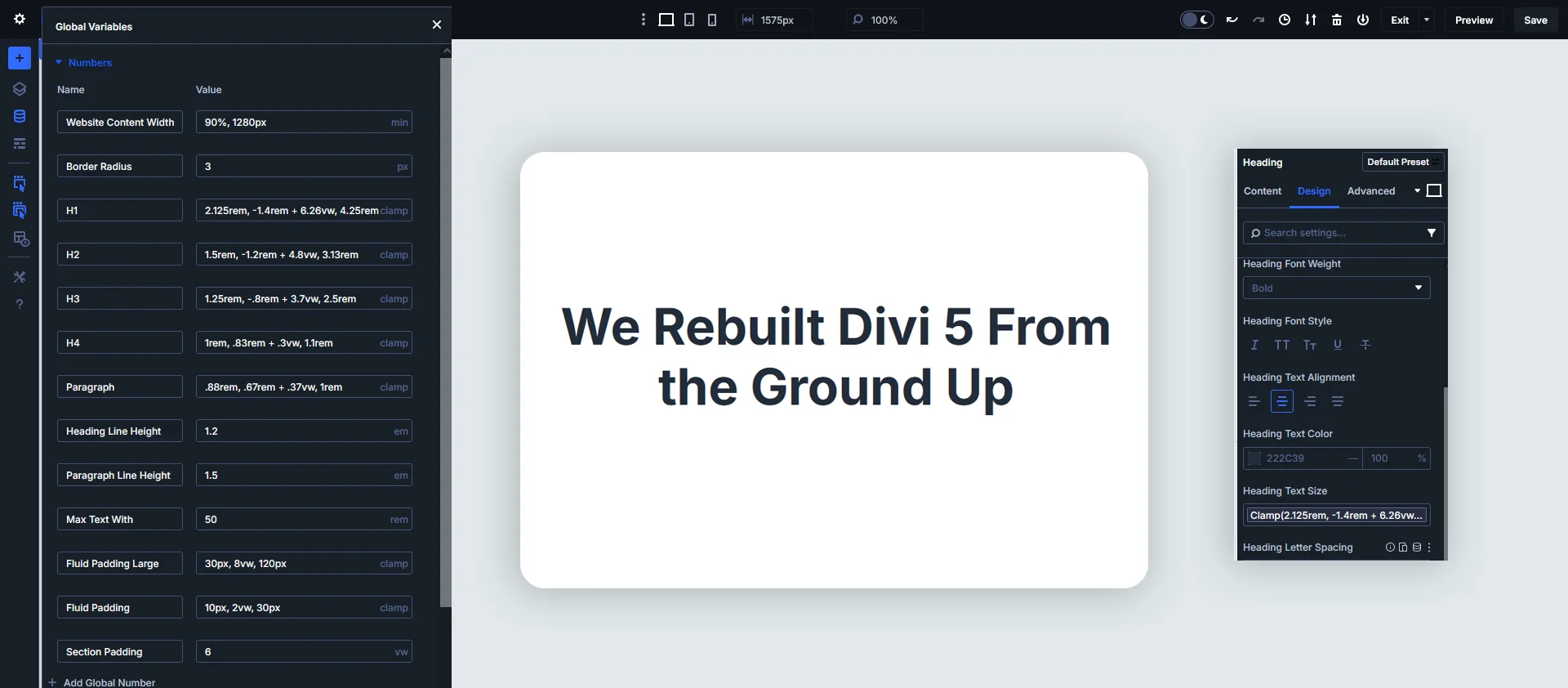
Number variables store numeric values that can be reused dynamically.
Example use cases:
- Padding and spacing values
- Border radius
- Font sizes
- Animation durations
Why it improves speed:
- Consistent spacing system
- Easier responsive tuning
- Cleaner and lighter layouts
Ideal for developers and designers who want pixel-perfect consistency.
Real-World Example: Faster IT Company Website Workflow
Imagine your IT company website has:
- 20+ service pages
- Multiple CTAs
- Repeated brand colors and fonts
With Divi 5 Design Variables:
- Branding updates take minutes, not hours
- New pages are built faster
- Team members follow a unified design system
- Website remains fast, clean, and scalable
Final Thoughts: Why Every Divi 5 Website Should Use Variables
Divi 5’s Design Variables are not just a feature—they’re a new way of building websites.
If your goal is to:
- Build faster websites
- Maintain design consistency
- Scale your IT business site effortlessly
- Reduce long-term maintenance time
Design Variables in Divi 5 are a must-use feature.
Pro Tip
Start by creating core brand variables first (colors, fonts, spacing), then expand into text, images, and links. This approach gives you immediate speed and consistency benefits.
Want to build faster, more dynamic websites using Divi 5 design variables?
Let TechnoCrackers help you optimize performance, scalability, and design—Get started today.