Table of Contents
Introduction
Dynamic content plays an important role in modern WordPress websites. Instead of manually creating repeated sections such as services, team members, or FAQs, developers can use structured data to automatically generate layouts.
The ACF Repeater Field from the Advanced Custom Fields (ACF) plugin allows you to store multiple rows of related data. With Divi 5’s Loop Builder, you can easily display this repeater data in a visually designed layout without writing custom code.
This guide explains how to use the Divi 5 Loop Builder to display ACF Repeater fields dynamically.
Understanding ACF Repeater Fields
An ACF Repeater Field lets you create a group of fields that can be repeated multiple times. Each row inside the repeater can contain the same set of subfields.
For example, you might use a repeater field to manage:
- Services
- Team Members
- FAQs
- Testimonials
- Product Features
Each row can include fields like:
- Title
- Description
- Image
- Link
This makes content management simple and organized within the WordPress admin dashboard.
Using the Divi 5 Loop Builder with ACF Repeater Fields
Divi 5 introduces a powerful Loop Builder that can generate layouts based on dynamic data sources. One of these supported sources is ACF Repeater Fields.
Once a repeater field is configured in ACF, Divi can use it to automatically populate modules inside a loop.
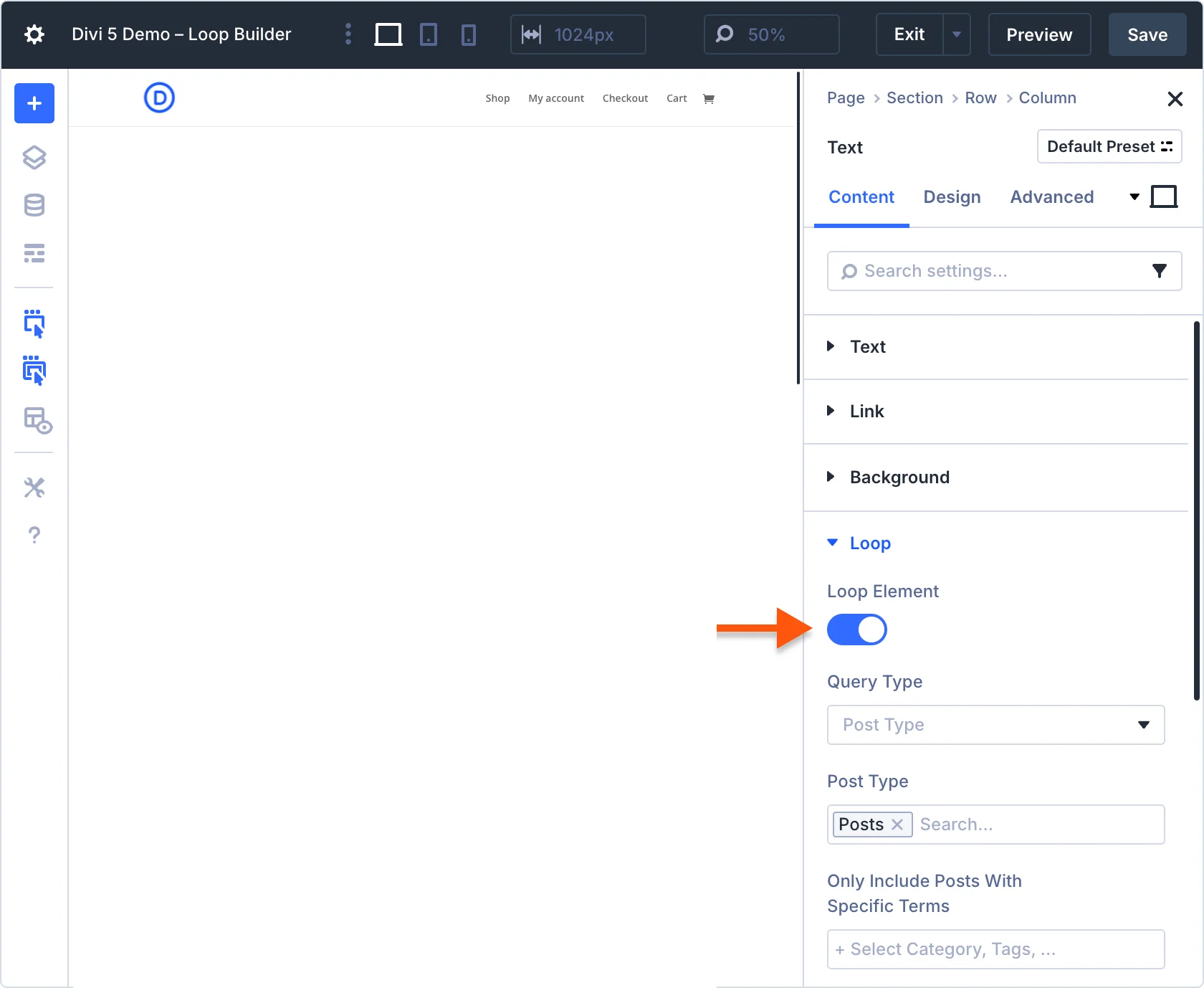
Step 1: Enable the Loop Element
First, you need to enable looping for the module or element that will display the repeater data.
- Open the page using Divi Builder.
- Add the module that will display your content (for example, Text, Image, or Blurb).
- Open the Module Settings.
- Enable the Loop Element
Once enabled, the module will repeat its layout for each row inside the selected data source.
Step 2: Select the ACF Repeater Query
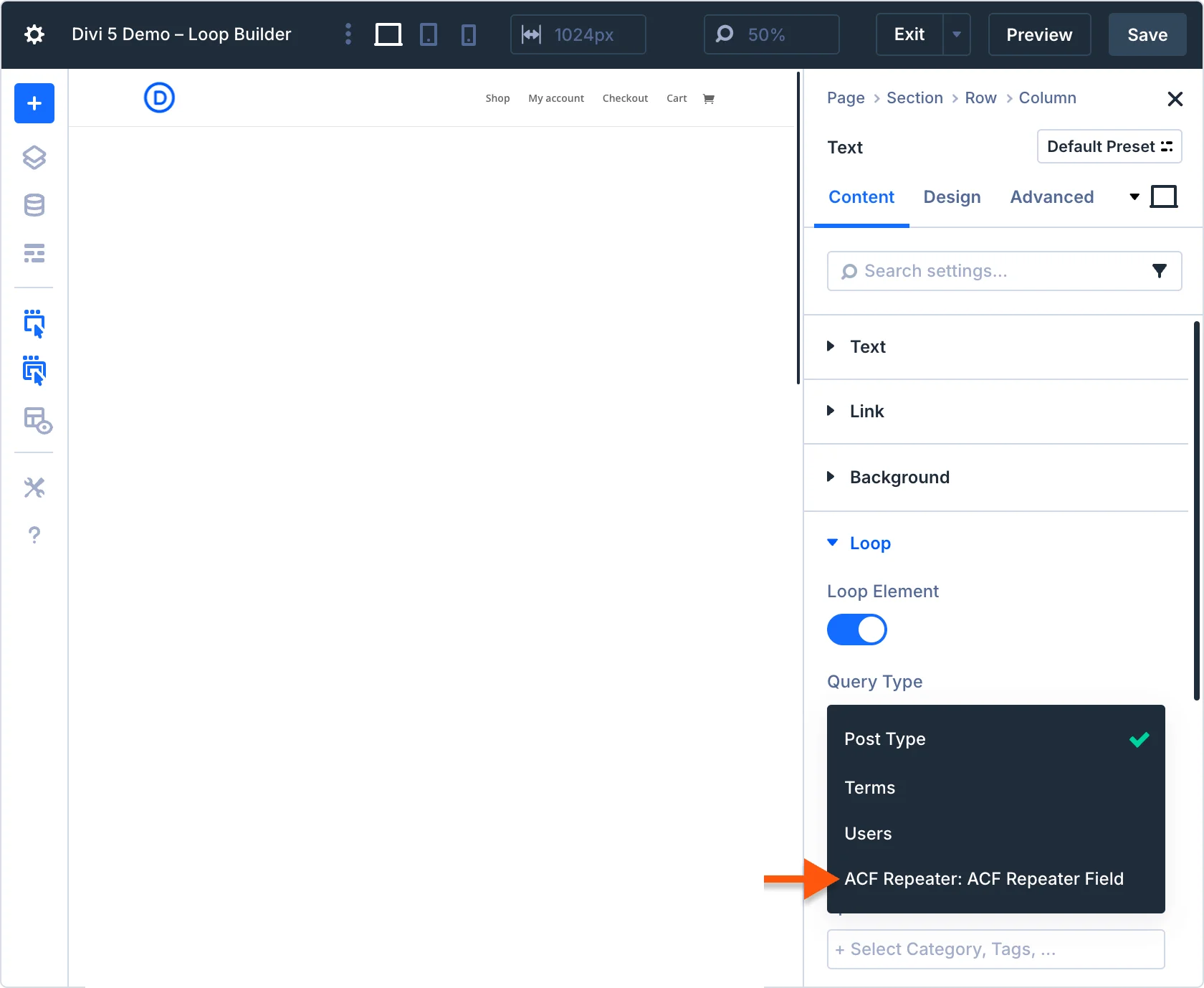
After enabling the loop option, you must define the data source.
- Locate the Query Type dropdown inside the loop settings.
- Choose ACF Repeater Field as the query source.
- Select the repeater field you want to use.
Divi will now read the repeater rows and generate the layout dynamically.
Step 3: Connect Dynamic Content
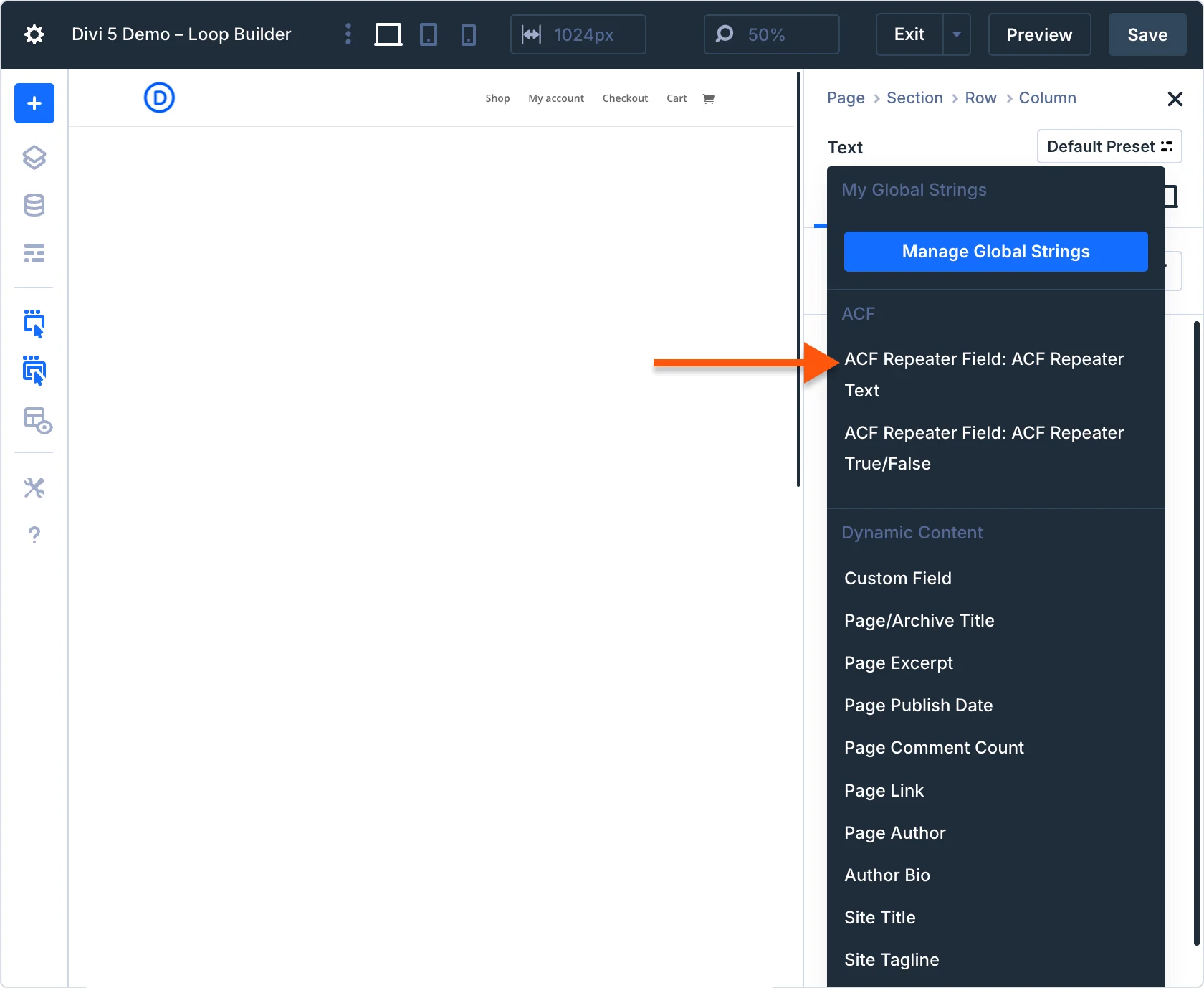
Next, you need to connect the module fields to the repeater subfields.
- Open the module field such as Title, Content, or Image.
- Click the Dynamic Content icon.
- Choose the ACF Repeater Subfield you want to display.
- Click Apply.
The module will now display content from the selected repeater subfield.
Step 4: Display Repeater Subfields
Each module field can display a specific type of repeater subfield.
Examples:
Text Module
- Display repeater text fields such as title or description.
Image Module
- Display image-type fields stored inside the repeater.
Button Module
- Display link fields from the repeater.
Divi automatically repeats the module layout for every row in the repeater field.
Important Note About Dynamic Content
Divi’s Dynamic Content system is context-aware. This means it only shows fields that are compatible with the module setting you are editing.
For example, an ACF Image field type used inside an ACF Repeater field will not be available on text-based module fields. However, it will be avaiable on the Image module.
This ensures that only valid content types can be selected in each module.
Conclusion
Combining ACF Repeater Fields with the Divi 5 Loop Builder provides a powerful solution for building dynamic and scalable WordPress layouts. It allows you to create flexible sections that automatically update when new repeater data is added.
By using this approach, you can simplify content management while maintaining complete design control within Divi.
Need Help with WordPress or Divi Development?
Whether you need custom ACF integrations, Divi development, performance optimization, or a fully customized WordPress website, our experts at TechnoCrackers are here to help.
Book a Free Consultation today and let’s discuss how we can build smarter, faster, and more scalable WordPress solutions for your business.