




Table of Contents
- What Are “Related Posts”?
- Method 1: Display Related Posts Using Divi 5 Blog Module (Best Method)
- Step 1: Create and edit Single Post Layout
- Step 2: Add a Blog Module and Configure Blog Module Settings
- Step 3: Style the Related Posts
- Method 2: Related Posts by Category (Manual Control)
- Best Practices for Related Posts in Divi 5
- Why Avoid Plugins for Related Posts?
- Final Thoughts
Displaying related posts at the end of a blog article is a great way to:
- Increase page views
- Reduce bounce rate
- Keep users engaged longer
The good news? Divi 5 lets you build related posts without using any third-party plugins. You can do this using the Divi Blog Module, Dynamic Content, and smart query settings.
In this guide, I’ll show you multiple clean and plugin-free methods to display related posts in Divi 5.
What Are “Related Posts”?
Related posts are blog posts that share something in common with the current post, such as:
- Same category
- Same post type
They are usually displayed:
- Below blog content
- In a sidebar
- As a grid or carousel
Method 1: Display Related Posts Using Divi 5 Blog Module (Best Method)
This is the simplest and most effective way.
Step 1: Create and edit Single Post Layout
Go to: Divi → Theme Builder → Single Post Template → Select All Posts
(or edit an individual post if you’re not using Theme Builder)

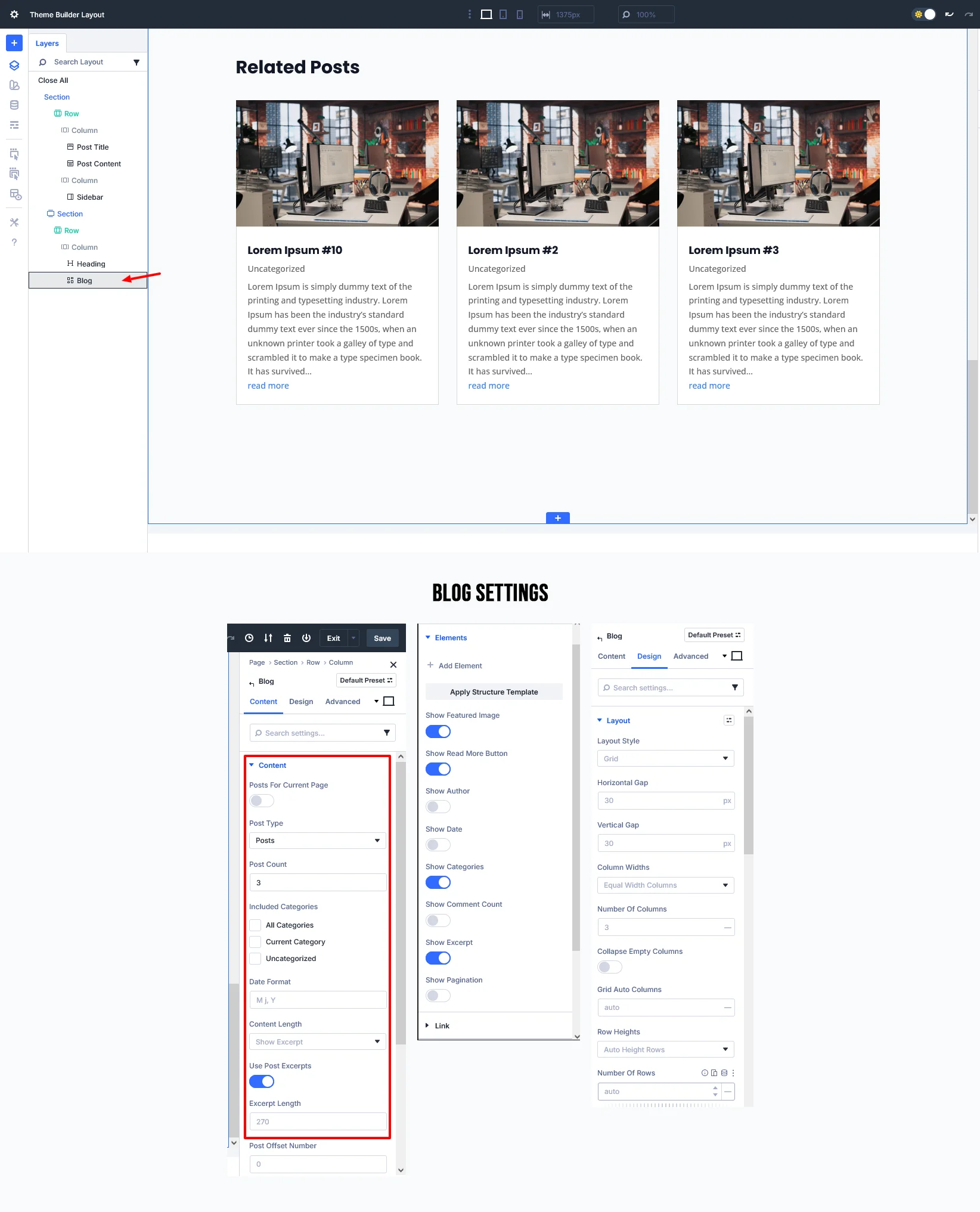
Step 2: Add a Blog Module and Configure Blog Module Settings
Add a Blog Module where you want related posts to appear (usually after the Post Content module).
Configure Blog Module Settings
Content → Blog Settings
- Post Count: 3 or 4
- Layout: Grid
- Excerpt: On
- Pagination: Off
- You can Filter Also by Category
This ensures:
- Only posts related to the current post are shown
- The current post is not repeated
Step 3: Style the Related Posts
Use Divi 5 design options:
- Equal height cards
- Featured image ratio
- Hover effects
- Custom fonts & spacing
Add a heading above the module: Related Posts You May Like
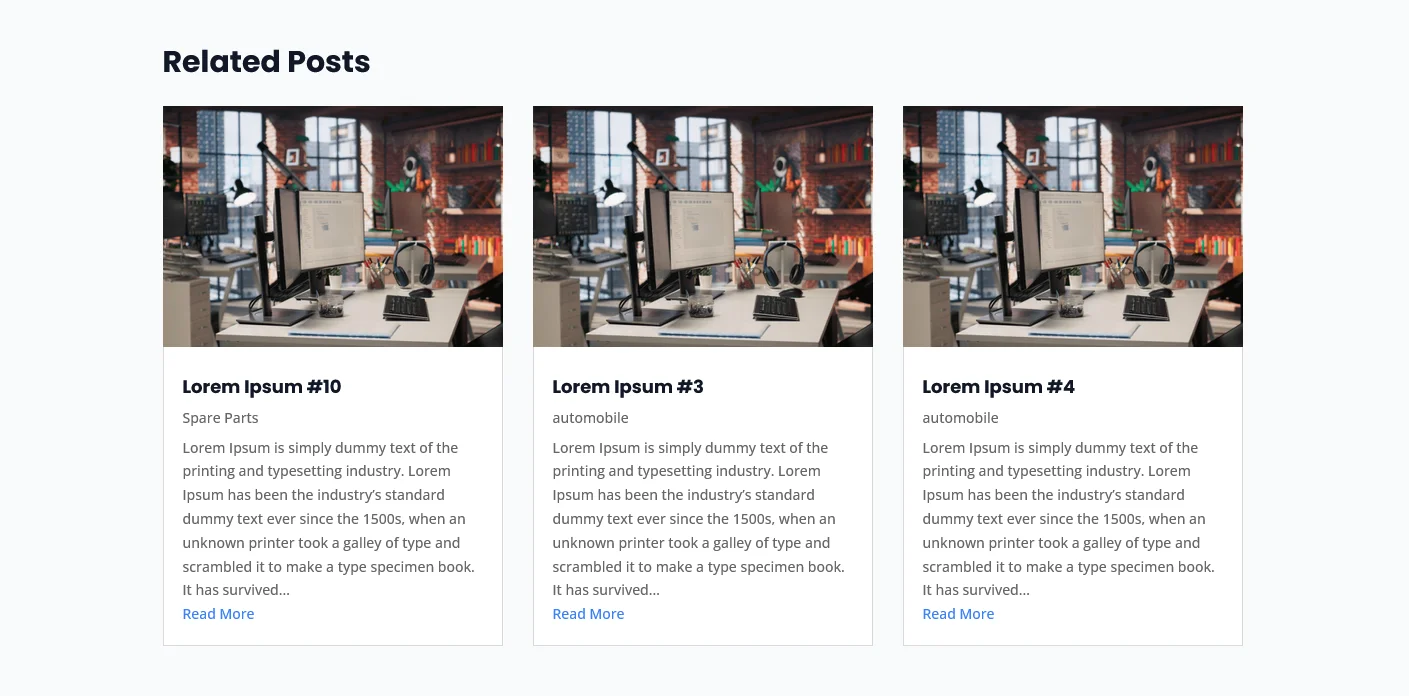
Method 2: Related Posts by Category (Manual Control)
If you want more control, use categories.
How It Works
Divi automatically pulls posts from the same category as the current post.
Steps
- Assign proper categories to all posts
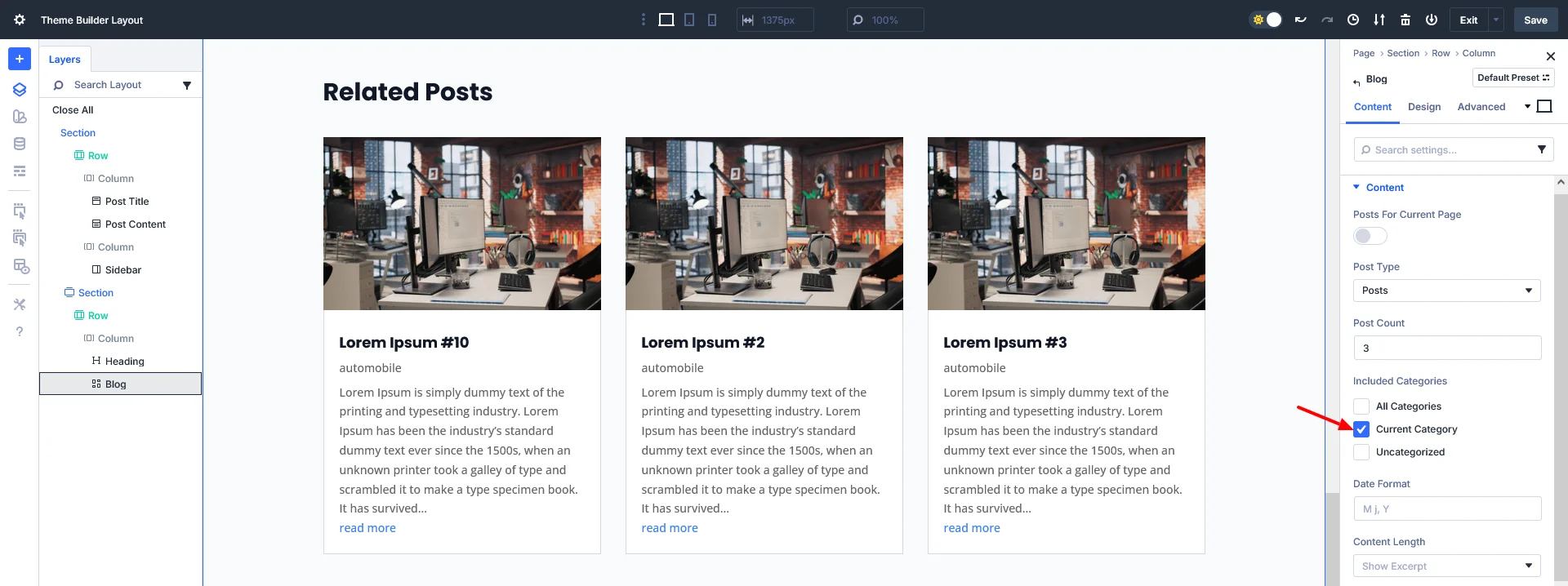
- In Blog Module setting:
- Included Categories = Current Category
This method is perfect for:
- Blogs
- News websites
- Tutorial-based content
Best Practices for Related Posts in Divi 5
- Use 3–4 related posts (not too many)
- Match posts by category
- Add a clear section heading
- Keep design consistent with blog layout
- Use Divi presets for reusable styling
Why Avoid Plugins for Related Posts?
Using Divi 5 native features means:
- Faster website performance
- Fewer plugin conflicts
- Cleaner WordPress setup
- Full design control inside Divi
Divi 5’s improved query logic makes plugins unnecessary for most use cases.
Final Thoughts
With Divi 5, you can easily display related posts without any plugins by using Blog Module.
Looking to unlock the full potential of your WordPress site? Request a WordPress quote today and let our experts build a fast, feature-rich, and optimized website for you!