Table of Contents
- WordPress.org Shut Down 25+ Plugins in One Day
- What Is a WordPress Supply Chain Attack?
- In this case:
- Technical Breakdown of the Backdoor
- What these functions do:
- Additional Backdoor Behavior
- The 8-Month Delayed Attack Strategy
- How the Malware Attacks Your Website
- SEO Impact: Silent Ranking Killer
- How to Check If Your WordPress Site Is Infected
- How to Protect Your Website from Plugin Malware
- Advanced: How Developers Can Patch Affected Plugins (Use with Caution)
- Recommended Safer Alternative
- Common Mistakes to Avoid
- Why This Attack Changes WordPress Security Forever
- Key Takeaway
- FAQs
- Final Thoughts from TechnoCrackers
In April 2026, over 30 trusted WordPress plugins were compromised after attackers secretly inserted backdoor malware into plugin updates. This allowed hackers to remotely control websites, inject SEO spam, and remain undetected for months, making it one of the largest WordPress supply chain attacks to date.
WordPress.org Shut Down 25+ Plugins in One Day
On April 7, 2026, the official WordPress plugin repository took urgent action and removed more than 25 plugins in a single day due to serious security concerns.
These plugins were linked to the same developer and were widely used across thousands of websites.
🧩 Some of the affected plugins include:
- Countdown Timer Ultimate (countdown-timer-ultimate)
- Popup Anything on Click (popup-anything-on-click)
- WP Testimonial with Widget (wp-testimonial-with-widget)
- WP Team Showcase and Slider (wp-team-showcase-and-slider)
- WP FAQ (sp-faq)
- SP News and Widget (sp-news-and-widget)
- WP Blog and Widgets (wp-blog-and-widgets)
- Album and Image Gallery Plus Lightbox (album-and-image-gallery-plus-lightbox)
- Timeline and History Slider (timeline-and-history-slider)
- Featured Post Creative (featured-post-creative)
- Post Grid and Filter Ultimate (post-grid-and-filter-ultimate)
- Footer Mega Grid Columns (footer-mega-grid-columns)
- WP Responsive Recent Post Slider (wp-responsive-recent-post-slider)
- WP Slick Slider and Image Carousel (wp-slick-slider-and-image-carousel)
- WP Featured Content and Slider (wp-featured-content-and-slider)
- Hero Banner Ultimate (hero-banner-ultimate)
- Preloader for Website (preloader-for-website)
- Accordion and Accordion Slider (accordion-and-accordion-slider)
- Portfolio and Projects (portfolio-and-projects)
- Ticker Ultimate (ticker-ultimate)
- WP Trending Post Slider and Widget (wp-trending-post-slider-and-widget)
- WooCommerce Product Slider and Carousel (woo-product-slider-and-carousel-with-category)
- Audio Player with Playlist Ultimate (audio-player-with-playlist-ultimate)
- Meta Slider and Carousel with Lightbox (meta-slider-and-carousel-with-lightbox)
- Post Category Image with Grid and Slider (post-category-image-with-grid-and-slider)
- Product Categories Designs for WooCommerce (product-categories-designs-for-woocommerce)
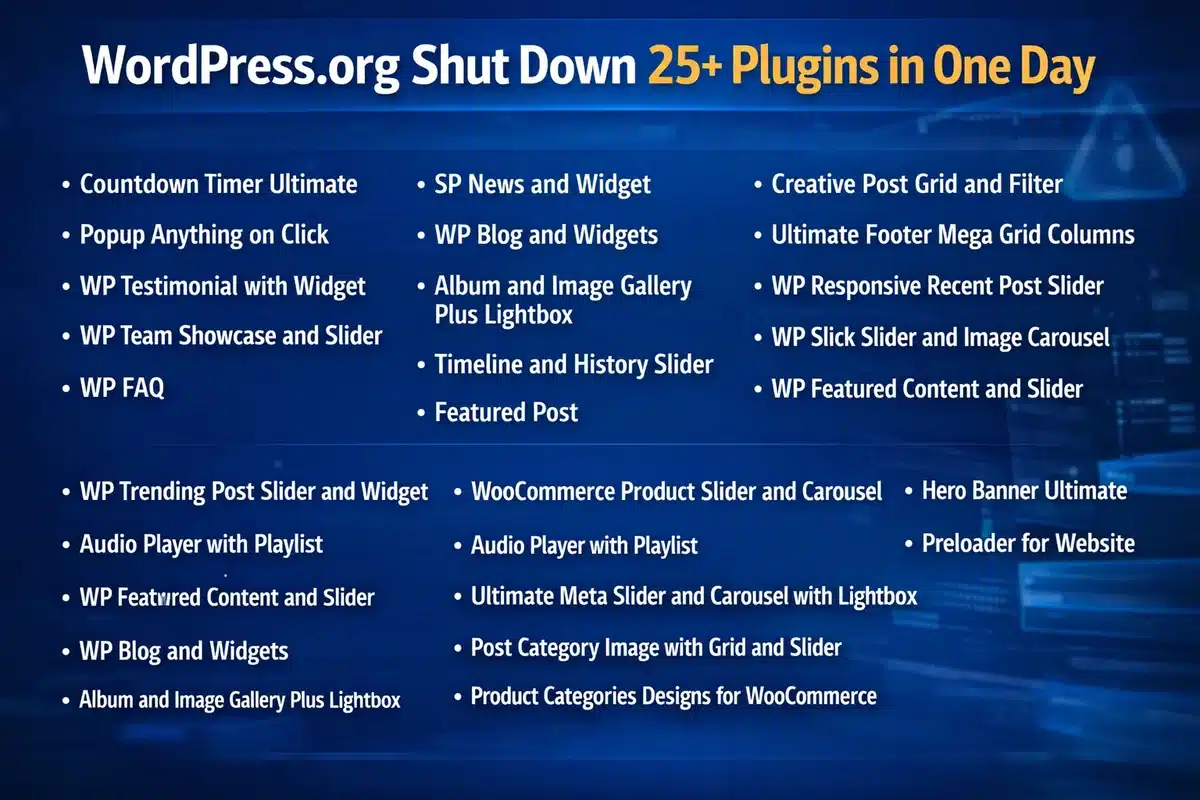
These plugins were installed on thousands of websites, making the impact widespread.
The pattern across these plugins suggests a shared codebase modified after ownership transfer, indicating a coordinated attack.
What Is a WordPress Supply Chain Attack?
A supply chain attack occurs when attackers compromise trusted software to infect users indirectly.
In this case:
- Hackers acquired plugin ownership
- Inserted malicious code into updates
- Distributed malware through official channels
Users installed updates normally, unknowingly infecting their websites.
Technical Breakdown of the Backdoor
The attack involved sophisticated code injection designed for remote execution and persistence.
Key malicious functions introduced:
fetch_ven_info()
file_get_contents()
unserialize()
What these functions do:
- file_get_contents() → Fetches remote data from attacker-controlled servers
- unserialize() → Executes that data as PHP code
- Combined → Enables remote code execution (RCE)
Additional Backdoor Behavior
- Dynamic Function Execution
- Attackers control which functions run remotely
- Unauthenticated REST API Access
permission_callback => __return_true
- Allows access without login authentication
- Core File Injection
- Malware embedded into files like wp-config.php
This creates persistent access even after plugin removal
The 8-Month Delayed Attack Strategy
One of the most dangerous aspects was the delayed activation.
Timeline:
- Plugin active since: 2019
- Malicious update released: August 2025
- Attack triggered: April 2026
The malware remained dormant for 8 months, avoiding detection and spreading widely.
How the Malware Attacks Your Website
Once activated, the malware performs multiple harmful actions:
🔹 SEO Spam Injection
- Creates hidden pages with spam keywords
- Targets search engines, not users
🔹 Cloaking
- Normal content shown to visitors
- Spam content shown to Google
🔹 Remote Control Access
- Attackers execute code anytime
- Modify website behavior
🔹 Persistence Mechanism
- Survives plugin deletion
- Reinstalls itself via core files
SEO Impact: Silent Ranking Killer
This attack was specifically designed to damage SEO.
Major consequences:
- Spam pages indexed in Google
- Sudden ranking drops
- Loss of domain authority
- Possible Google penalties or deindexing
Many website owners remained unaware until traffic dropped significantly.
How to Check If Your WordPress Site Is Infected
Quick Detection Checklist
- Review installed plugins for suspicious names
- Check recently updated plugins
- Inspect wp-config.php for unusual code
- Run a malware scan using security tools
- Search Google:
site:yourdomain.com
- Look for spam pages or irrelevant content
How to Protect Your Website from Plugin Malware
Best Practices for WordPress Security
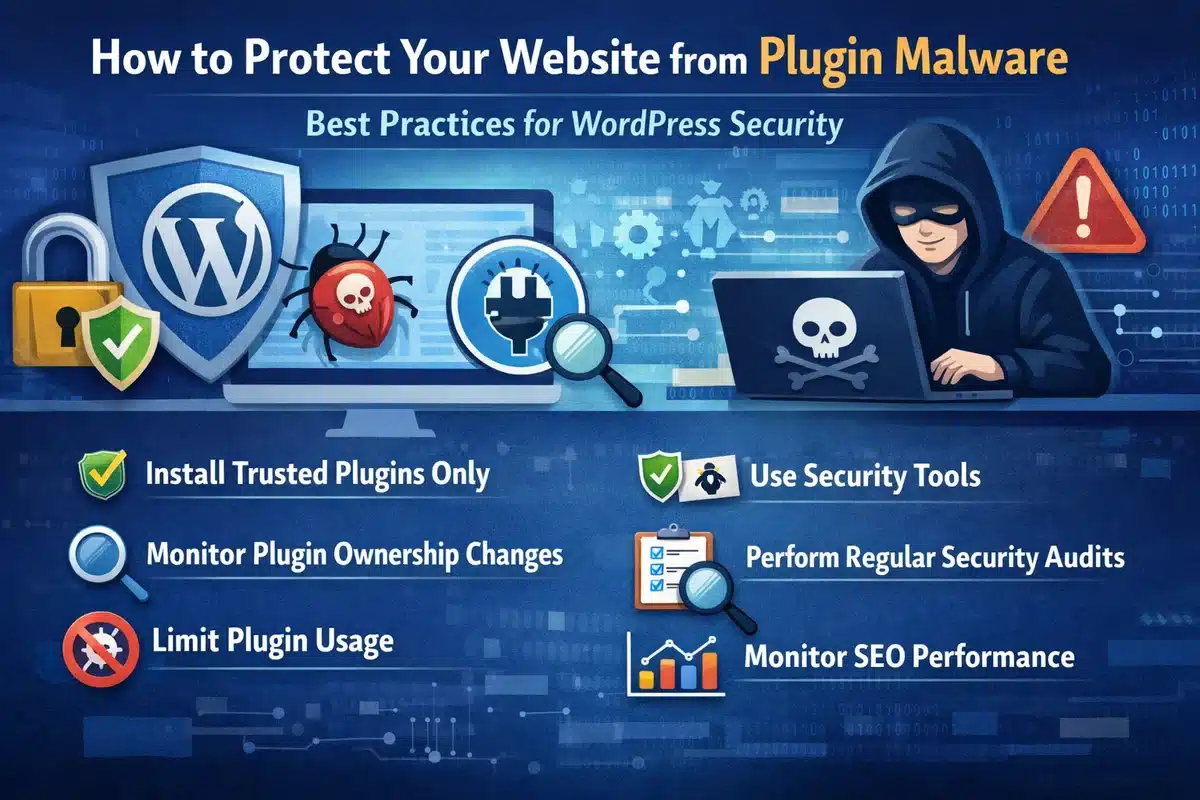
1. Install Trusted Plugins Only
Choose plugins with active maintenance and strong reputation
2. Monitor Plugin Ownership Changes
Ownership changes can introduce hidden risks
3. Limit Plugin Usage
Reduce attack surface by using fewer plugins
4. Use Security Tools
- Wordfence
- Sucuri
- Real-time malware scanners
5. Perform Regular Security Audits
- Weekly manual checks
- Daily automated scans
6. Monitor SEO Performance
- Track keyword rankings
- Check indexed pages
Advanced: How Developers Can Patch Affected Plugins (Use with Caution)
For advanced users and developers, it is technically possible to remove the malicious module from affected plugins.
Important: This method is not recommended for beginners. Incorrect changes can break your website or leave it vulnerable.
Basic approach used by security researchers:
- Remove the malicious analytics module directory (commonly named wpos-analytics)
- Locate and delete loader functions in the main plugin file
- Update the plugin version to prevent conflicts
- Repackage and reinstall the plugin
However, this approach requires:
- Strong PHP knowledge
- Understanding of WordPress plugin architecture
- Manual code review
Recommended Safer Alternative
Instead of patching manually, we strongly recommend:
- Remove affected plugins completely
- Replace with trusted alternatives
- Scan your website for malware
- Restore from a clean backup if needed
Common Mistakes to Avoid
- Installing nulled or pirated plugins
- Ignoring plugin updates
- Using abandoned plugins
- Not scanning your website regularly
Why This Attack Changes WordPress Security Forever
This incident marks a shift in cybersecurity strategy:
Attackers now target trust instead of vulnerabilities.
This means:
- Even trusted plugins can become threats
- Continuous monitoring is essential
- Security must include supply chain awareness
Key Takeaway
The 2026 WordPress plugin hack proves that even trusted plugins can be compromised through malicious updates, allowing attackers to control websites and damage SEO without detection.
FAQs
What is a WordPress plugin backdoor?
A backdoor is hidden code that allows hackers to access and control your website without permission.
Can plugin updates infect my website?
Yes. If a plugin is compromised, updates can include malware that infects your site.
How do I know if my website is hacked?
Look for spam pages, unusual code, redirects, or sudden SEO drops.
How often should I scan my WordPress site?
Daily automated scans and weekly manual checks are recommended.
Is WordPress safe in 2026?
Yes, if proper security practices and monitoring are followed.
Final Thoughts from TechnoCrackers
The WordPress plugin hack of 2026 is a wake-up call for website owners.
Security is no longer optional — it directly impacts:
- Website performance
- SEO rankings
- Business credibility
At TechnoCrackers, we recommend combining security best practices with continuous monitoring to stay protected against evolving threats.