







Table of Contents
If you’re building a website with Divi 5 and Advanced Custom Fields (ACF), you may have noticed that the Video module doesn’t support dynamic ACF URL fields. It also doesn’t provide a Dynamic Content option for the Poster Image.
This becomes a problem when you want to display different videos on different pages, custom post types, or templates without manually editing the Divi layout every time.
The good news is that there’s a simple workaround using ACF and a shortcode.
In this tutorial, we’ll create two ACF fields, add a small PHP snippet, and display dynamic videos anywhere on your website.
Step 1: Create ACF Fields
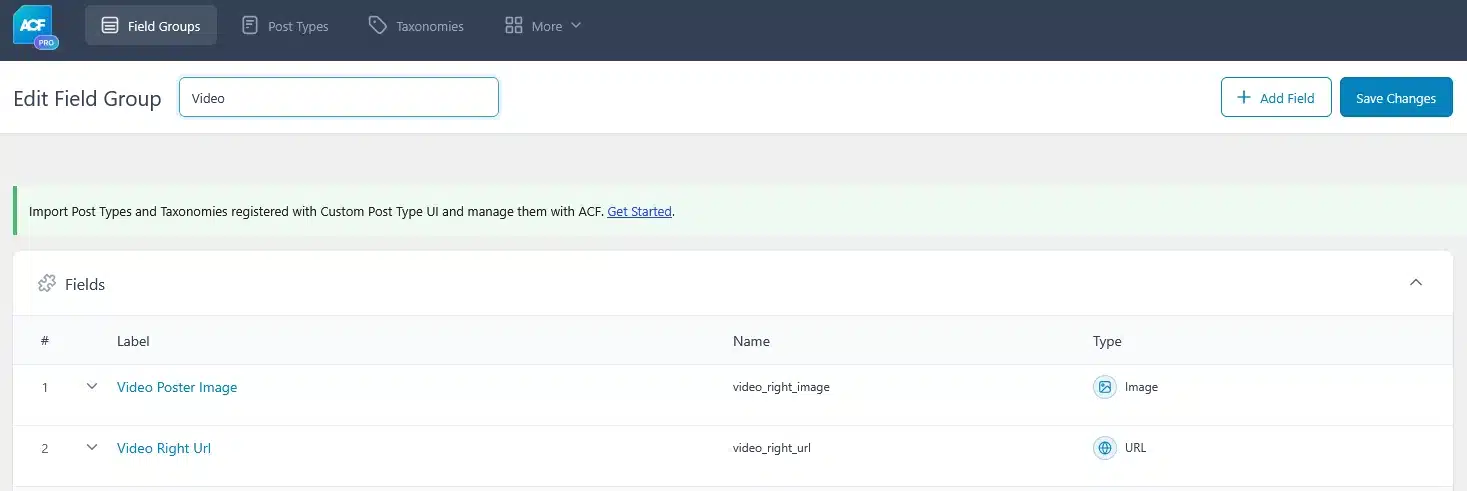
First, create a new ACF Field Group.
Add these two fields:
| Field Label | Field Name | Field Type |
|---|---|---|
| Video Right URL | video_right_url | URL |
| Video Poster Image | video_right_image | Image |
Now assign this Field Group to wherever you want to use videos.
For example:
- Pages
- Posts
- Custom Post Types
- Projects
- Services
Basically, you can assign it to any post type where you want a dynamic video.
Step 2: Add the PHP Code
Next, add the following code to your child theme’s functions.php file.
function divi_acf_video_right() {

    $video = get_field( 'video_right_url', get_the_ID() );
    $poster = get_field( 'video_right_image', get_the_ID() );

    if ( empty( $video ) ) {
        return '';
    }

    if ( is_array( $poster ) ) {
        $poster = $poster['url'];
    } elseif ( is_numeric( $poster ) ) {
        $poster = wp_get_attachment_url( $poster );
    }

    if (
        strpos( $video, 'youtube.com' ) !== false ||
        strpos( $video, 'youtu.be' ) !== false ||
        strpos( $video, 'vimeo.com' ) !== false
    ) {
        return wp_oembed_get( $video );
    }

    return wp_video_shortcode( array(
        'src'      => esc_url( $video ),
        'poster'   => esc_url( $poster ),
        'preload'  => 'metadata',
        'controls' => true,
    ) );
}
add_shortcode( 'video_right', 'divi_acf_video_right' );
This shortcode automatically reads the video URL and poster image from ACF and displays the correct video.
Step 3: Add the Shortcode to Your Divi Layout
Open the page, template, or custom post type layout in Divi 5.
Instead of using the Video module, add a Shortcode Module and paste:
[video_right]
Save the page.

Step 4: Add Your Video
Now edit your page (or custom post).
You’ll see the two ACF fields you created.
Simply:
- Paste your video URL
- Upload a poster image
- Update the page
That’s it.
Add Screenshot: ACF Video URL & Poster Image

Step 5: View the Page
Visit your page or custom post type on the front end.
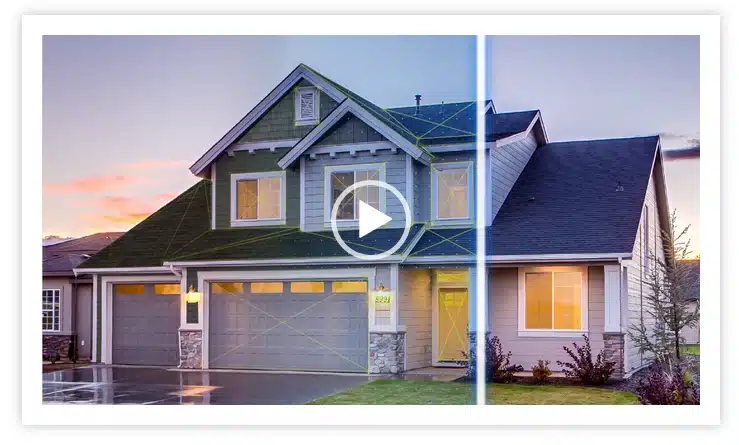
Your video will automatically load with its poster image.
Whenever you want to change the video, simply update the ACF fields—there’s no need to edit the Divi layout again.
Why Use This Method?
This approach is perfect if you’re building:
- Dynamic Pages
- Service Pages
- Project Pages
- Portfolio Items
- Custom Post Types
- Reusable Divi Templates
Instead of creating a separate Video module for every page, you can reuse the same layout and control the content directly from ACF.
Final Thoughts
At the time of writing, Divi 5 doesn’t support dynamic ACF URL fields or dynamic poster images in its Video module.
Until native support is added, this shortcode provides a clean and flexible solution. Simply create your ACF fields, add the PHP snippet once, place the shortcode in your Divi layout, and manage your videos directly from the page or custom post type.
If you frequently build dynamic websites with Divi 5 and ACF, this small workaround can save time and make your templates much more reusable.
Need Custom Divi 5 or WordPress Development?
Whether you need advanced Divi 5 customizations, ACF integrations, custom shortcodes, or features that go beyond the default builder, our team can help. At Technocrackers, we develop scalable WordPress and Divi solutions tailored to your business, making your website easier to manage and ready for future growth.
today for a free consultation and let’s build a WooCommerce store that drives results.