Table of Contents
If you’re running a B2B, wholesale, or dealer-based WooCommerce store, hiding product prices from guest users is often essential. Many businesses prefer showing prices only after user login to control access, encourage registrations, or provide quote-based pricing.
In this blog, we’ll explain two easy methods to hide prices until a user logs in:
- Without a Plugin (Using Custom Code)
- Using a Plugin (Recommended for beginners)
Both methods work perfectly with WooCommerce, so you can choose the one that best fits your project.
Method 1: Hide Price Without Plugin (Using Code)
If you prefer a lightweight solution or want full control, you can hide prices using custom PHP code.
You can add this code in either:
- Your theme’s php file
OR - By installing a Code Snippets plugin (recommended to avoid theme update issues)
// Hide prices
add_action('after_setup_theme','tc_hideprice_activate_filter') ;

function tc_hideprice_activate_filter()
{
   add_filter('woocommerce_get_price_html', 'tc_show_price_logged');
}

function tc_show_price_logged($price)
{
   if(is_user_logged_in() )
   {
      return $price;
   }
   else
  {
     remove_action( 'woocommerce_single_product_summary', 'woocommerce_template_single_price', 10 );
     remove_action( 'woocommerce_after_shop_loop_item_title', 'woocommerce_template_loop_price', 10 );
     return 'Login to see price';
  }
}

// Add this code if you want to Disable Purchase for Guest Users (Optional but Recommended )
add_filter('woocommerce_is_purchasable', 'my_woocommerce_is_purchasable', 10, 2);
function my_woocommerce_is_purchasable($is_purchasable, $product) {

	$isLoggedIn = is_user_logged_in();
	if(true == $isLoggedIn){
		//Make product purchasable to logged in user
		return true;
	}

	//Make product not purchasable to unlogged in user
	return false;
}

Method 2: Hide Price Using a Plugin (Easy & Safe)
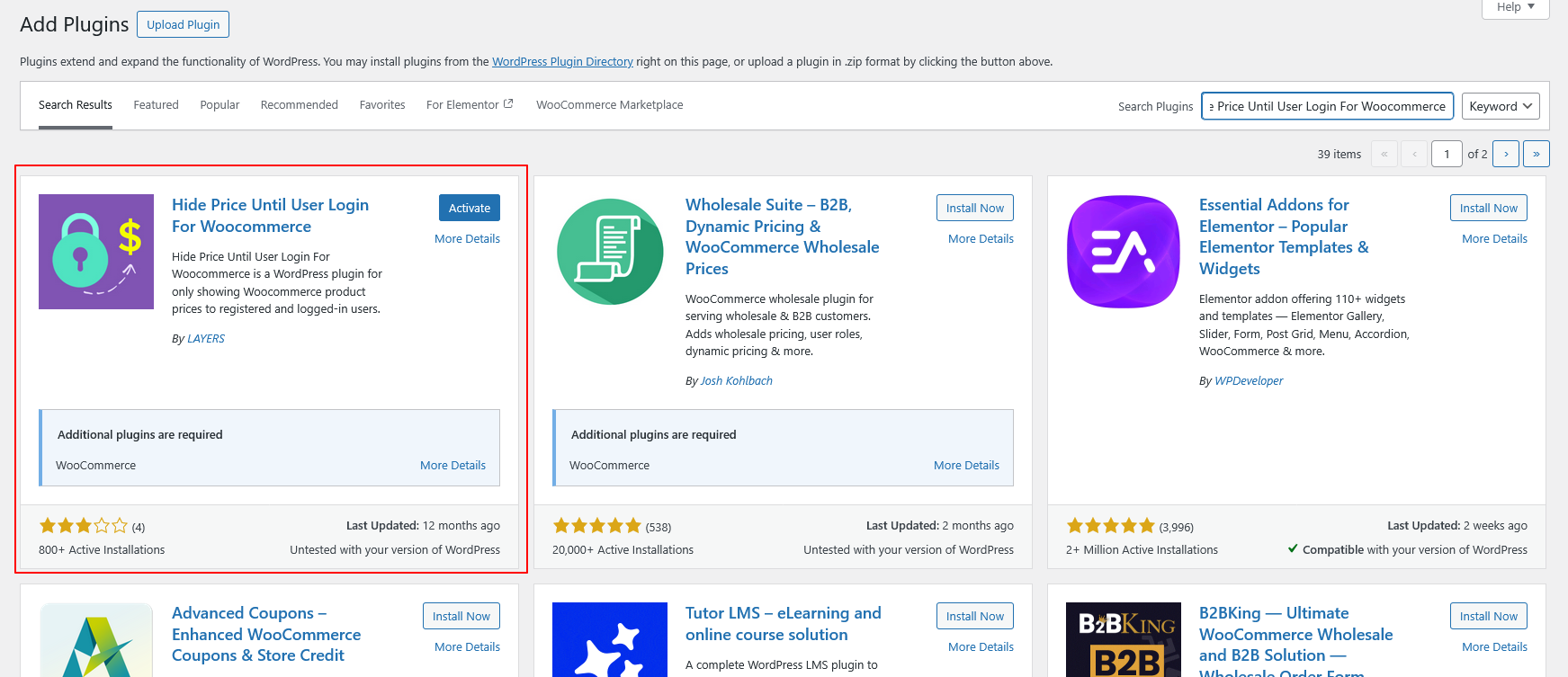
- Plugin Name: Hide Price Until User Login For WooCommerce
- Plugin URL: https://wordpress.org/plugins/hide-price-until-user-login-for-woocommerce/
Install the Plugin
You can install the plugin using the Upload Plugin method.
Upload Plugin:
- Download the plugin ZIP file from WordPress.org
- Go to your WordPress Dashboard
- Navigate to Plugins → Add New
- Click Upload Plugin
- Choose the downloaded ZIP file
- Click Install Now
- Activate the plugin
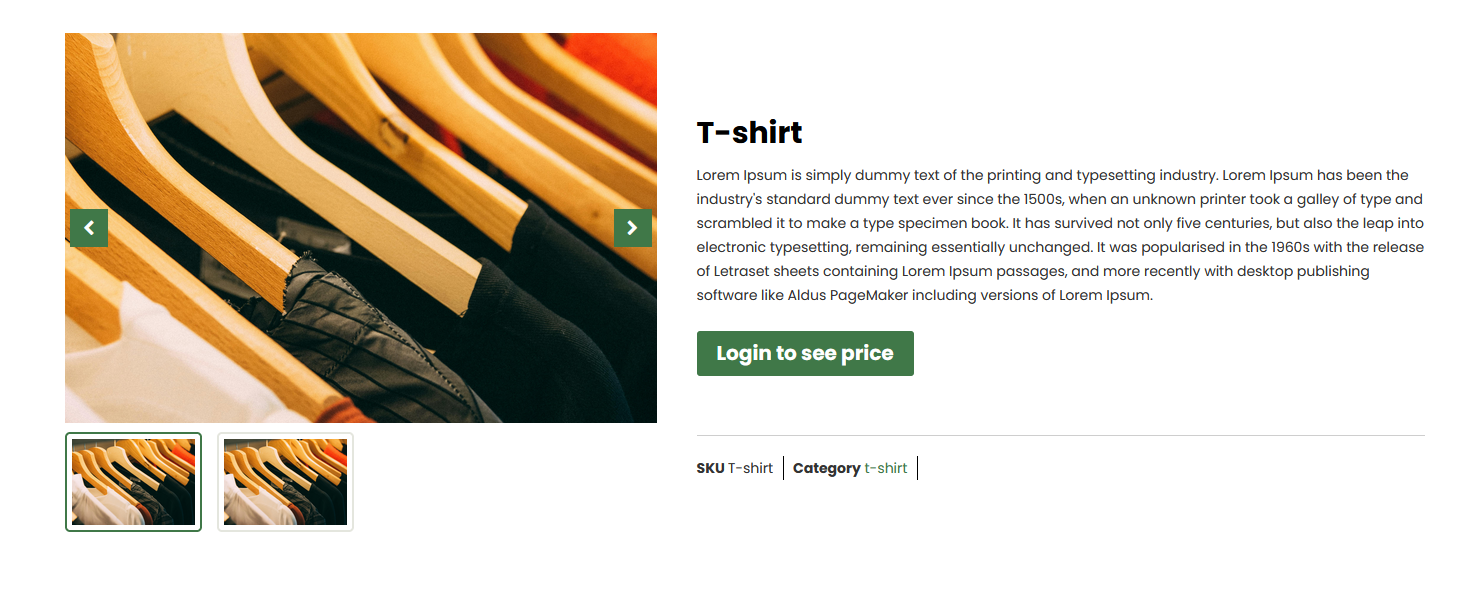
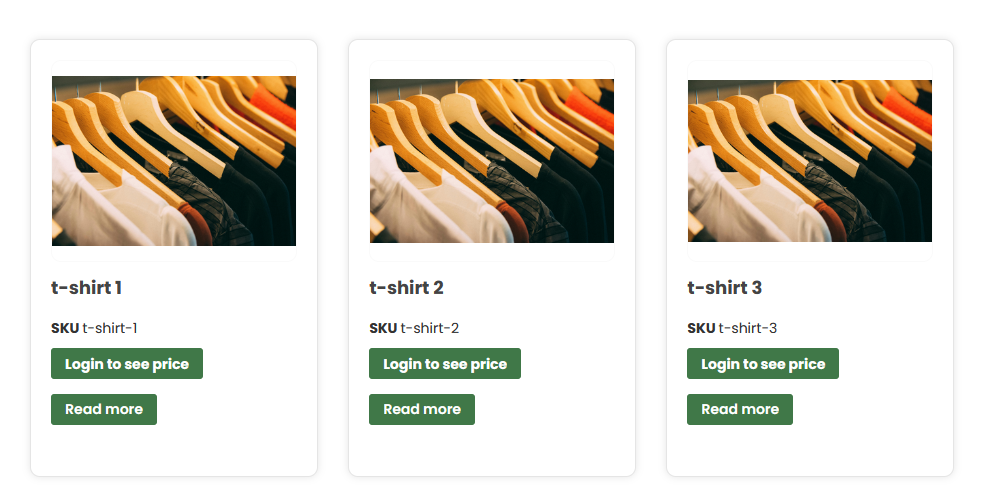
Result
Final Thoughts
Hiding prices until login is a powerful strategy for B2B, wholesale, and dealer-based WooCommerce websites. Whether you choose a plugin or a custom code approach, both methods ensure that pricing remains visible only to authorized users.
Custom pricing, dynamic features, or advanced workflows — we do it all with WordPress.
Partner with TechnoCrackers for expert development and next-level WooCommerce enhancements.