





Table of Contents
- What We’ll Build
- Step 1: Create the ACF Fields
- Step 2: Assign the Field Group
- Step 3: Add FAQ Content from the WordPress Backend
- Step 4: Create the FAQ Layout in Divi 5
- Step 5: Make the FAQ Heading Dynamic
- Step 6: Create the Dynamic FAQ Accordion
- Step 7: Connect the Question and Answer
- Step 8: Save and Check the Frontend
- Why Use This Approach?
- Final Result
Creating an FAQ section is easy when the questions and answers are added directly inside the Divi Builder. But what if you want your client or content team to manage FAQs from the WordPress backend?
With ACF Repeater Fields + Divi 5 Dynamic Content + the Accordion Loop feature, you can create a fully dynamic FAQ section that works with any Custom Post Type, page, or post.
In this tutorial, we’ll create an FAQ system where users can:
- Add an FAQ title from the WordPress backend
- Add unlimited FAQ questions and answers
- Manage FAQs without opening Divi Builder
- Automatically display the FAQ content inside a Divi 5 Accordion
- Reuse the same structure across different post types
What We’ll Build
Our final setup will look like this:
WordPress Backend
- FAQ Section Title
- Questions
- Answers
Divi 5
- Dynamic Heading
- Dynamic Accordion
Frontend
The FAQ title, questions, and answers are automatically displayed from the ACF fields.
Step 1: Create the ACF Fields
First, install and activate ACF Pro on your WordPress website.
Go to:WordPress Dashboard → ACF → Field Groups → Add New
Create a new field group and name it: FAQ Section
Now create the following fields.
Field 1: FAQ Section Title
Create a Text field:
Field Label : Frequently asked questions Title
Field Name : frequently_asked_questions_title
Field Type : Text
This field will be used for the main FAQ heading.
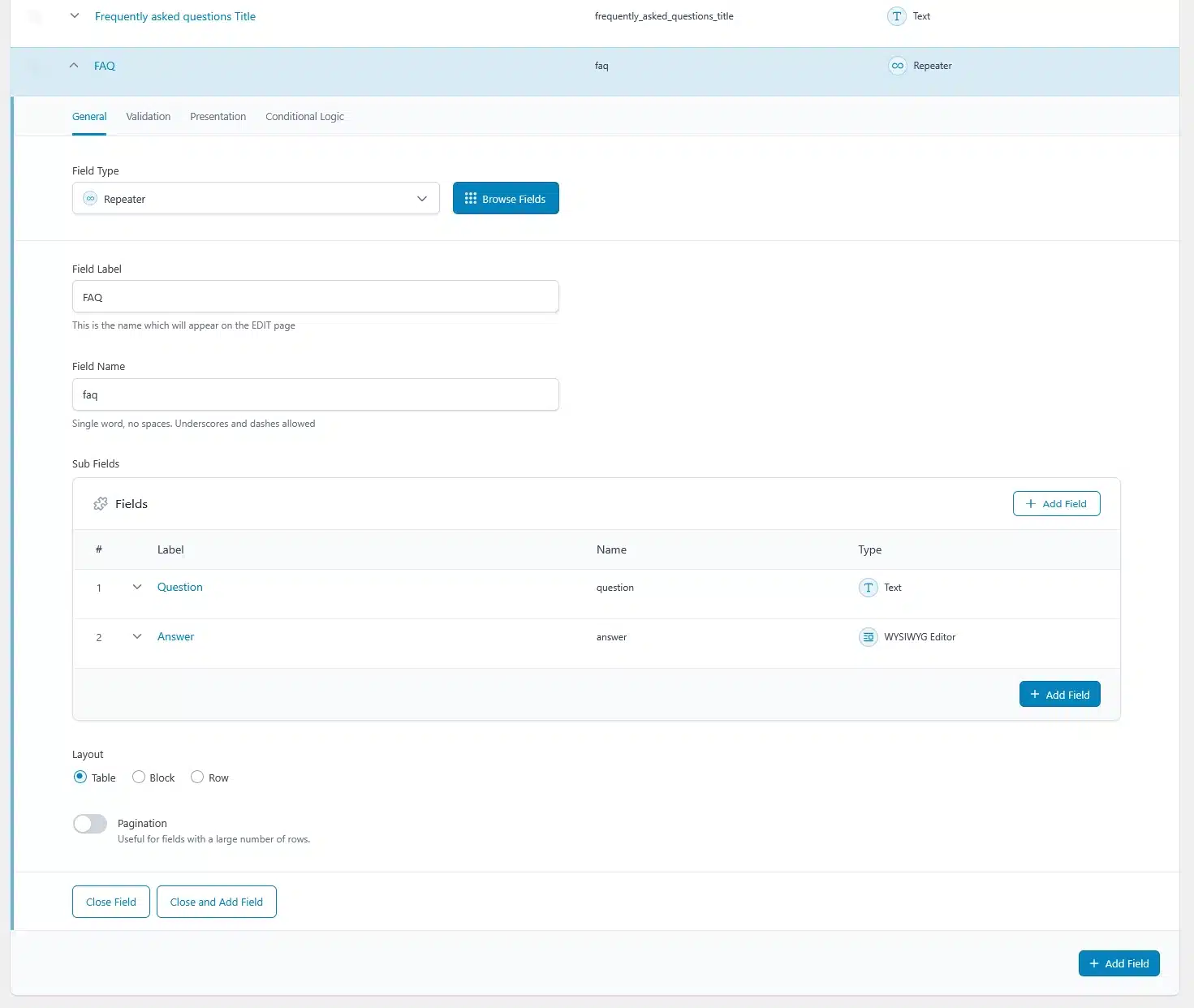
Field 2: FAQ
Next, create a Repeater field:
Field Label : FAQ
Field Name : faq
Field Type : Repeater
Inside the repeater, add two sub-fields:
Question
- Field Type: Text
- Field Name: question
Answer
- Field Type: WYSIWYG Editor
- Field Name: answer
Your ACF structure should look like:
FAQ Section
- Frequently asked questions Title
- FAQ (Repeater)
- Question
- Answer
Step 2: Assign the Field Group
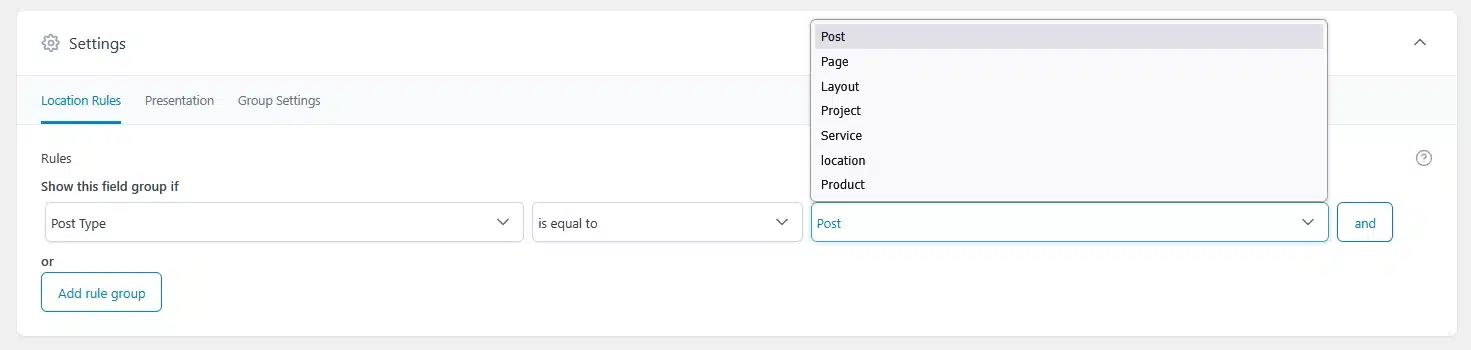
Once your fields are created, assign the FAQ Section field group to the content where you want to use it.
For example, you can assign it to:
- A Custom Post Type
- Posts
- Pages
- Any other appropriate WordPress content type
Set the location rule according to your requirement.
For example:
Post Type → is equal to → Your Custom Post Type
Save the field group.
Step 3: Add FAQ Content from the WordPress Backend
Now open one of the assigned posts or CPT entries.
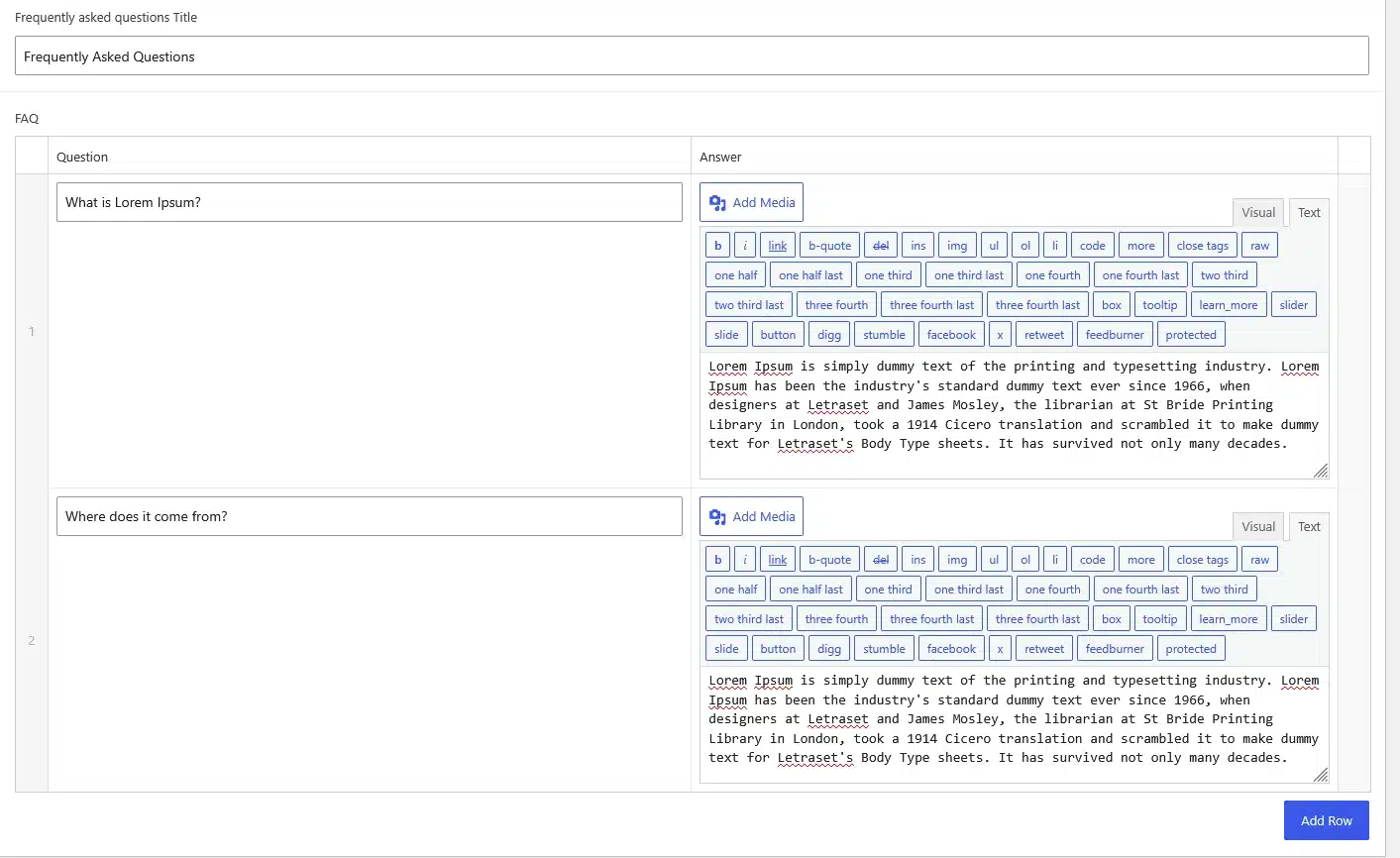
You should see the new FAQ Section fields in the WordPress editor.
First, enter your FAQ section title.
For example:
Frequently Asked Questions
Then add your FAQ items.
For each repeater row, enter:
Question:
What is Lorem Ipsum?
Answer:
Lorem Ipsum is simply dummy text of the printing and typesetting industry…
You can click Add Row to create additional questions and answers.
This allows the content editor to manage the FAQ without touching the Divi Builder.
Step 4: Create the FAQ Layout in Divi 5
Now open your page or template with the Divi 5 Builder.
If you’re working with a Custom Post Type, create or edit its template.
If you’re working directly on a page or post, simply open that page with Divi 5.
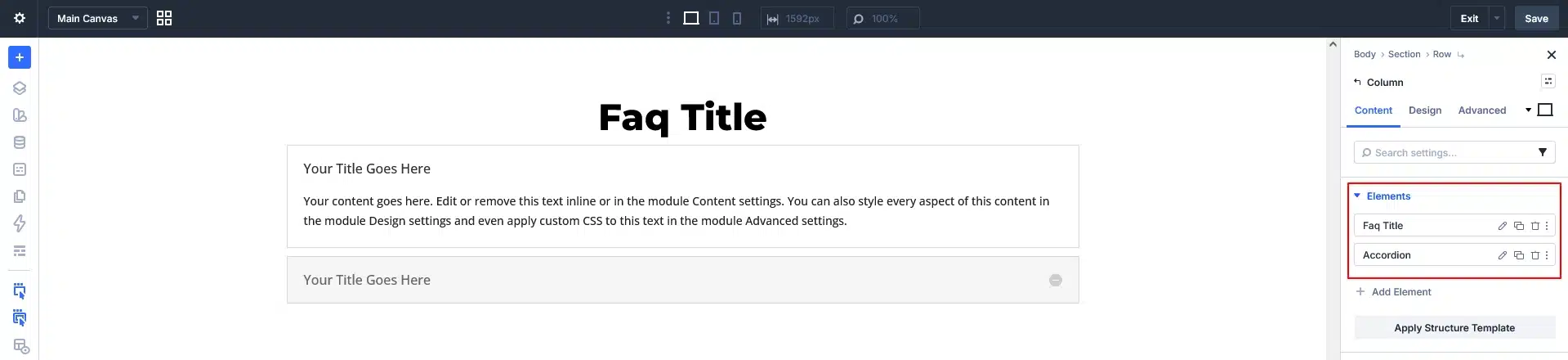
Create:
Section → Row → Column
Inside the column, add two elements:
- Heading
- Accordion
At this point, you can style the heading and accordion however you want.
The important part is that we will now replace the static content with dynamic ACF content.
Step 5: Make the FAQ Heading Dynamic
Edit your Heading element.
Instead of manually entering the FAQ title, hover over the heading content and click:
Insert Dynamic Content
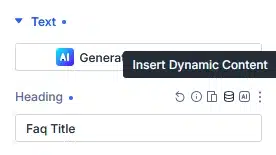
Select: Custom Field
Then enter your ACF field name: frequently_asked_questions_title
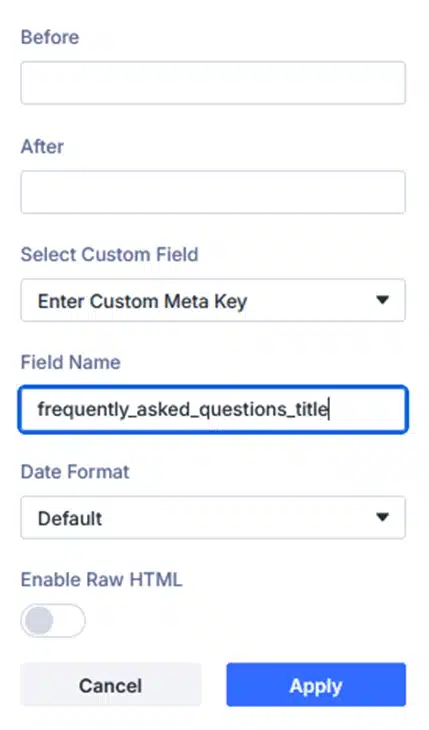
Apply the dynamic content.
Now the heading will automatically pull the value from your ACF field.
For example, if the backend contains: Frequently Asked Questions
Divi will automatically display: Frequently Asked Questions
If another post has a different title, the heading will automatically change.
No need to edit the Divi layout.
Step 6: Create the Dynamic FAQ Accordion
Now edit the Accordion element.
First, remove the extra static accordion items.
Keep only one Accordion Item.
This single item will act as the template for all your FAQ entries.
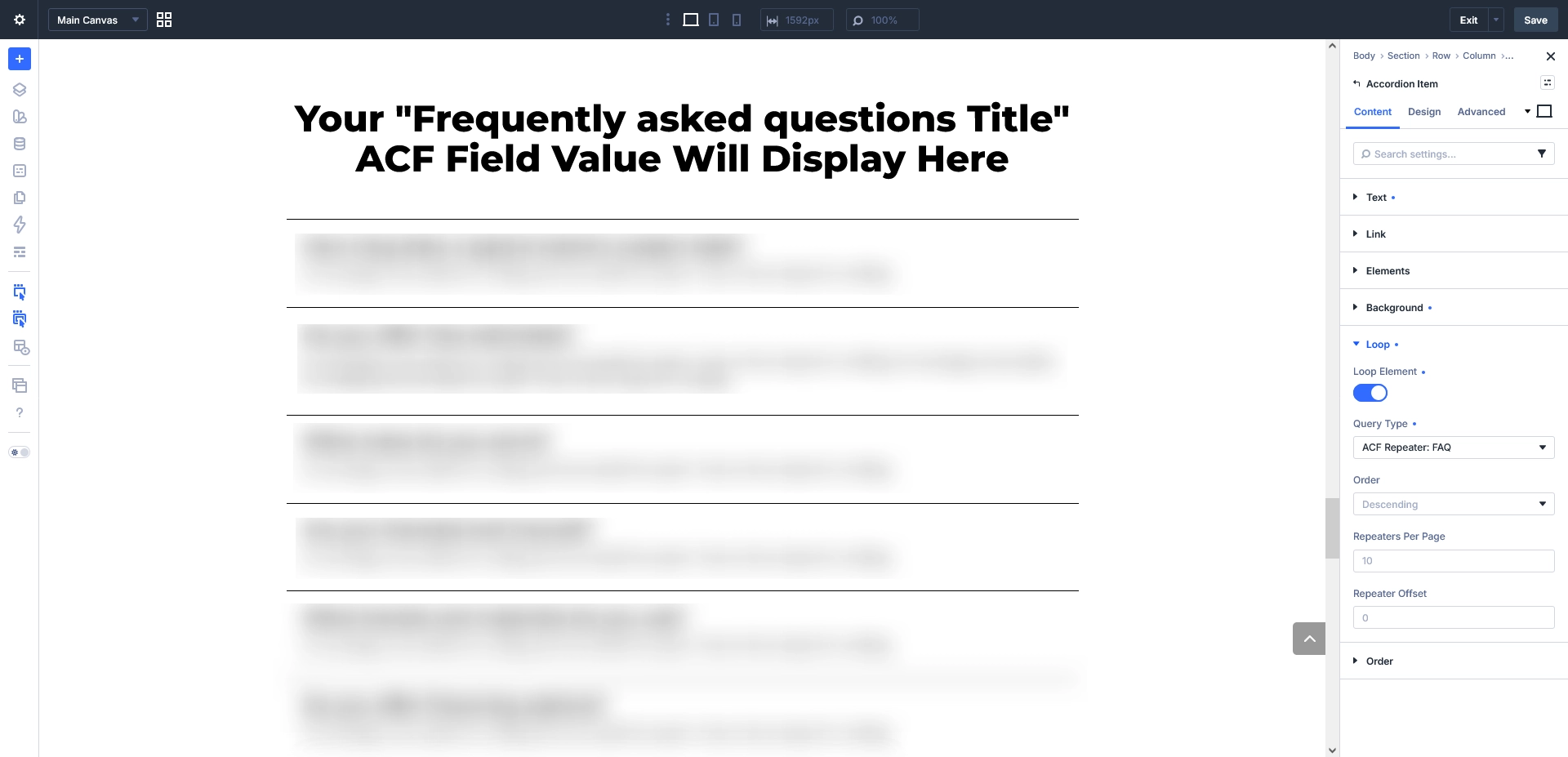
Open the Accordion Item settings and find the Loop option.
Enable:Loop Element
Then set the query type to your ACF repeater:ACF Repeater → FAQ
Now Divi 5 will use the FAQ repeater rows from your ACF field.
Instead of manually creating:
- FAQ 1
- FAQ 2
- FAQ 3
- FAQ 4
Divi will automatically generate the accordion items based on the repeater rows.
Step 7: Connect the Question and Answer
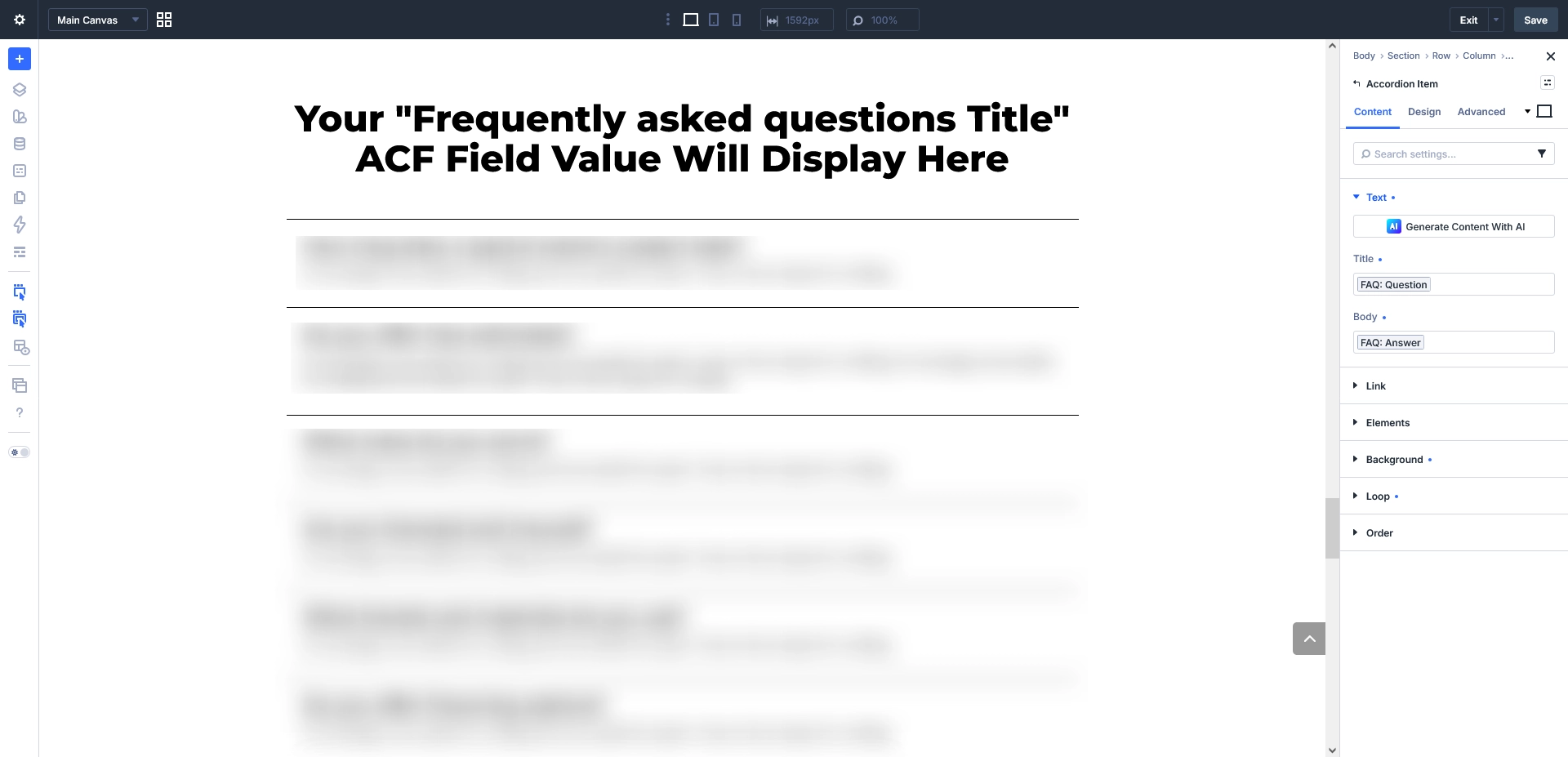
Now open the Text settings inside the Accordion Item.
You should have two dynamic fields:
Title
Click Insert Dynamic Content and select the repeater sub-field:
FAQ → Question
Body
Again, select Insert Dynamic Content and choose:
FAQ → Answer
Your Accordion Item is now connected to the ACF repeater.
Step 8: Save and Check the Frontend
Save your Divi 5 template or page.
Now open the frontend.
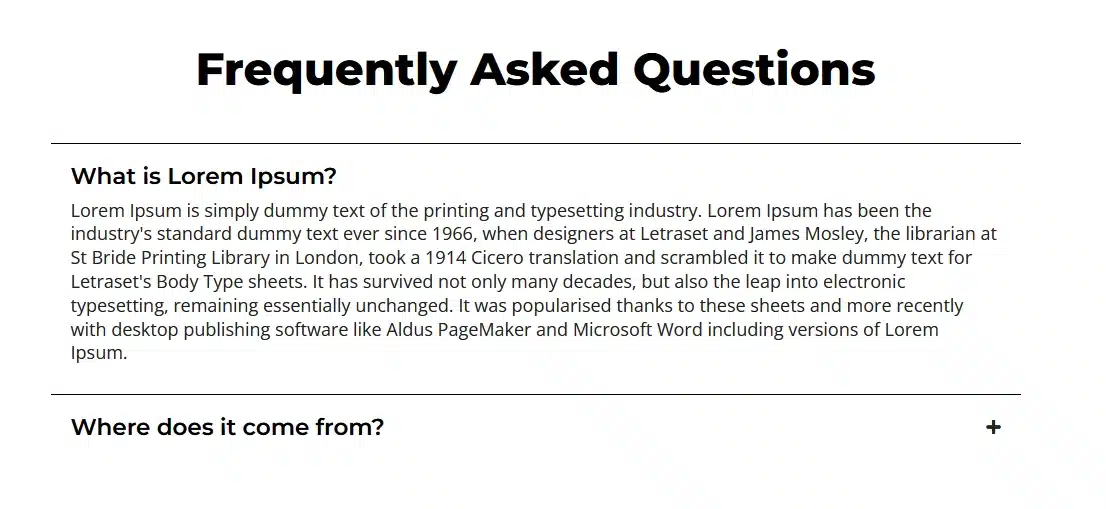
Your ACF content should automatically appear inside the Accordion.
For example:
Frequently Asked Questions
What is Lorem Ipsum?
Lorem Ipsum is simply dummy text of the printing and typesetting industry…
Where does it come from?
Lorem Ipsum comes from…
Why is it used?
It is commonly used as placeholder content…
The number of accordion items will automatically match the number of FAQ rows entered in the WordPress backend.
Why Use This Approach?
The biggest advantage of this setup is that content and design are separated.
The developer creates the FAQ layout once in Divi 5, while the content editor can manage questions and answers from the WordPress backend.
Without Dynamic Content
Every FAQ has to be manually created inside Divi:
Accordion Item 1
Accordion Item 2
Accordion Item 3
Accordion Item 4
Adding or changing FAQs requires editing the page.
With ACF + Divi 5
The editor simply adds another repeater row:
FAQ
├── Question → Answer
├── Question → Answer
├── Question → Answer
└── Question → Answer
Divi automatically displays them.
Final Result
With ACF Pro Repeater Fields and Divi 5, you can create a reusable dynamic FAQ system that works with Pages, Posts, and Custom Post Types.
The complete workflow is:
- Create ACF fields
Create the FAQ title and repeater with Question and Answer sub-fields. - Add FAQ content
Enter your questions and answers from the WordPress backend. - Create the Divi 5 layout
Add a Heading and Accordion. - Make the heading dynamic
Connect it to the ACF FAQ title field. - Loop the Accordion
Enable Loop and select the ACF FAQ repeater. - Connect the content
Use the Question and Answer repeater fields as dynamic content. - Save and check
Your backend FAQ content will automatically appear on the frontend.
This approach makes your FAQ section easier to manage, reusable, and scalable, especially when working with Custom Post Types and dynamic WordPress websites.